Verify the Virtual Edge is Activated in the VeloCloud Orchestrator
Once the instance is running in AWS and all information provided was correct, the Virtual Edge will reach out to the VeloCloud Orchestrator with the activation key, activate and perform the software update if needed (and reboot if upgraded). The typical deployment time is between three to four minutes.
- Go to .
The Edges screen appears.
Figure 1. Monitor Edges 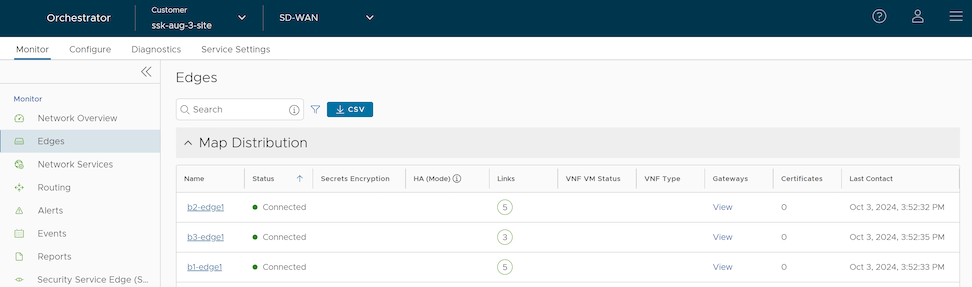
Connecting the Virtual Edge to Networking services like Transit Gateway
For information on Virtual Edge connectivity to Transit Gateway using the Transit Gateway Connect Service, see the topic Configure Edge for Amazon Web Services (AWS) Transit Gateway (TGW) Connect Service in the Arista VeloCloud SD-WAN Administration Guide.