Edge Licensing
SASE Orchestrator provides different types of Licenses for the Edges. Partner users can manage and assign licenses to their Enterprise customers.
Only Operators can activate the Edge Licensing feature and assign the licenses to a Partner user. If the Edge Licensing is not activated for you, contact your Operator.
The Edge licenses are available with the following components:
| Component | Supported Attributes |
|---|---|
| Bandwidth | 10M, 30M, 50M, 100M, 200M, 350M, 500M, 750M, 1G, 2G, 5G, 10G |
| Editions | Standard, Enterprise, Premium |
| Region | North America, Europe Middle East and Africa, Latin America, Asia Pacific |
| Term | 12 months, 36 months, 60 months |
An Operator can assign different types of Edge licenses from the 324 types of licenses available with various combinations.
Apart from the above list, VeloCloud offers a trial version of license with the following attributes:
| Component | Supported Attributes |
|---|---|
| Bandwidth | 10 Gbps |
| Edition | POC |
| Region | North America, Europe Middle East and Africa, Asia Pacific and Latin America |
| Term | 60 Months |
- Login to the SASE Orchestrator as a Partner. In the Partner portal, from the top menu, select Edge Management, and then from the left menu, select Edge Licensing.
Figure 1. Displaying Edge Licensing 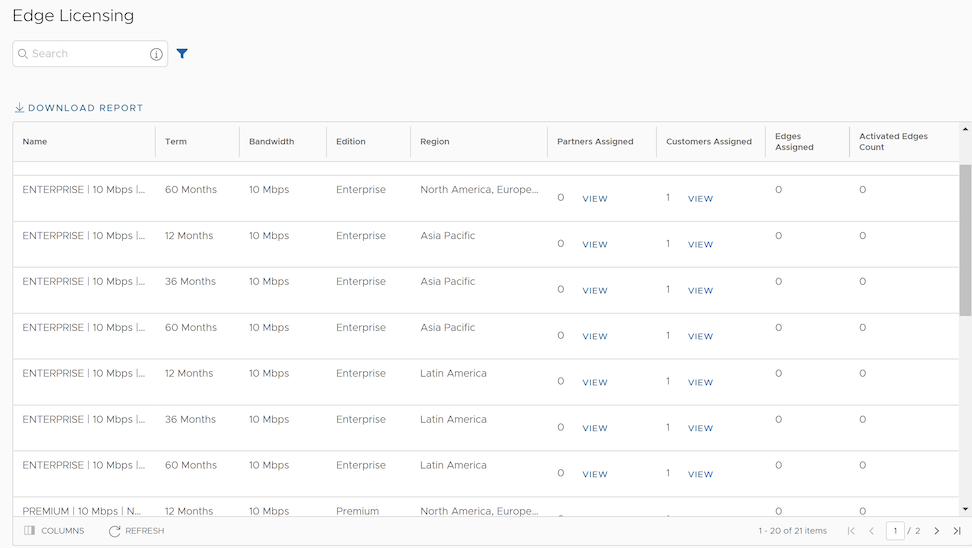
- You can view the following options on this page:
Table 3. Additional Options Option Description Search Enter a term to search for a matching text across the table. You can select the advanced search option to use filters to narrow down the search results. Download Report Select this option to download a report of the licenses, associated customers, and Edges in a CSV format. Columns Select this option and select the columns to be displayed in the table. Refresh Select this option to refresh the displayed list of licenses. - Selecting the View link under the Partners assigned column, displays the Edge license details of the selected Partner.
- Selecting the View link under the Customers assigned column, displays the Edge license details of the selected Customer.
To assign the Edge licenses to Customers, see Create New Partner Customer.
Manage Edge Licenses for Customers
- Login to the SASE Orchestrator as a Partner and select Manage Partner Customers.
- Select the link to a customer name to navigate to the Enterprise portal.
- In the Enterprise portal, select .
Figure 2. Displaying Edge Licensing 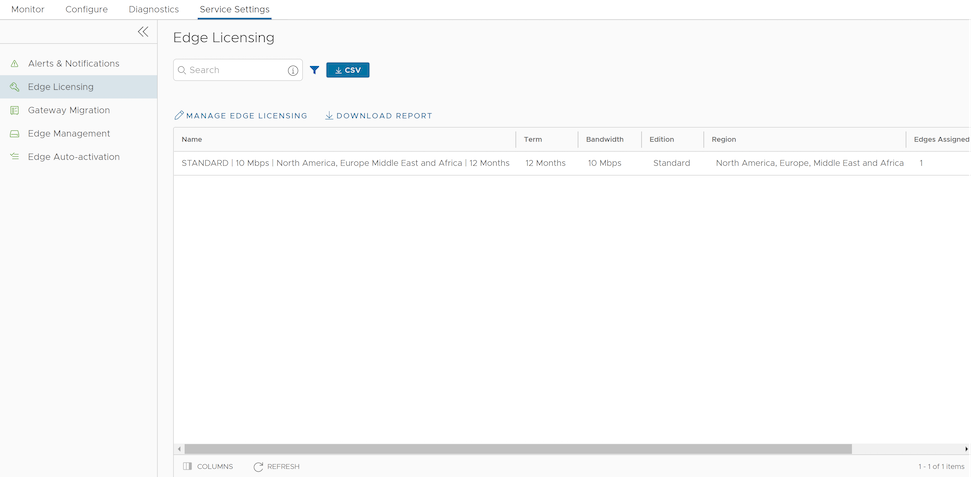
- Select Manage Edge Licensing.
Figure 3. Selecting Edge Licenses 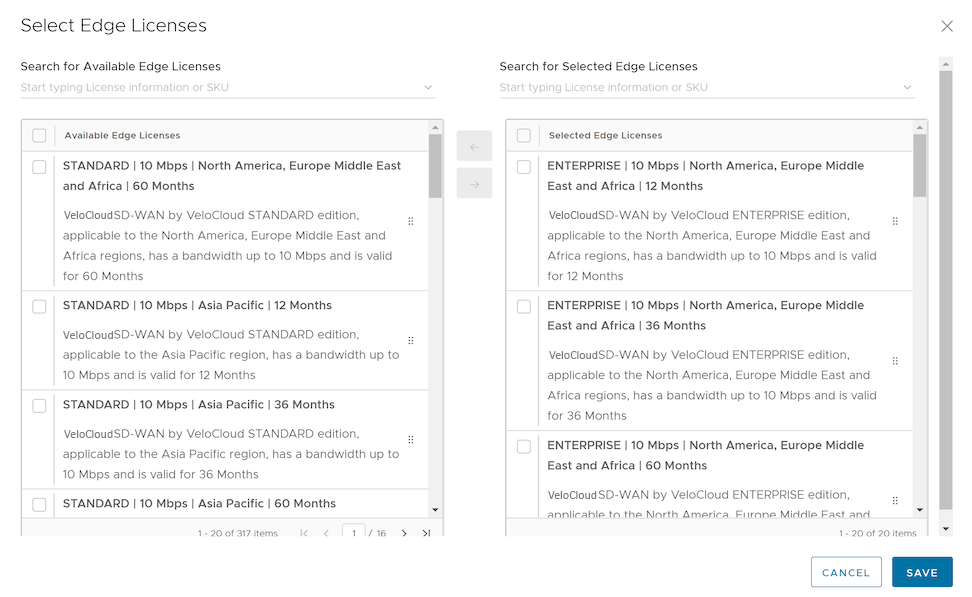
- In the Select Edge Licenses window, choose the relevant licenses based on the Bandwidth, Term, Edition, and Region, and then move them to the Selected Edge Licenses pane.
Note: Apart from the existing licenses, VeloCloud offers a trial version of license with the Edition as POC. If you select a POC license, you cannot choose the other licenses.
- Select Save. The selected licenses are displayed in the Edge Licensing window.
Note:
If you have selected the POC license, you can select Upgrade Edge License to upgrade the license to the next level. Choose Standard, Enterprise or Premium Edition from the list. You cannot downgrade a License type to the previous Edition.
- Select Download Report to generate a report of the licenses and the associated Edges in CSV format.
When you create an Edge, you can choose and assign an Edge License from the list.
- In the SD-WAN service of the Enterprise portal, select .
- To assign license to each Edge, select the link to the Edge and select the License under the Properties area in the Edge Overview page. You can also select the Edge and select to assign the license.
- To assign a license to multiple Edges, select the appropriate Edges, select , and select the license.