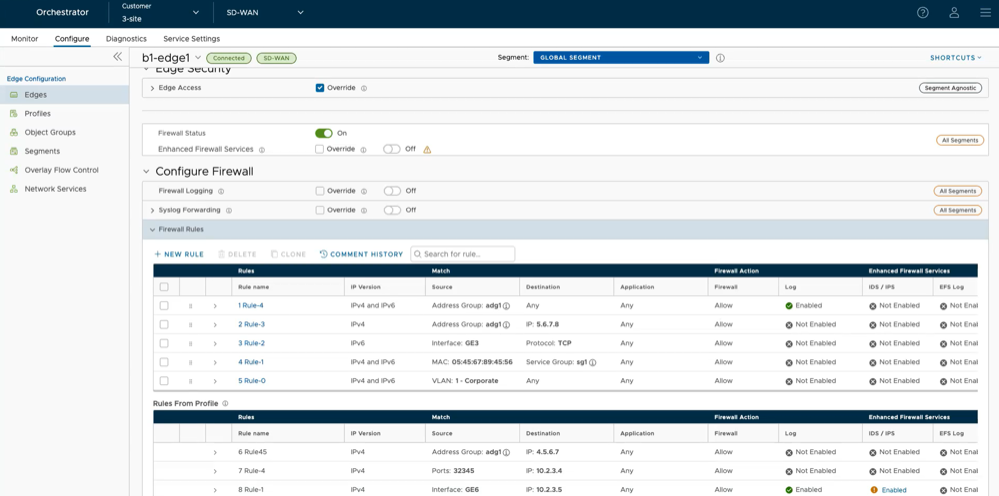
Object Groups
An Object Group is a group of Address groups and Service groups. Address groups are a collection of IP addresses, range of IP addresses and domain names. Service groups are a collection of ports, range of ports, service types, and codes. When you create business policies and firewall rules, you can define the rules for a range of IP addresses or a range of TCP/UDP/ICMPv4/ICMPv6 ports, by including the object groups in the rule definitions.
You can create Address groups to save the range of valid IP addresses and Service groups for the range of port numbers or service type and range of codes. You can simplify the policy management by creating object groups of specific types and reusing them in policies and rules.
- Manage policies easily
- Modularize and reuse the policy components
- Update all referenced business and firewall policies easily
- Reduce the number of policies
- Improve the policy debugging and readability
NETWORK_SERVICE object. You can only view the object groups if you have Read permission on NETWORK_SERVICE and ENTERPRISE_PROFILE objects.Configure Object Groups
For additional information on Object Groups, see Object Groups.
- In the SD-WAN service of the Enterprise portal, to configure Object Groups, select .
The Object Groups screen appears. You can configure Address Group and Service Group from this screen.
Figure 1. Configure Object Groups 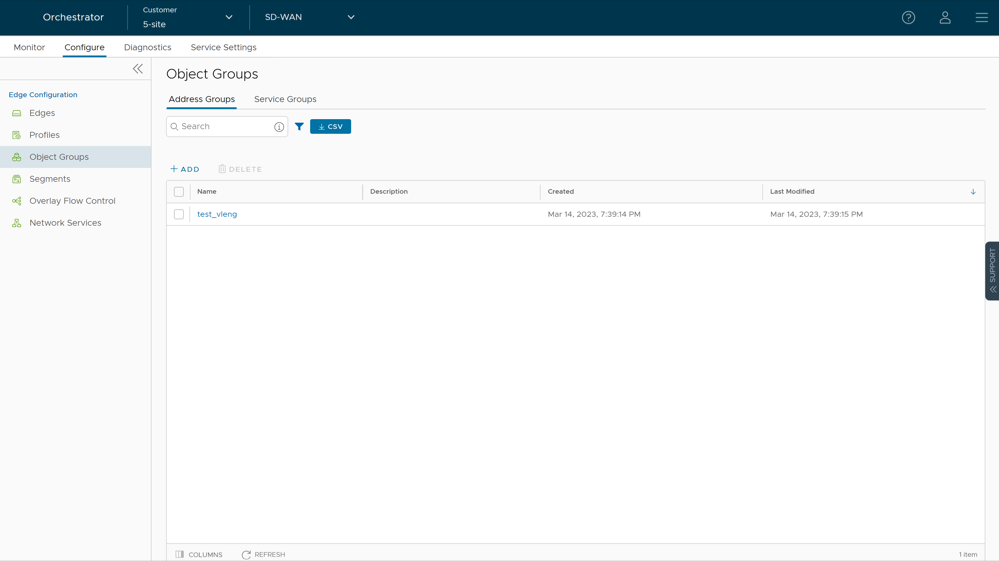
- To create and configure Address Groups, perform the following steps:
- In the Address Groups tab, select Add. The Configure Address Group window appears.
Figure 2. Configure Address Group 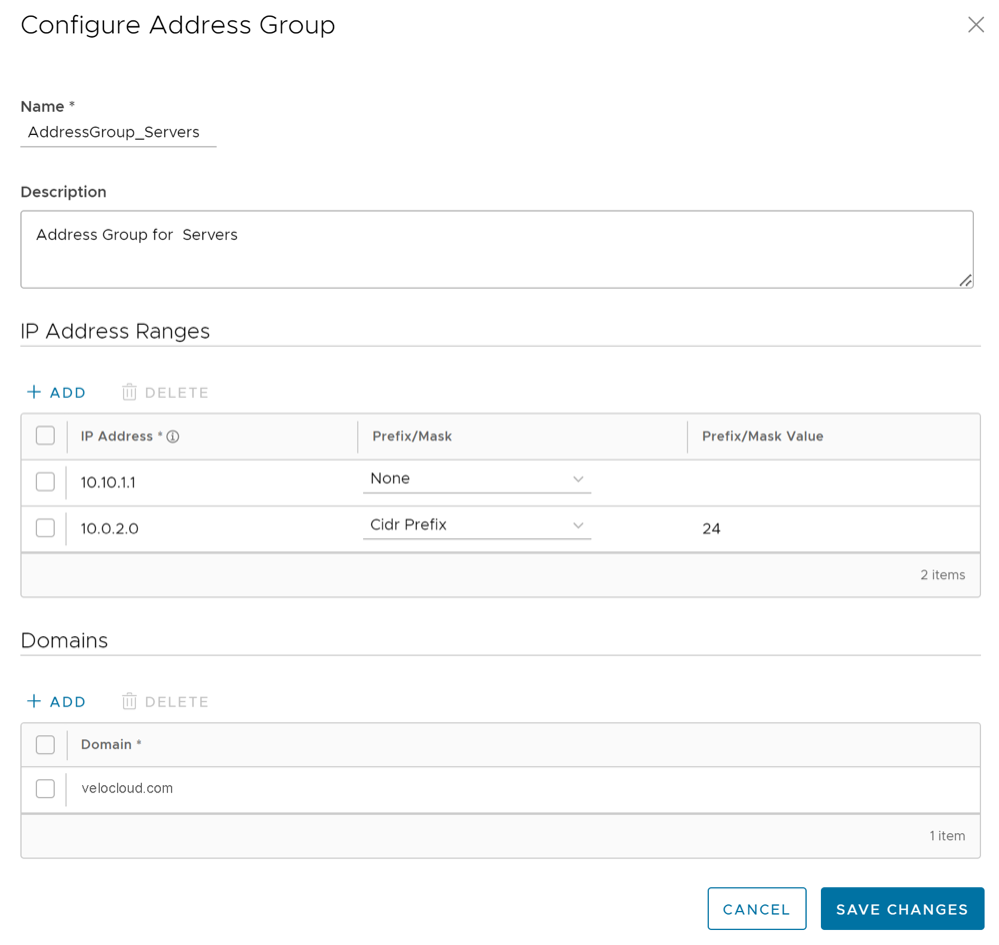
- In the Address Groups tab, select Add. The Configure Address Group window appears.
- To create and configure Service Groups (formerly known as Port Groups), perform the following steps:
- In the Service Groups tab, select Add. The Configure Service Group window appears.
Figure 3. Configure Service Group 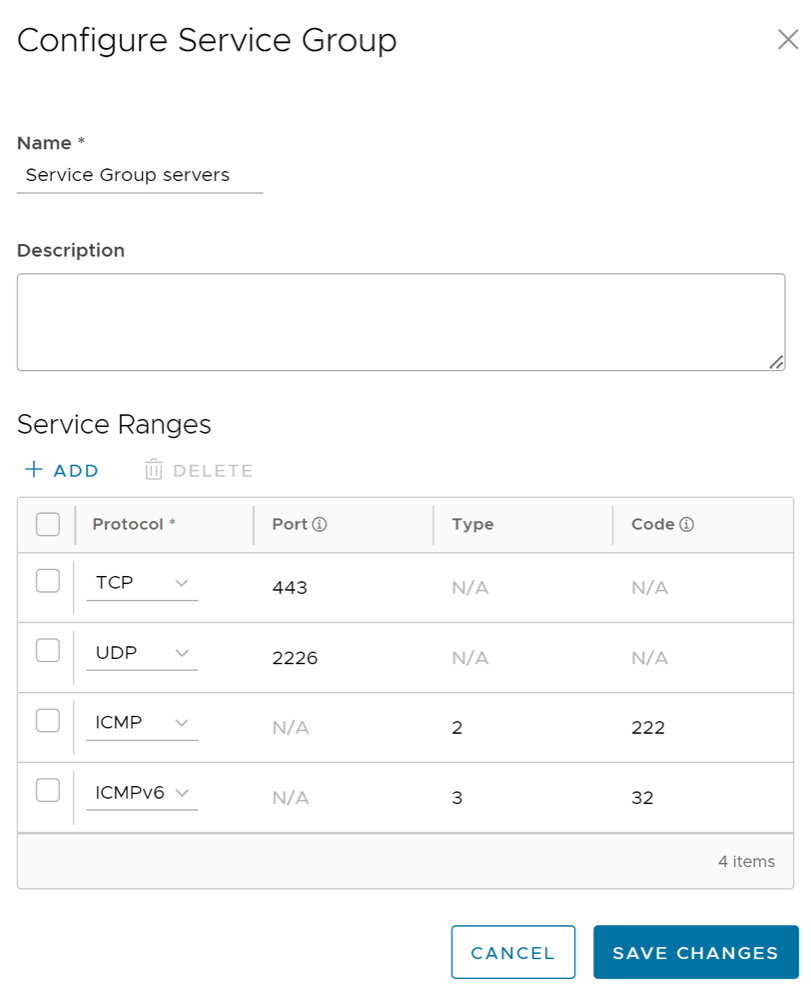
- In the Service Groups tab, select Add. The Configure Service Group window appears.
Select the link to the Address or Service Group to modify the settings. To delete an Address or Service Group, select the check box before the group and select Delete.
Configure Business Policies with Object Group
At the Profile level, to configure a business policy with Object Group, perform the following steps:
- In the Configure Business Policy section and under Business Policy Rules, select + ADD. The Add Rule dialog box appears.
Figure 4. Add Business Policy Rule with Object Group 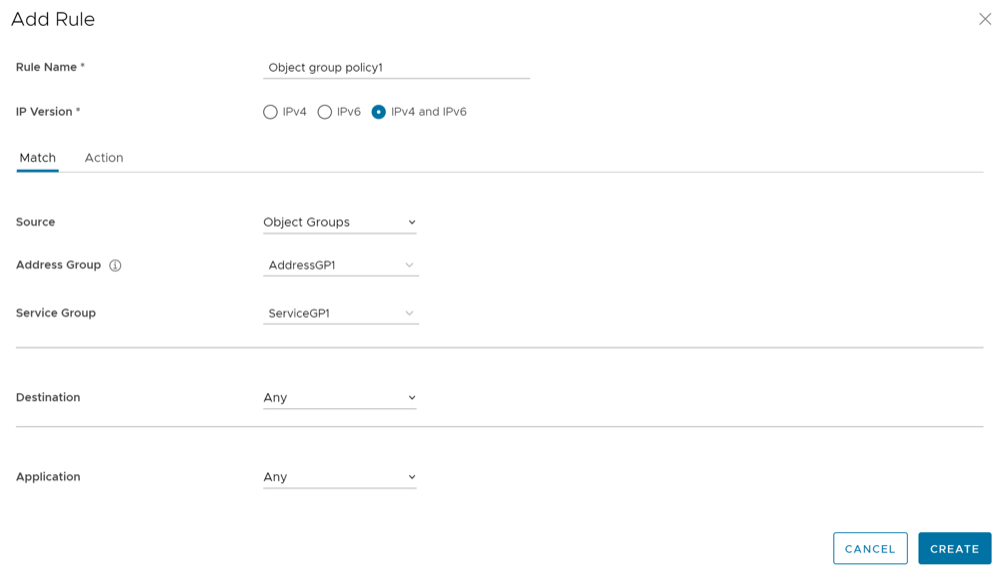
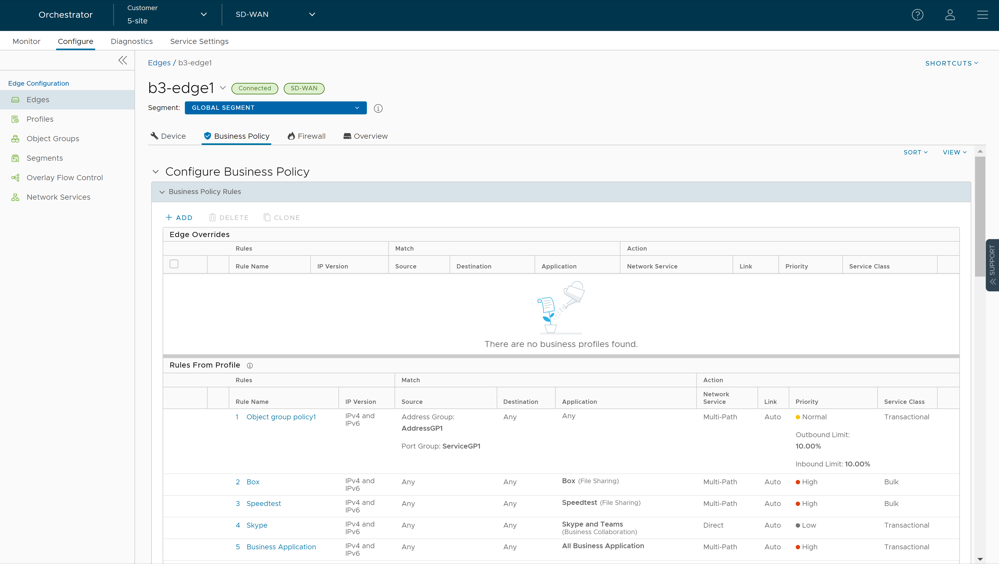
Configure Firewall Rule with Object Group
At the Profile level, to configure Firewall Rule with Object Group, perform the following steps:
- Go to the Configure Firewall section and under Firewall Rules, select + NEW RULE. The Configure Rule dialog box appears.
Figure 6. Add Firewall Rule with Object Group 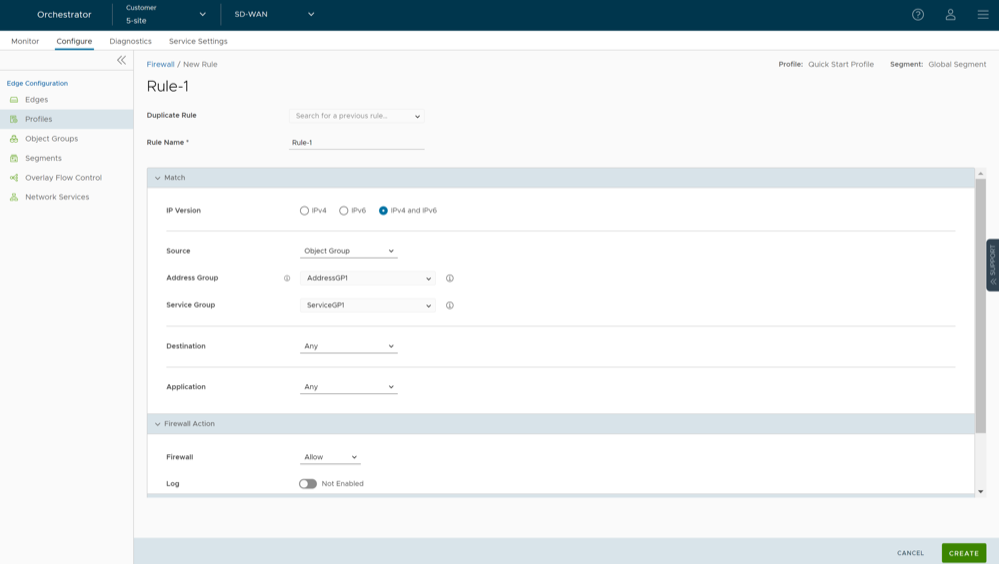
- In the Match area, configure the match conditions for the rule:
- Choose the IP address type for the rule. By default, IPv4 and IPv6 address type is selected. You can configure the Source and Destination IP addresses according to the selected Address Type.
- From the Source drop-down menu, select Object Groups.
- Select the relevant Address Group and Service Group from the drop-down menu. If the selected address group contains any domain names, they would be ignored when matching for the source.
You can select the Info icon next to the Address Group and Service Group drop-down to view the configuration details of the respective Address Group and Service Group.
Figure 7. View Configuration Information 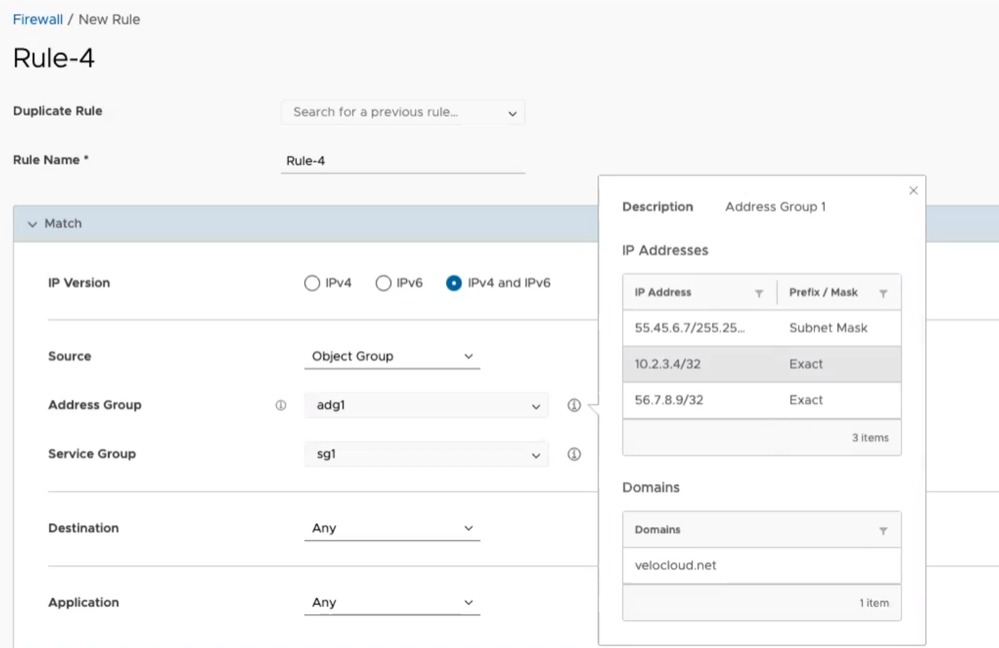
- If required, you can select the Address and Service Groups for the destination as well.
Based on Address Type selected, the behavior will be as follows:
- IPv4 Type Rule matches only the IPv4 addresses available in the selected Address Group.
- IPv6 Type Rule matches only the IPv6 addresses available in the selected Address Group.
- Mixed Type Rule matches both the IPv4 and IPv6 addresses in the selected Address Group.
- Choose Firewall actions as required and select Create.
For additional information on the match and action parameters, see Configure Firewall Rule.
- Select Save Changes.
A firewall rule is created for the selected Profile, and it appears under the Firewall Rules area of the Profile Firewall page.
Note: The rules created at the Profile level cannot be updated at the Edge level. To override the rule, user needs to create the same rule at the Edge level with new parameters to override the Profile level rule.In the Firewall Rules area of the Profile Firewall page, you can perform the following actions:- DELETE- To delete existing Firewall rules, select the check boxes prior to the rules and select DELETE.
- CLONE- To duplicate a Firewall rule, select the rule and select CLONE.
- COMMENT HISTORY- To view all comments added while creating or updating a rule, select the rule and select COMMENT HISTORY.
- Search for Rule- Allows to search the rule by Rule name, IP address, Port/Port range, and Address group and Service group names.