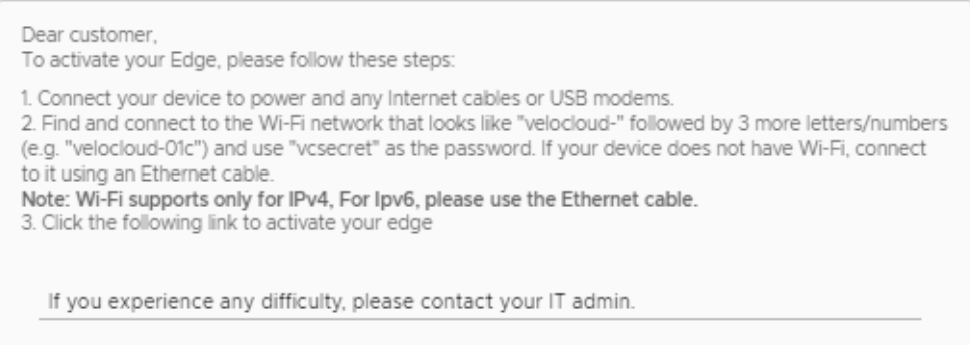
Activate Edges Using Email
To activate Edges using the Email method, perform the following tasks:
- Send an Activation Email. The administrator initiates the activation process by sending an activation procedure email to the person installing the Edge, typically a Site Contact. For additional information, see Send Edge Activation Email.
- Activate the Edge Device. The instructions in the activation procedure email activates the Edge device. For additional information, refer to Activate an Edge Device.
Send Edge Activation Email
To send the Edge Activation Email, perform the following tasks:
- Select the Overview tab. For an unactivated Edge, the Edge Status section displays the option to send an activation Email:
Figure 1. Edge Status 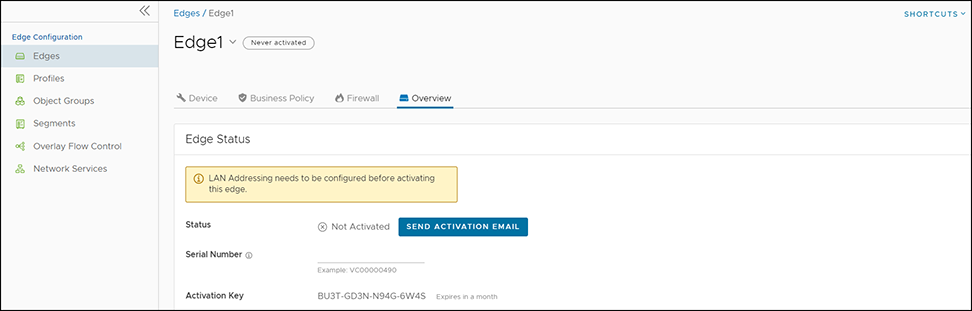
- Select Send Activation Email.
Figure 2. Send Activation Email 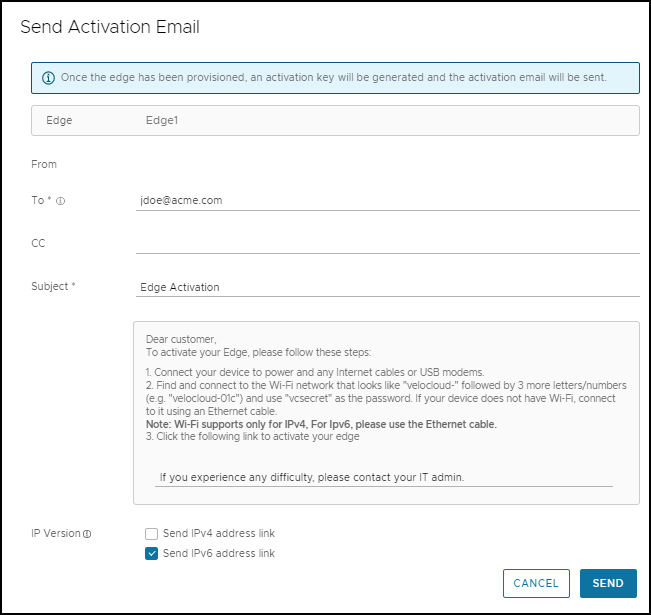
Activate an Edge Device
In general, the Site Contact completes the following steps:
Edge Activation using an iOS Device and an Ethernet Cable
- An iPhone or iPad with email access
- An Ethernet adapter suitable for phone or tablet
Note: This example uses an Edge 540 and an iPhone 12 Pro Max. You can use other Edge and iPhone or iPad models.
- On your iOS device, go to . Select the appropriate interface. Under the IPv4 Address, select Configure IP as Automatic.
Figure 3. Ethernet Settings 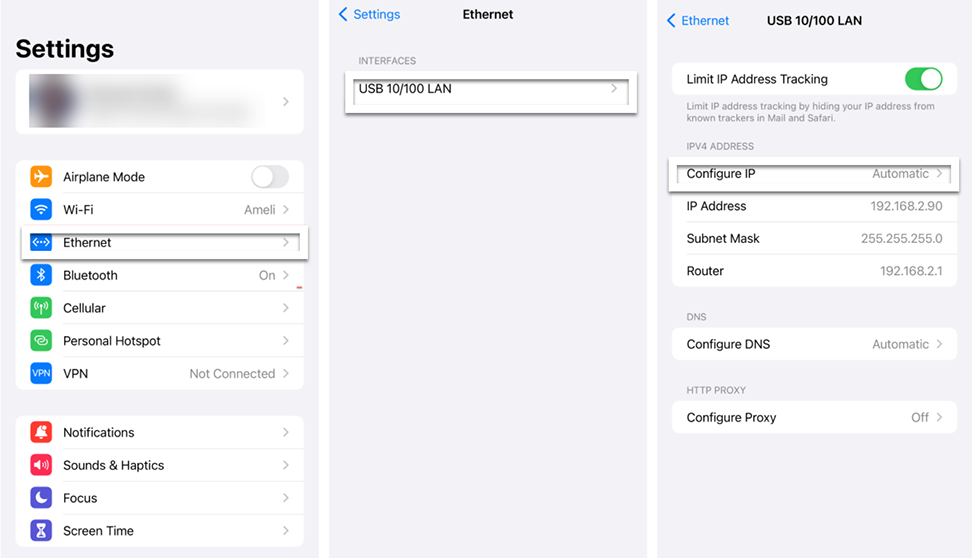
- Open the activation email from your phone, and then select the activation link to activate your Edge.
Figure 4. Activation Email for iOS Device 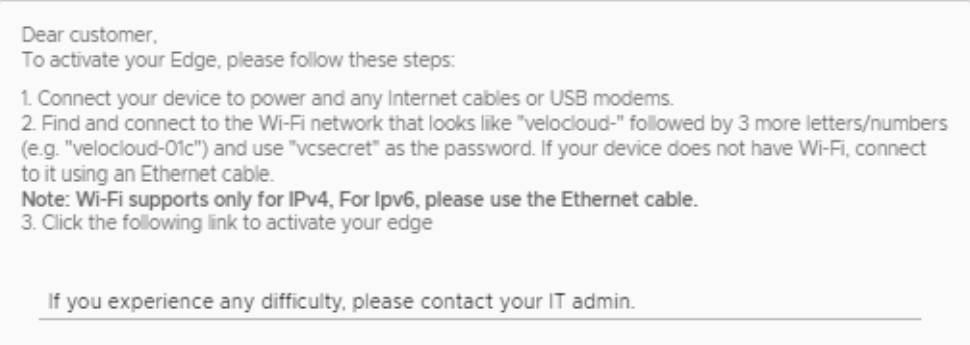
Edge Activation using an Android Device and an Ethernet Cable
The procedure requires the following components:
- Android phone with email access
- Ethernet adapter suitable for the phone
Note: This example uses an Edge 610 and a Samsung Galaxy S10+ smart phone. You can use other Edge and Android phone models.
- Open the activation email from your phone, and then select the activation link to activate your Edge.
Figure 5. Activation Email for Android Device