A Partner Superuser and a Partner Admin user can view the Partner events.
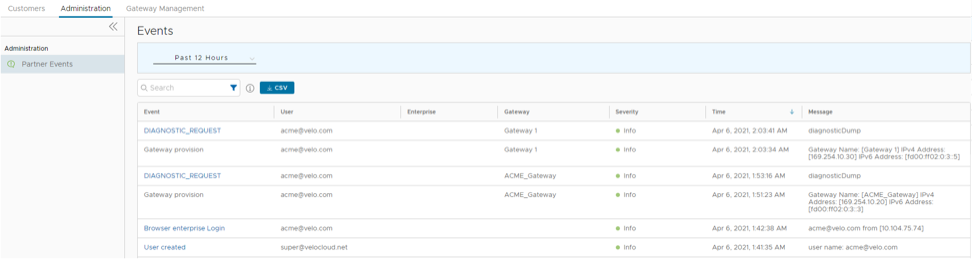
In the Partner portal, select Administration > Partner Events to view the events. The following screen displays:
Figure 1. Monitor Partner Events
The screen displays the recent events. You can select the link to an event to view more details.
At the top of the page, select a specific time period to view the details of events for the selected duration. Once you select or setup the duration, the page displays the events triggered during the selected period.
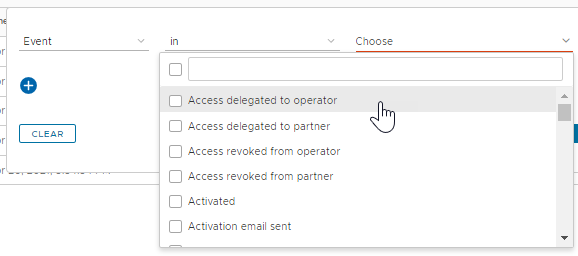
In the Search field, enter a term to search for specific details. Select Filter to filter the view by a specific criteria. In the filter, select Event and select the menu to view the list of available Partner events and filter by specific events.
Figure 2. Filter Partner Events
Select the CSV option to download a report of the events in CSV format.