SD-WAN Edge in a vNET Connecting to a vWAN Hub
Integrate an SD-WAN Edge into a traditional vNET, using a vWAN Hub as an alternative to deploying Edges as a managed NVA inside the vWAN Hub, resulting in a similar topology.
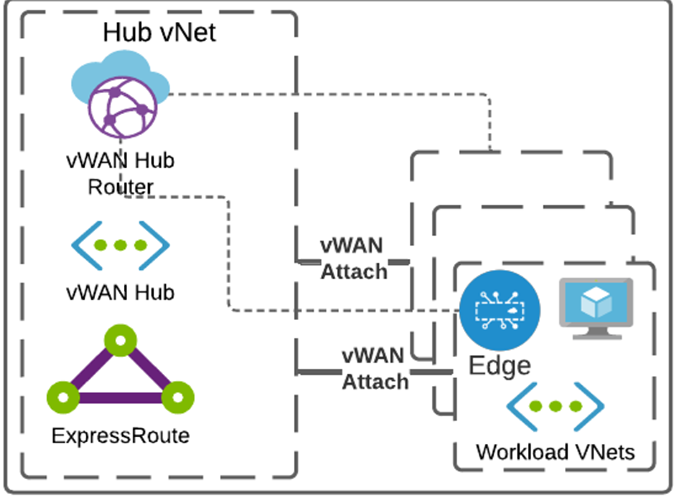
Adhere to the following important points:
- Deploy the Virtual Edge in a vNET.
- Deploy an Azure vWAN Hub and create the following components in the desired Azure region:
- A Resource Group
- A Virtual WAN (vWAN)
- A Virtual Hub (vHUB)
Note: This section assumes that the user has deployed Edges, vWAN, and applicable Hub(s) as documented in the Azure Virtual Edge Deployment Guide and in Deploy VeloCloud SD-WAN in Azure Virtual WAN Hub topic.
To integrate an SD-WAN Edge in a traditional vNet with a vWAN hub:
- The vNET where the Edge(s) deploy must be attached to the vWAN Hub by navigating to the vWAN by selecting Virtual network connections, then selecting Add connection.
Figure 2. Add a Virtual Network Connection 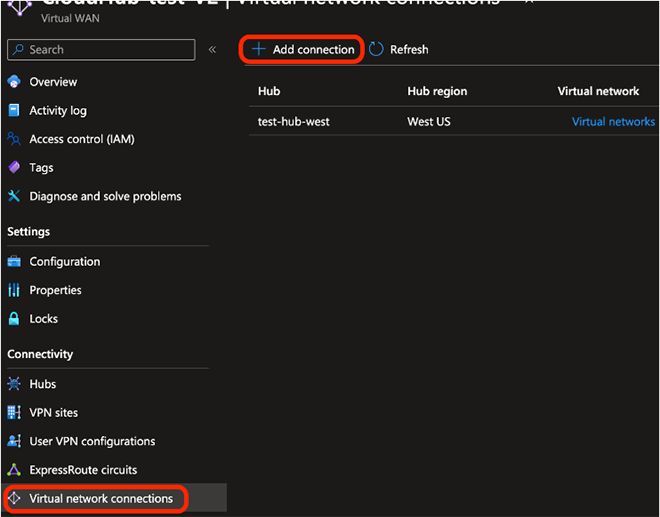
- When creating the connection, ensure it propagates to the default route table of the vWAN Hub that the user wants to connect to. This ensures reachability for Border Gateway Protocol (BGP) peering.
Figure 3. Select the Default Route Table 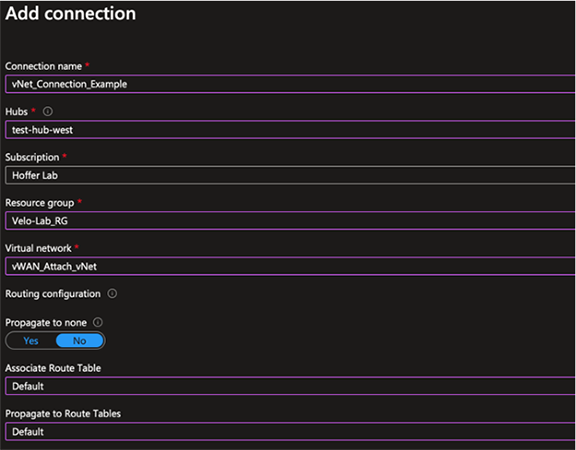
- After completing the vNet attachment, navigate to the vWAN hub and select BGP Peers from the Routing menu. Make a note of the IPs listed, as they become the addresses that peer with the Edge.
Figure 4. Select BGP Peers 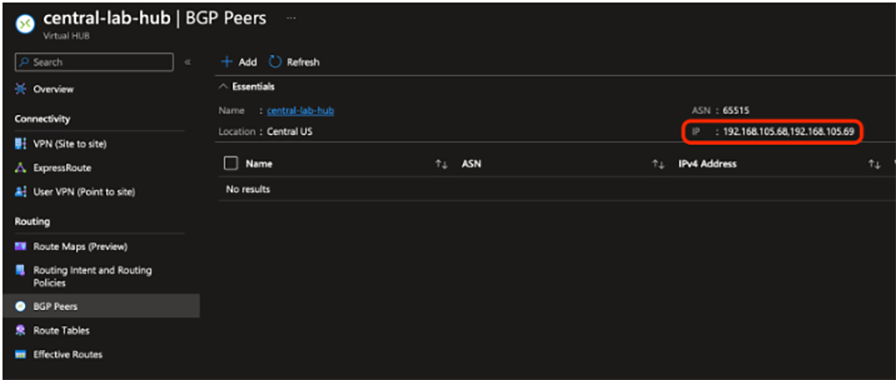
- Click Add and enter the ASN and LAN IP address of the SD-WAN Edge to the peer vWAN Hub router.
Figure 5. Add the ASN and LAN IP Address 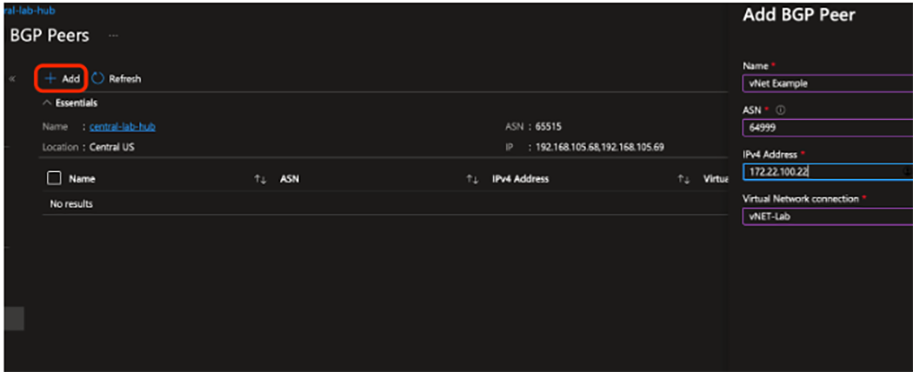
- The Hub router is not on the SD-WAN Edge’s local subnet; therefore, configure a static route for the IPs recorded in Step 3 and pointed to the Gateway IP of the LAN subnet.
Figure 6. Configure a Static Route 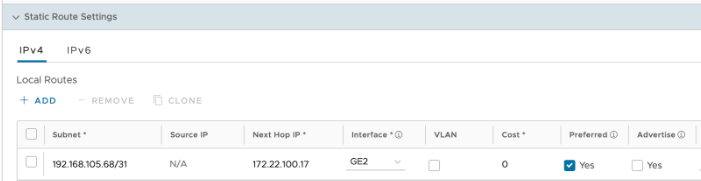
- Create BGP neighbors with each of the IP addresses recorded in Step 3 using Microsoft’s ASN of 65515. If using BGP multi-hop, set the Max-Hop option to 2.
Figure 7. Create BGP Neighbors 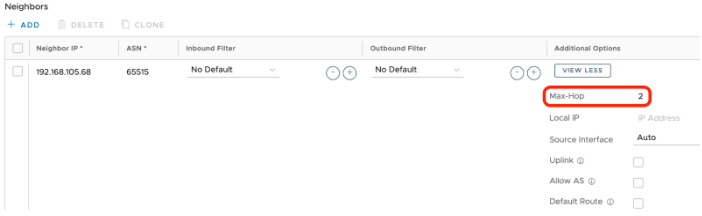
- After the configuration applies, the BGP neighborship is established, the SD-WAN Edge learns Azure routes, and SD-WAN overlay routes are present in the Azure vWAN Default route table.