打印

Configure Partner Settings

This feature allows you to configure Partner specific information such as name, primary location, and primary contact. You can also allow or deny support access.
  1. Log into the Orchestrator as a Partner.
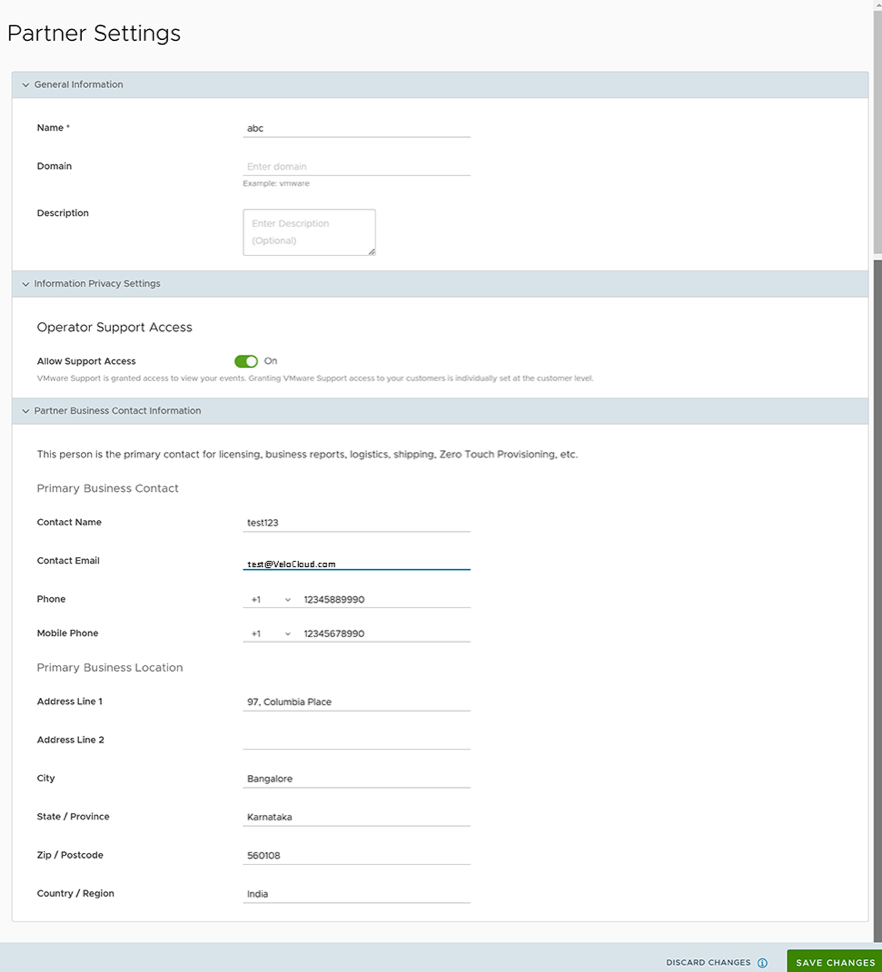
  2. Select Administration, then select Partner Settings. The following screen displays:
    Figure 1. Partner Settings
  3. You can configure the following options on this screen:
    Table 1. Partner Settings - Options and Descriptions
    Option Description
    Name Edit the Partner name.
    Domain Edit the Partner domain name.
    Description Enter a description. (Optional)
    Operator Support Access Activated by default, indicating that Arista Support can view Partner level events.
    Note: You can individually allow or deny Support Access at the Enterprise level.
    Partner Business Contact Information Enter information of the primary person in charge of licensing, business reports, logistics, shipping, Edge auto-activation, etc.


  4. Select Save Changes.
..