Testing and Troubleshooting
The Orchestrator Test & Troubleshoot functionality provides tools to test the status of the Arista services, perform remote Edge actions, and gather debugging information for an Edge.
In theService of the Enterprise portal, select the Diagnostics tab to access and perform the testing and troubleshooting options.
Run Remote Diagnostics
- A WebSocket connection between a Web browser (Orchestrator UI portal) and an Orchestrator. This connection is responsible for all communications with the Web browser and for setting up the system properties needed for establishing a WebSocket connection.
- Another WebSocket connection between an Orchestrator and an Edge. This connection is persistent and setup on Edge activation for processing heartbeats from the Edge and sending back responses to the Orchestrator.
While establishing WebSocket connections between a Web browser and an Edge, in order to ensure Web security against Distributed Denial-of-Service (DDoS) and Cross site request forgery (CSRF) attacks, the browser origin address that is used to access the Orchestrator UI is validated for incoming requests.
network.public.address system property. To support scenarios where the address used to access the Orchestrator UI from the browser is different from the value of the network.public.address system property, the following system properties are added newly for WebSocket connections:
network.portal.websocket.address- Allows to set an alternate address/DNS hostname to access the UI from a browser if the browser address is not the same as the value ofnetwork.public.addresssystem property. By default, thenetwork.portal.websocket.addresssystem property is not set.session.options.websocket.portal.idle.timeout- Allows to set the total amount of time (in seconds) the browser WebSocket connection is active in an idle state. By default, the browser WebSocket connection is active for 300 seconds in an idle state.
VeloCloud Orchestrator enables you to run various Remote Diagnostic tests on a selected Edge. To run Remote Diagnostics on an Edge, perform the following steps:
- The Remote Diagnostics page displays the existing Edges.
Figure 1. Remote Diagnostics 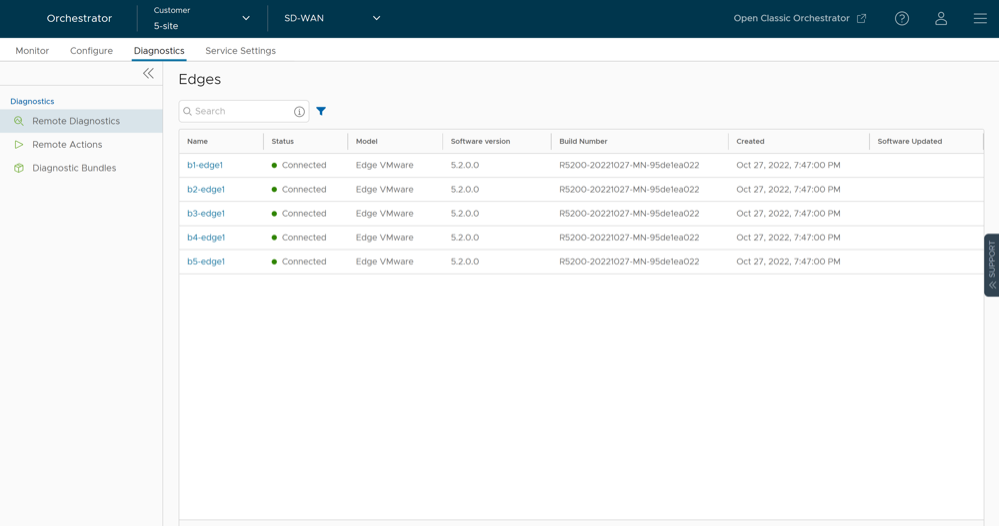
Remote Actions
- In the SD-WAN service of the Enterprise portal, you can perform remote actions from the navigation path.
Figure 2. Remote Actions 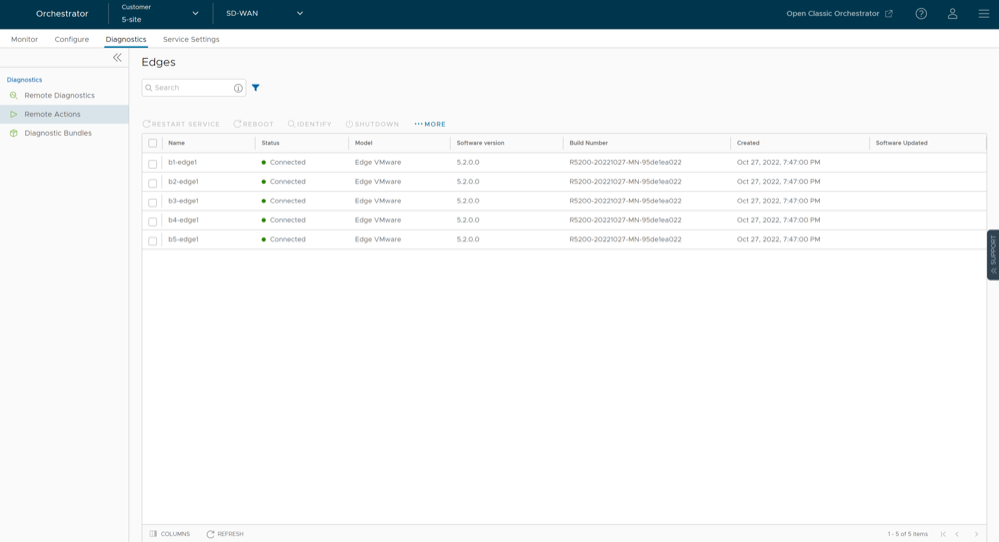
Diagnostic Bundles for Edges
To generate and download Diagnostic Bundles:
- Select Diagnostic Bundles to request the following bundles:
- Request PCAP Bundle – The Packet Capture bundle is a collection of the packet data of the network. Operators, Standard Admins and Customer Support can request PCAP bundles. For additional information, see Request Packet Capture Bundle.
- Request Diagnostic Bundle – The Diagnostic bundle is a collection of all the configuration and logs from a specific Edge. Only Operators can request Diagnostic bundles. For additional information, see Request Diagnostic Bundle.
Note: The Request Diagnostic Bundle option is available only for an Operator user. If you are a Partner user or an Enterprise user, you can request for a PCAP Bundle.The generated bundles are displayed in the Diagnostic Bundles window.Figure 3. Diagnostic Bundles 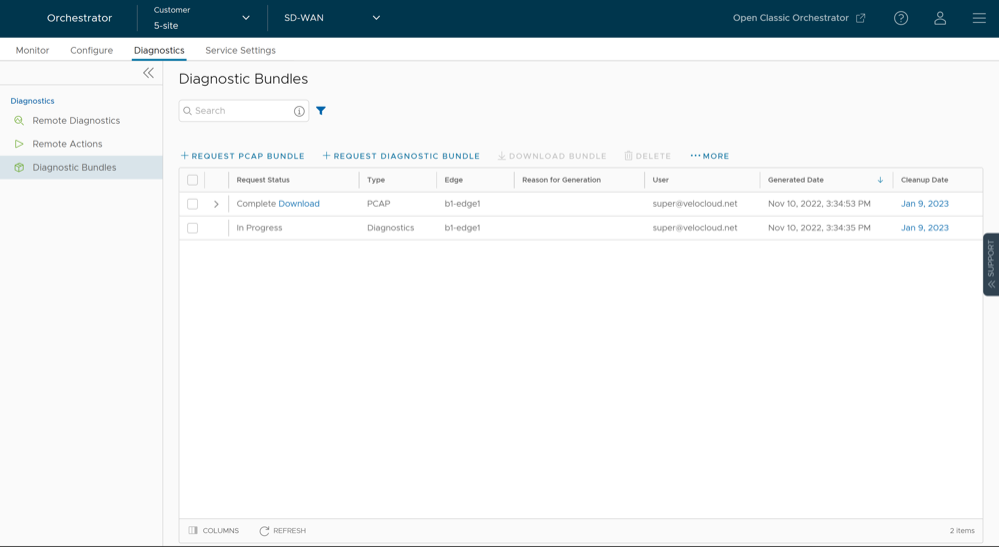
Request Packet Capture Bundle
To generate a PCAP bundle:
- In the Request PCAP Bundle window that appears, configure the following:
Figure 4. Request PCAP Bundle 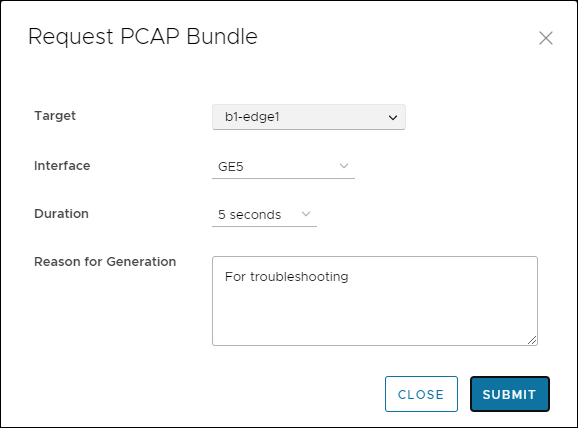
Table 2. Request PCAP Bundle Option Descriptions Option Description Target Choose the target Edge from the drop-down list. The packets are collected from the selected Edge. Interface Choose an Interface or a VLAN from the drop-down list. The packets are collected on the selected Interface. Duration Choose the time in seconds. The packets are collected for the selected duration. Reason for Generation Optionally, you can enter your reason for generating the bundle. The window displays the details of the bundle being generated, along with the status. - Packet Capture for Edges configured for High Availability
In Release 5.2.0 and later, a user can request a packet capture for the Standby Edge's HA interface, the interface that connects the Standby Edge to the Active Edge. This option appears at the bottom of the menu and reads: Standby Edge, and then lists the HA interface.
Figure 5. Request PCAP Bundle for HA Enabled Edges 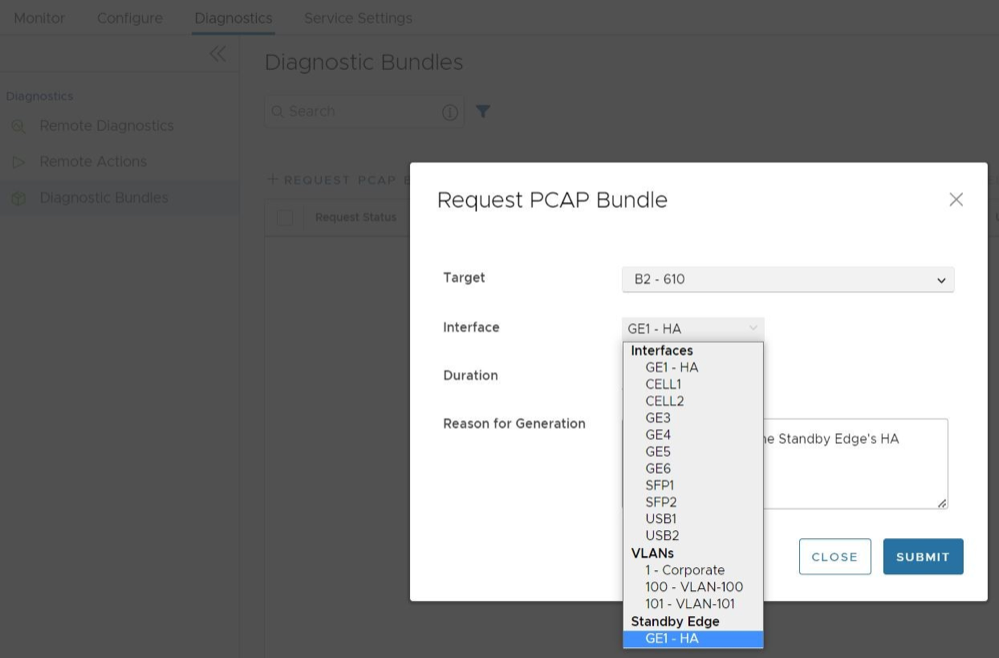
Request Diagnostic Bundle
To generate a Diagnostic bundle:
- In the Request Diagnostic Bundle window, configure the following:
Figure 6. Request Diagnostic Bundle 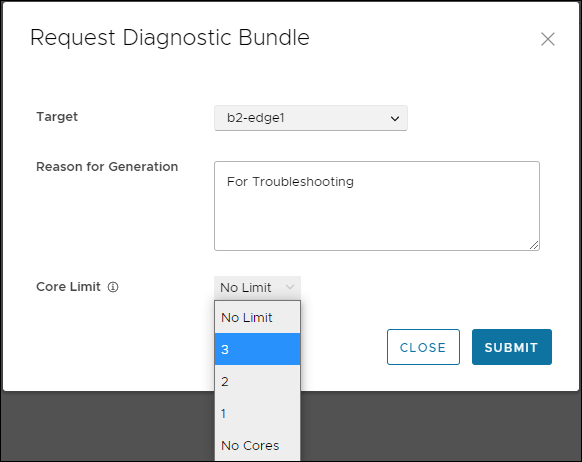
Table 3. Request Diagnostic Bundle Option Descriptions Option Description Target Select the target Edge from the drop-down list. The data is collected from the selected Edge. Reason for Generation Optionally, you can enter your reason for generating the bundle. Core Limit Select a Core Limit value from the drop-down, which is used to reduce the size of the uploaded bundle when the Internet connectivity is experiencing issues. The Diagnostic Bundles window displays the details of the bundle being generated, along with the status.