Symantec WSS PoP to PoP Integration
Starting with the 6.1.0 release, VeloCloud SD-WAN introduces the Symantec Web Security Service (WSS) PoP to PoP integration, which supports pre-provisioned Geneve tunnels from VeloCloud Gateways (VCG) to Symantec WSS Gateways in GCP. With pre-provisioned Geneve tunnels, SD-WAN customers who have a Symantec SSE subscription need not configure and setup IPsec tunnels from the Edge or Gateway for their tenant. They can use the pre-provisioned connectivity between VeloCloud Gateway to WSS to carry their network traffic. This is inspected by Symantec SSE via a Business Policy.
Only an Operator user can activate this feature by navigating to . For more information, see the topic Configure Gateways in the Arista VeloCloud SD-WAN Operator Guide.
- Configure Symantec API Credentials
- Configure SSE Subscription
- Configure SSE Integration
- Create a Business Policy
- Monitor SSE Integration
See Configure SSE for Symantec for information on configuring SSE Subscription and SSE Integration for Symantec.
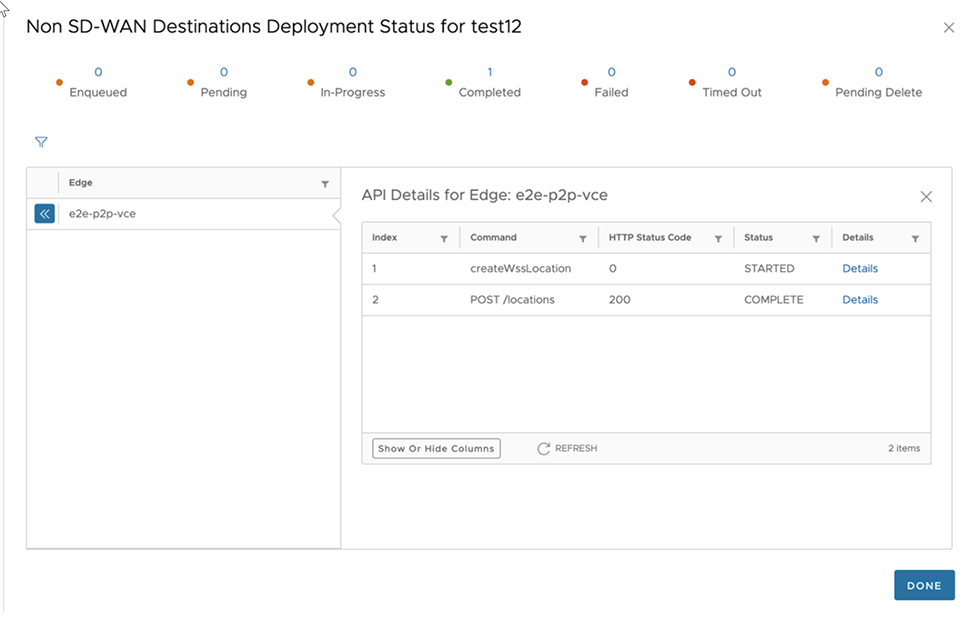
- Create a Business Policy
- Click Add.
The following window appears:
Figure 2. Add Rule - Match tab 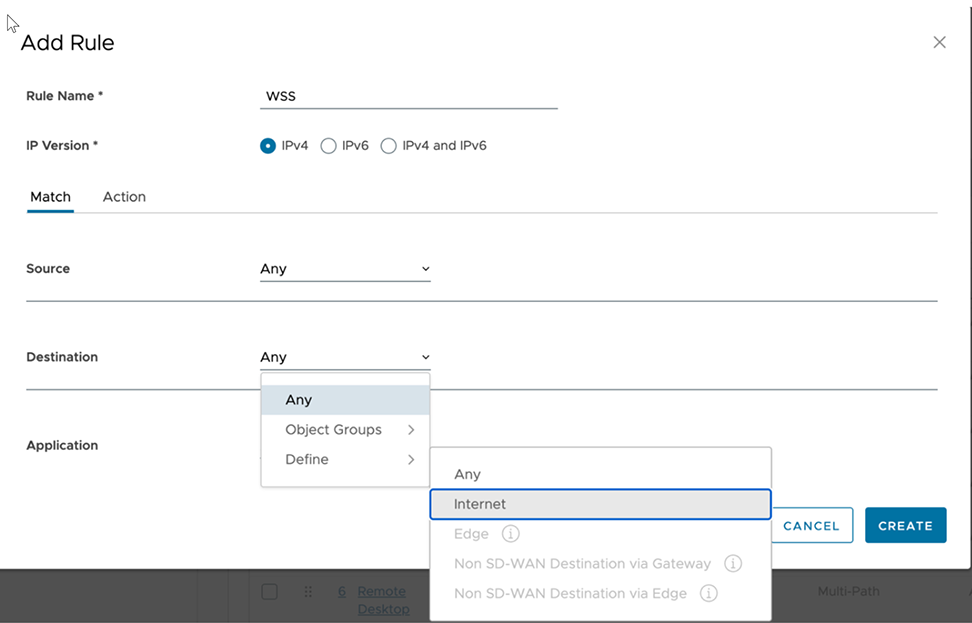
- Under the Action tab, select the Network Service as .
Figure 3. Add Rule - Action tab 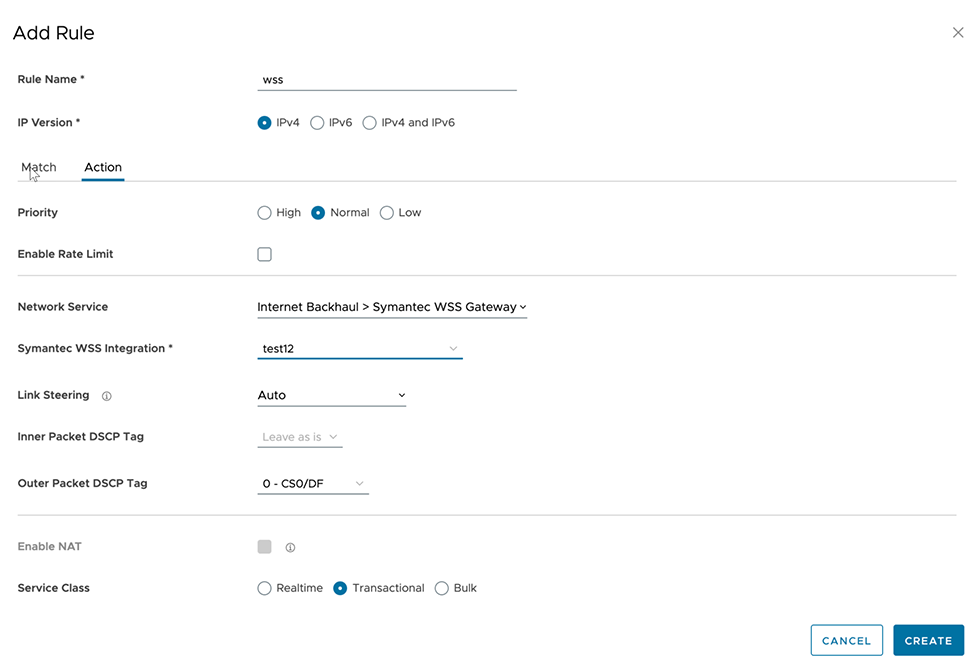
- Click Add.
- Monitor SSE Integration
- Navigate to , to monitor the Symantec WSS PoP integration status.
Figure 4. Monitor SSE Integration 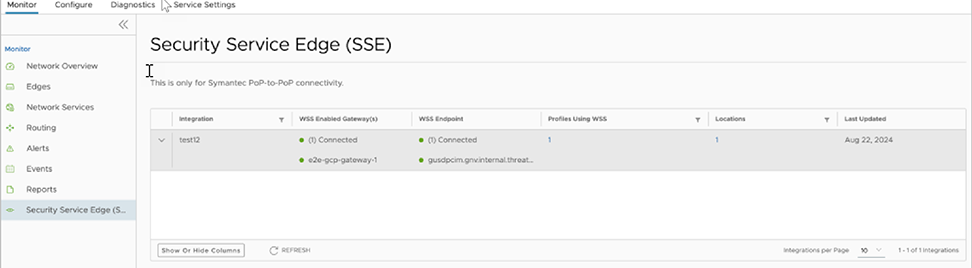
- Navigate to , to monitor the Symantec WSS PoP integration status.