打印

Partner Settings

This feature allows you to configure Partner specific information such as name, primary location, and primary contact. You can also choose to allow or deny support access.

  1. Log in to the Orchestrator as a Partner.
  2. Select Administration from the top menu, and then from the left menu, select Partner Settings. The following screen appears:
    Figure 1. Partner Settings
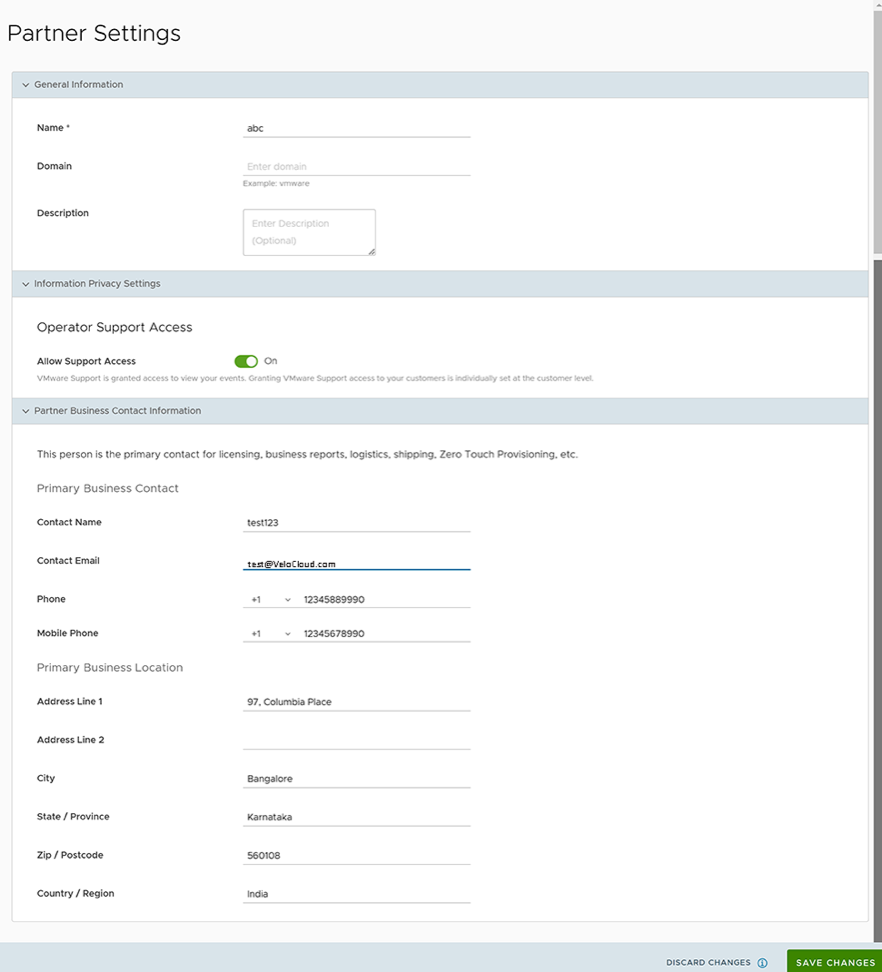
  3. You can configure the following options on this screen:
    Table 1. Partner Settings Option Descriptions
    Option Description
    Name You can edit the Partner name.
    Domain You can edit the Partner domain name.
    Description Enter a description. This field is optional.
    Operator Support Access This option is activated by default, indicating that Arista Support can view Partner level events.
    Note: You can individually allow or deny Support Access at the Enterprise level.
    Partner Business Contact Information Enter information of the primary person in charge of licensing, business reports, logistics, shipping, Edge auto-activation, etc.
  4. Select Save Changes.
..