
Validate End to End Integration
You can validate the integration of VeloCloud SD-WAN and Forcepoint Cloud Security Gateway by testing the security policies.
After configuring both VeloCloud SD-WAN and Forcepoint Cloud Security Gateway, you can do end to end validation. Try to browse a website not allowed by the security policy configured in Forcepoint Cloud Security Gateway from a system connected to VeloCloud SD-WAN.
Open a browser in the system connected to VeloCloud SD-WAN and navigate to a website that belongs to a category blocked by security policy assigned to the Edge Device used for the integration with VeloCloud SD-WAN.
If configured correctly and the security policy displays a block notification, the browser displays a message similar to the following:
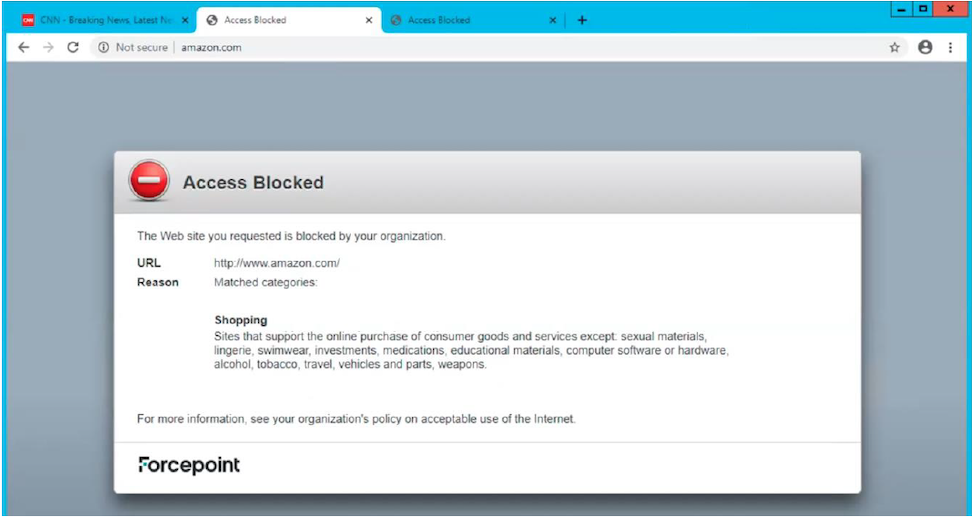
The above example shows that the user traffic correctly tunneled to Forcepoint Cloud Security Gateway and web security policies enforced successfully.