
Access Point Overview
C-360 is a tri-radio 802.11ax access point.
Front Panel
The front panel of the C-360 has 6 LEDs that indicate the status of the various device functions.
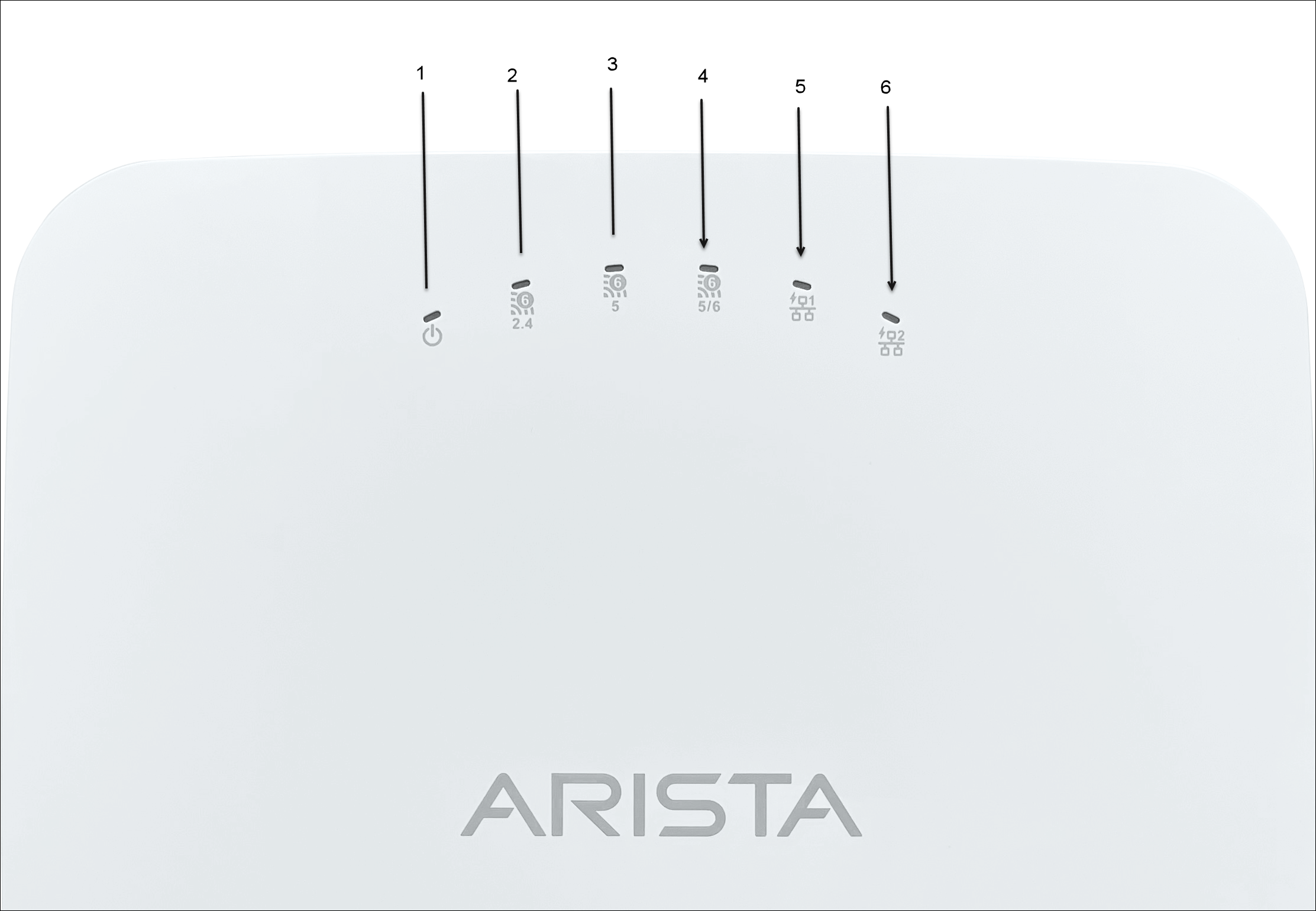
| 1 | Power | 2 | 2.4 GHz Radio | 3 | 5 GHz Radio |
| 4 | Third Radio - 5/6 GHz | 5 | LAN1 | 6 | LAN2 |
Power LED
The following table describes the Power LED states:
| Green | Orange | |
|---|---|---|
| Solid | Running at full capability | Running at reduced capability |
| Blinking | Received IP address, but not connected to the server | Did not receive an IP address |
Reduced capability indicates the AP receives lower than the required maximum power from the PoE switch, i.e., 802.3at instead of 802.3bt.
LAN1 LED - ON when the corresponding interface UP.
LAN2 LED - ON when the corresponding interface UP and wired guest or link aggregation configured.
Radio LEDs - ON when the corresponding radio operational.
Rear Panel
The rear panel of the AP has a DC power port and 802.3bt compliant Power over Ethernet (PoE) LAN ports to power the device and connect it to a wired LAN.
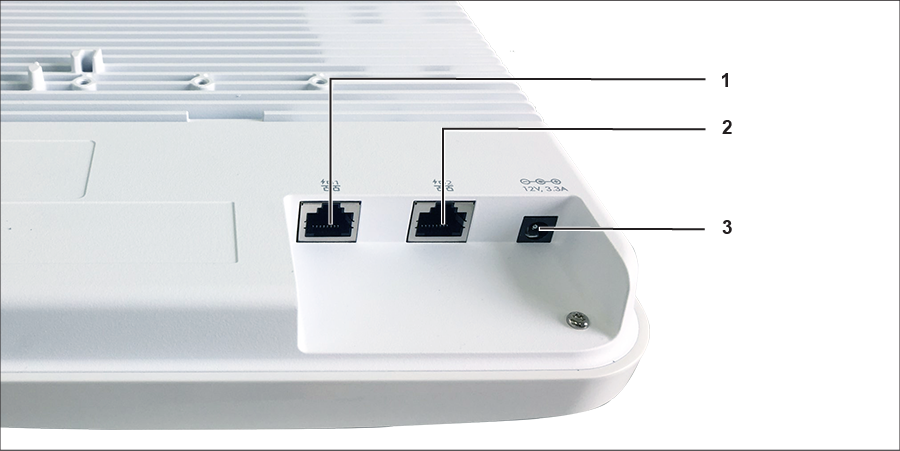
| 1 | LAN1 | 2 | LAN2 | 3 | Power |
The following tables shows port details for C-360.
| Port | Description | Connector Type | Speed/Protocol |
|---|---|---|---|
| Power | 12V DC | 5.5 mm overall diameter / 2.1 mm center pinhole | N/A |
| LAN 1 | 10 Gigabit Ethernet with 802.3bt compliant PoE | RJ-45 | 100 / 1000 Mbps / 2.5 / 5 / 10 Gbps Ethernet |
| LAN 2 | 10 Gigabit Ethernet with 802.3bt compliant PoE | RJ-45 | 100 / 1000 Mbps / 2.5 / 5 / 10 Gbps Ethernet |
Side Panel
The side panel of the AP has a console port, a USB port, and a Reset pin.
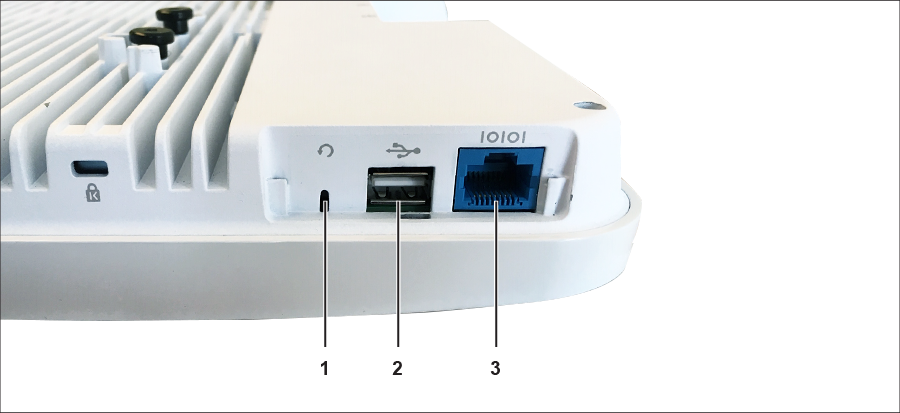
| 1 | Reset | 2 | USB | 3 | Console |
| Port | Description | Connector Type | Speed/Protocol |
|---|---|---|---|
| Console |
Establish ‘config shell’ terminal session through a serial connection. |
RJ-45 |
|
| USB | USB 3.0 port | USB Type-A | Future Use |
| Reset |
Reset to factory default settings port. Hold down and power cycle the device to reset. |
Pinhole push button | N/A |
When you reset the AP, the following settings also change:
- The Config shell password resets to config.
- Erases the server discovery value and changes it to the default, redirector.online.spectraguard.net (primary) and wifi-security-server (secondary).
- The AP loses all the VLAN configurations.
- If the AP has a static IP configured, the reset erases the IP address and the AP sets to DHCP mode with the factory default IP address of 169.254.11.74.