Although Enhanced Firewall Services (EFS) can be set up with a few mouse clicks, a thorough understanding of the network, traffic flows, and current configurations is required before activating and configuring the feature.
Performance Impact
Traffic inspected by the IDPS with a Stateful Firewall may experience a performance impact. There is a delicate balancing act between securing the network and ensuring it performs optimally.By understanding your network, you can apply EFS to the appropriate traffic.
Logging
Logging is essential for troubleshooting issues, investigating threats, and complying with standards such as PCI DSS, NIST, and others. VeloCloud SD-WAN accomplishes this by utilizing regionally hosted logging infrastructure or exporting logs via syslog to a central log server, Security Orchestration, Automation and Response (SOAR), or Security Information and Event Management (SIEM) such as Splunk or IBM's QRadar. These two features are not mutually exclusive, so both can be used together.
Note: Avoid logging for firewall rules that are either highly permissive or overly strict. Excessive logging can cause unnecessary stress on the hard disk, potentially leading to hard disk failure.
Syslog
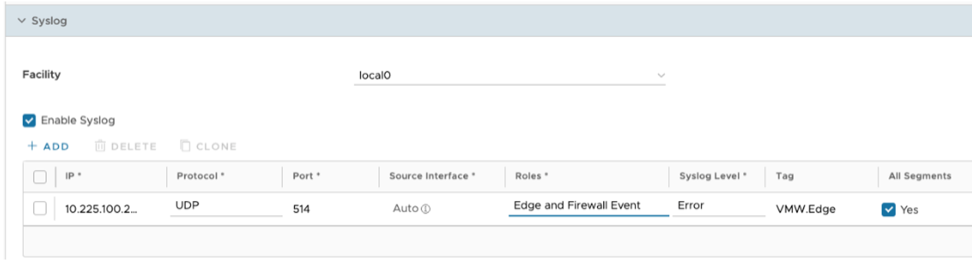
Companies with an existing central log server, SIEM, or SOAR can export the logs via syslog into those solutions. The following image depicts the syslog configuration. You can configure the feature at the Profile or Edge level. It is important to note that syslog traffic is not encrypted.
Figure 1. Syslog Settings
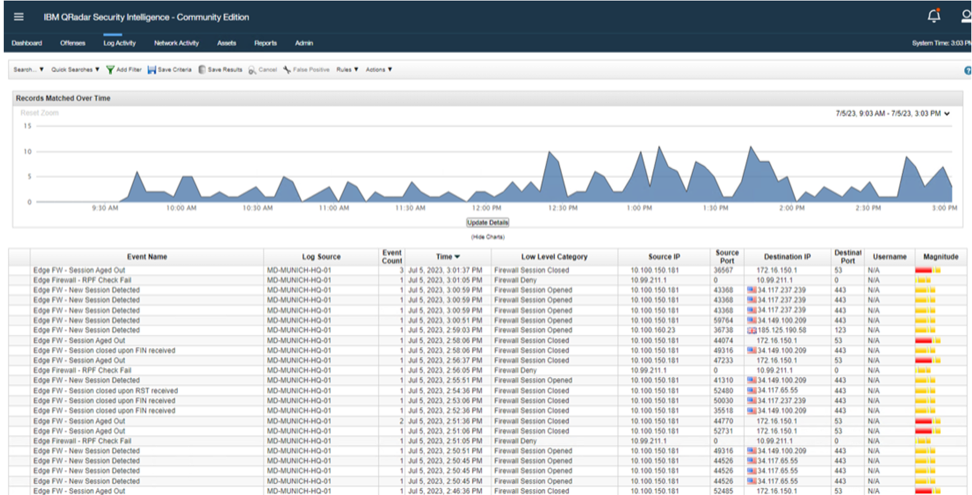
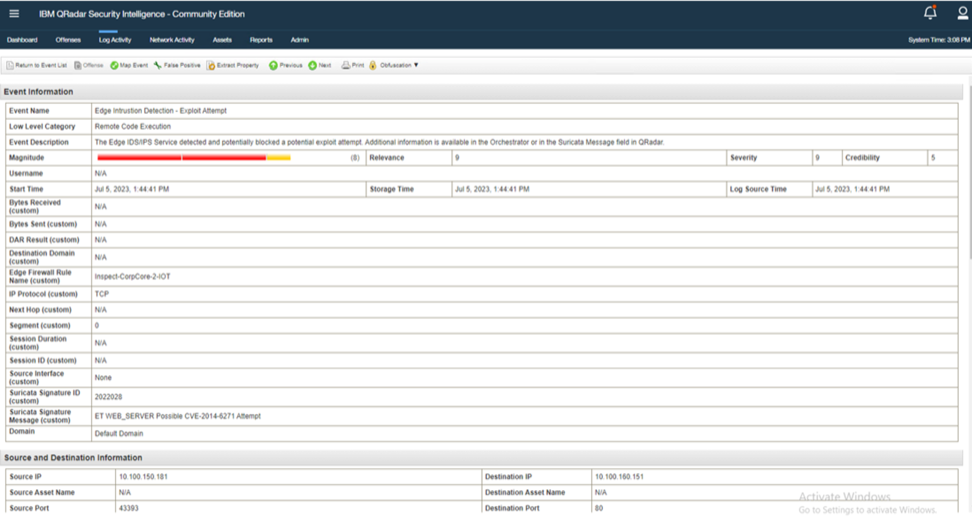
The following images illustrate an IBM QRadar instance receiving logs from an Edge device.
Figure 2. IBM QRadar - Example 1
Figure 3. IBM QRadar - Example 2
Known Limitations
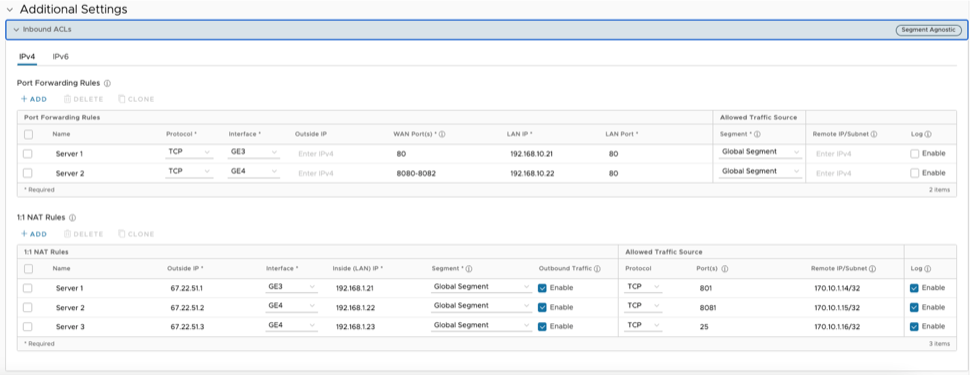
In the 5.2 release, the IDPS Engine does not inspect traffic that hits a 1:1 NAT or Port Forwarding rule. This limitation remains under development for a future release.
Figure 4. Inbound ACLs