
Edge Licensing
Only Operators can activate the Edge Licensing feature and assign the licenses to a Partner user. If the Edge Licensing has not activated, contact your Operator.
The Edge licenses have the following available components:
| Component | Supported Attributes |
|---|---|
| Bandwidth | 10M, 30M, 50M, 100M, 200M, 350M, 500M, 750M, 1G, 2G, 5G, 10G |
| Editions | Standard, Enterprise, Premium |
| Region | North America, Europe Middle East and Africa, Latin America, Asia Pacific |
| Term | 12 months, 36 months, 60 months |
An Operator can assign different types of Edge licenses from the 324 types of licenses available with various combinations.
Arista also offers a trial version of license with the following attributes:
| Component | Supported Attributes |
|---|---|
| Bandwidth | 10 Gbps |
| Edition | POC |
| Region | North America, Europe Middle East and Africa, Asia Pacific and Latin America |
| Term | 60 Months |
Note: You can assign the POC license to a customer as a trial. When required, you can upgrade the license to any required Edition.
To access the Edge Licensing feature:
- Log into Orchestrator as a Partner. In the Partner portal, select Edge Management, then select Edge Licensing.
Figure 1. Edge Licensing 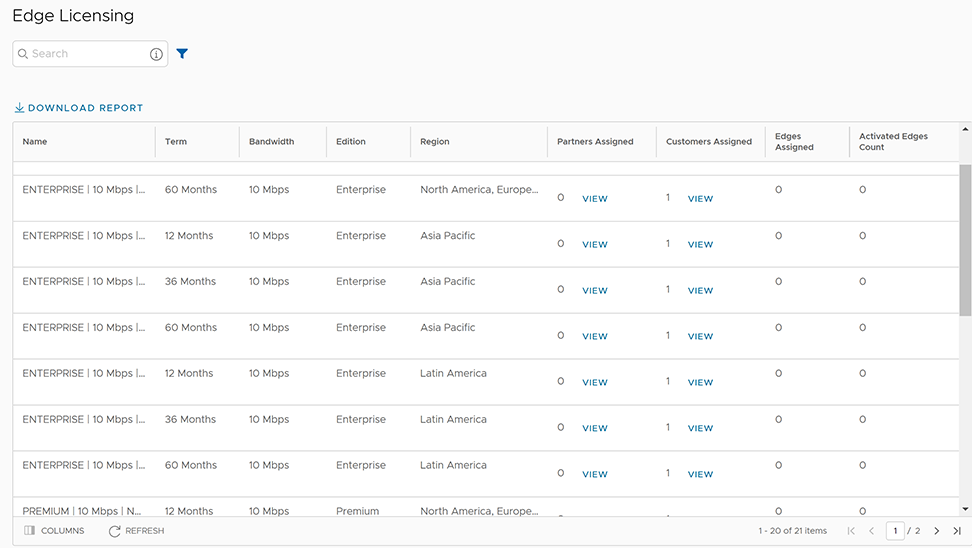
To assign the Edge licenses to Customers, see Create a New Partner Customer.
Manage Edge Licenses for Customers
- In the Enterprise portal, select .
Figure 2. Edge Licensing 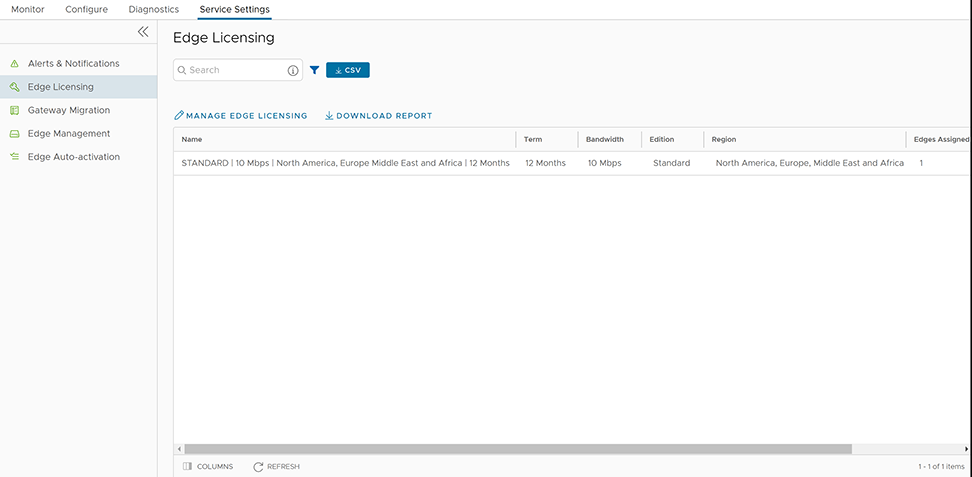
- Select Manage Edge Licensing.
Figure 3. Select Edge Licenses 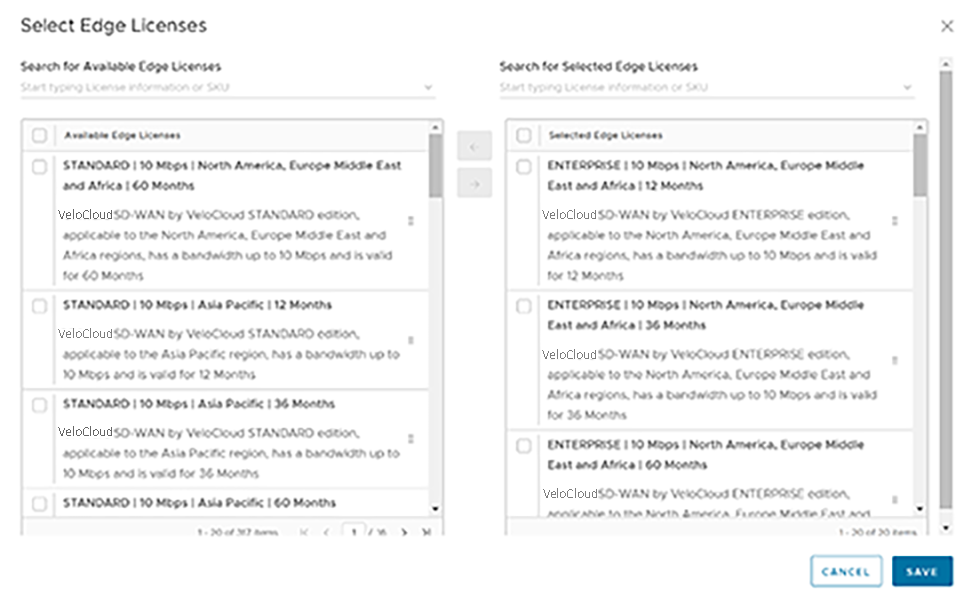
You can assign a license to an existing Edge:
- In the SD-WAN service of the Enterprise portal, select .
- To assign license to each Edge, select the link to the Edge then select the License under the Properties area on the Edge Overview page. You can also select the Edge then select Assign Edge License to assign the license.
- To assign a license to multiple Edges, select the appropriate Edges, select Assign Edge License, then select the license.