
Run Remote Diagnostic Tests on Edges
VeloCloud Orchestrator allows you to run various Remote Diagnostic tests on a selected Edge.
- In the Orchestrator UI, select the Diagnostics tab.
- The Remote Diagnostics page displays the existing Edges.
Figure 1. Remote Diagnostics 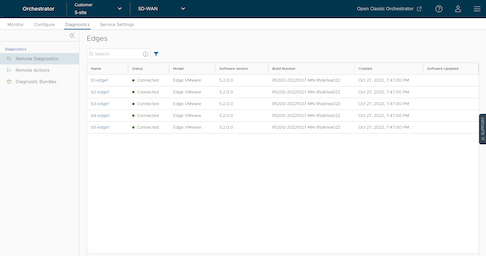
- Select the link to an Edge.
Note: You can also run the Remote Diagnostics test using the Shortcuts option available in the or pages.
- A connection is established to the Edge and the Remote Diagnostics window displays all the possible Remote Diagnostics tests than you can run on the Edge.
- Select an appropriate Remote Diagnostics test to run on the Edge and select Run. The diagnostic information is fetched from the Edge and displayed in the screen.