
Monitor Events
The Partner super user and Partner admin user can view the partner events.
Login to the SASE Orchestrator as a Partner and select to view the events.
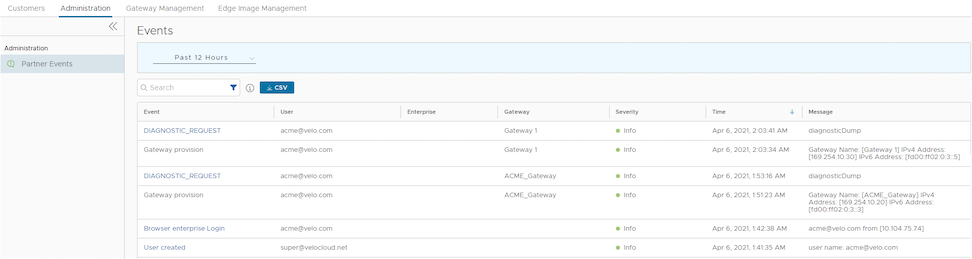
The page displays the recent events. You can select the link to the events to view additional details.
To view the older events, you can select the drop-down menu at the top of the page and choose the duration from the list. Alternatively, you can also enter the start and end dates at the top of the page to set a custom duration.
Once you choose or setup the duration, the page displays the events triggered during the selected period.
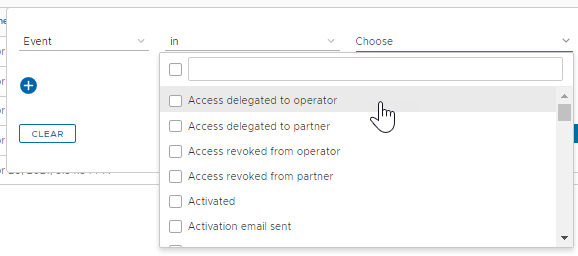
In the Search field, enter a term to search for specific details. Select the Filter icon to filter the view by a specific criteria. In the Filter, choose Event and select the drop-down arrow next to the field to view the list of Partner Events available and to filter by specific Events.
Select the CSV option to download a report of the events in CSV format.