
Edge Licensing
Orchestrator provides different types of Licenses for the Edges. Partner users can manage and assign licenses to their Enterprise customers.
Only Operators can activate the Edge Licensing feature and assign the licenses to a Partner user. If the Edge Licensing is not activated for you, contact your Operator.
| Component | Supported Attributes |
|---|---|
| Bandwidth | 10M, 30M, 50M, 100M, 200M, 350M, 500M, 750M, 1G, 2G, 5G, 10G |
| Editions | Standard, Enterprise, Premium |
| Region | North America, Europe Middle East and Africa, Latin America, Asia Pacific |
| Term | 12 months, 36 months, 60 months |
An Operator can assign different types of Edge licenses from the 324 types of licenses available with various combinations.
| Component | Supported Attributes |
|---|---|
| Bandwidth | 10 Gbps |
| Edition | POC |
| Region | North America, Europe Middle East and Africa, Asia Pacific and Latin America |
| Term | 60 Months |
To access the Edge Licensing feature:
- Login to the Orchestrator as a Partner. In the Partner portal, from the top menu, select Edge Management, and then from the left menu, select Edge Licensing.
Figure 1. Edge Licensing 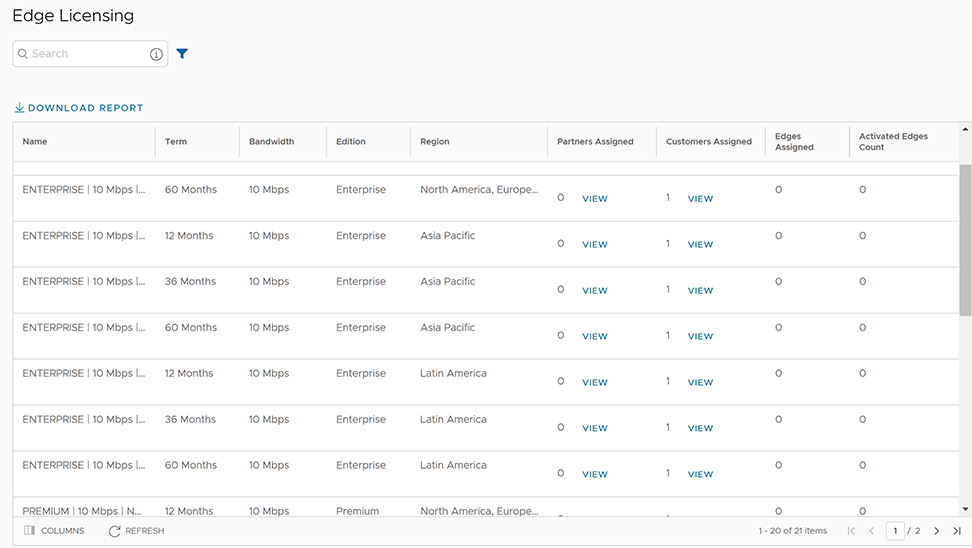
To manage Edge licensing for Customers, see Manage Edge Licenses for Customers.
To assign the Edge licenses to Customers, see Creating a New Partner Customer.
Manage Edge Licenses for Customers
A Partner user can manage the Edge Licenses and assign them to Customers.
- In the Enterprise portal, select .
Figure 2. Edge Licensing for Customers 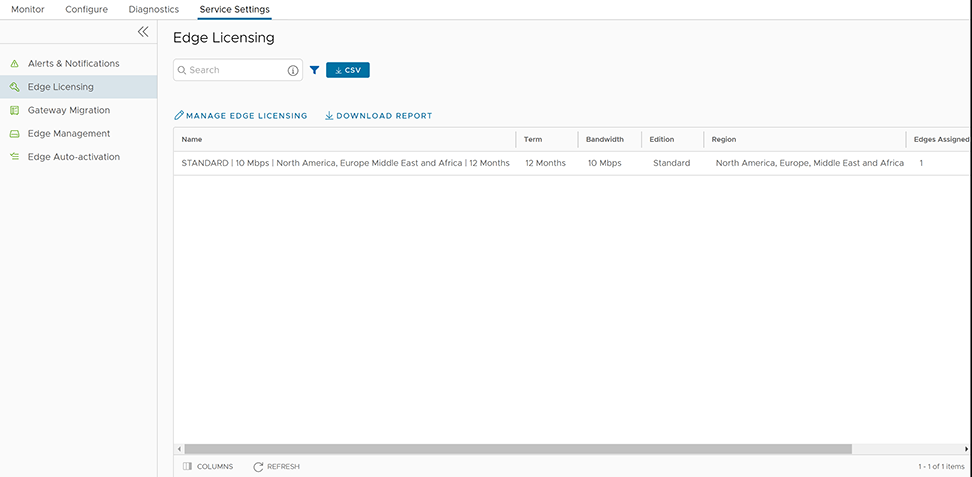
- Select Manage Edge Licensing.
Figure 3. Manage Edge Licensing 
When you create an Edge, you can choose and assign an Edge License from the list.
- In the SD-WAN service of the Enterprise portal, select .
- To assign license to each Edge, select the link to the Edge and select the License under the Properties area in the Edge Overview page. You can also select the Edge and select to assign the license.
- To assign a license to multiple Edges, select the appropriate Edges, select , and select the license.