DMF Service Node Appliance Access
This section contains the following topics:
iDRAC
iDRAC is a GUI-based IPMI running on a separate out-of-band CPU to monitor the hardware appliance.
Web Access into iDRAC (System IPMI)
The following browsers support iDRAC:
- Mozilla Firefox
- Google Chrome
On the management station, open the Web browser and connect to the iDRAC7 using https://<hostname or IP of iDRAC>.
For example, https://192.168.0.120.
The Login page appears.
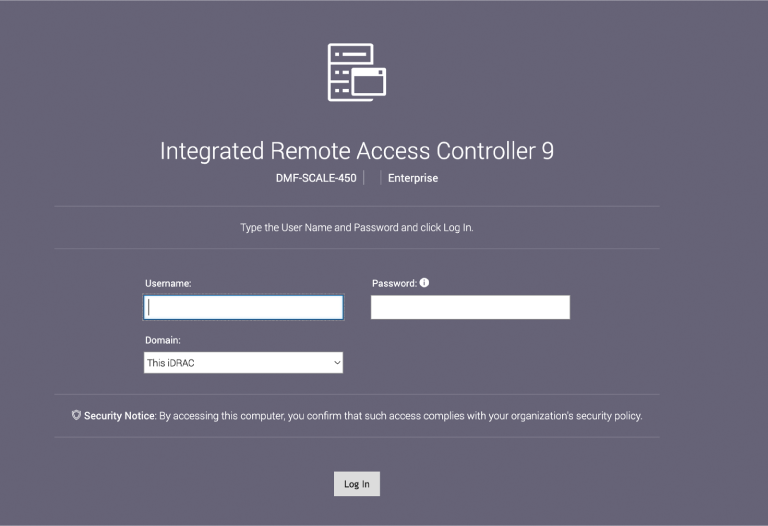
Login using the default username and password, which are:
- Username: root
- Password: <password on the Service Tag>
Note: Both the username and password are case-sensitive.
Changing the iDRAC Password
To change the iDRAC password, use the iDRAC Web Interface. Refer to Changing the Password through the iDRAC Web Interface.
Changing the Password through the iDRAC Web Interface
Complete the following steps to change the password through the iDRAC web interface.
- Under iDRAC Settings, go to User. Expand the Local Users and select the user whose password will be changed.
Figure 3. iDRAC Settings Page 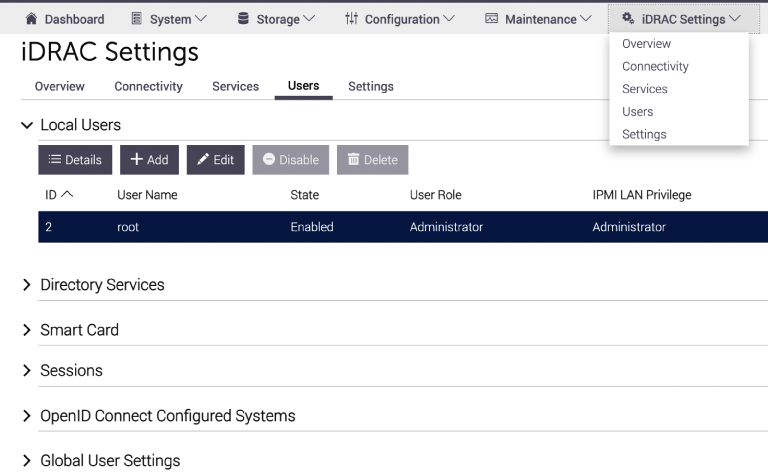
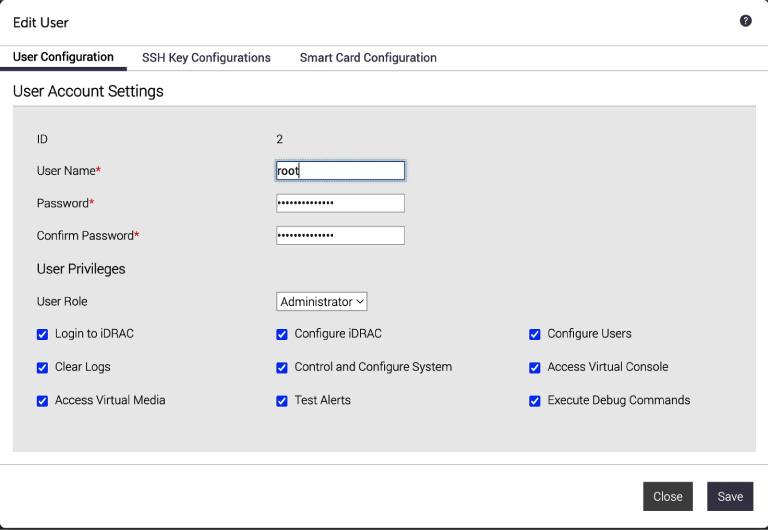
- Click Edit. The page will appear, showing options for changing the root user's Password.
Figure 4. Changing the Password