
Configuring the Appliance
- You can deploy and activate your Edge devices using two main methods:
- Edge Auto-activation (Automatic):
Before the device is shipped to the end location, a central administrator can perform additional setup steps:
- Create profiles: The central administrator creates "profiles" to manage mass deployments of devices with similar configurations.
- Assign edges: The central administrator assigns the individual devices (referred to as "edges") to these profiles.
- Non-standard configuration: For devices that require unique settings, the administrator performs the necessary non-automatic configuration manually.
For additional information, refer to Activate SD-WAN Edges using Edge Auto-activation.
Note: The setup process for the Arista VeloCloud Edge 4100 and Edge 5100 appliances are designed to be "hands-off" and close to full zero-touch provisioning (ZTP).
- Email Activation (Manual):
This process is designed for a person at a remote office with no network administration training. The goal is to get the device activated with minimal effort. This method uses a specific link or code sent to the site contact to perform the setup:
- Receives the email: The user receives an email containing a URL.
- Connect the cables: Connect the cables to the right ports on the device. (Cabling the appliance).
- Connect a laptop: Using either Wi-Fi or a wired Ethernet cable, connect a laptop to the device. The laptop will automatically receive an IP address in the 192.168.2.* network.
- Select the URL: Open the email and select the URL, which is crafted to point to the device's default address at 192.168.2.1.
- Device Activation: The laptop connects to the device's activation endpoint and begins the activation process. You can watch the progress on the laptop screen.
For additional information, refer to Activate Using Email.
Important: The device sends TCP traffic to the activation server (VCO) to receive and apply its complete configuration, which includes settings for all ports, traffic types, local networks, and VRFs.The following image is a sample email to activate the edge appliance.
Figure 1. Edge Activation Sample Email 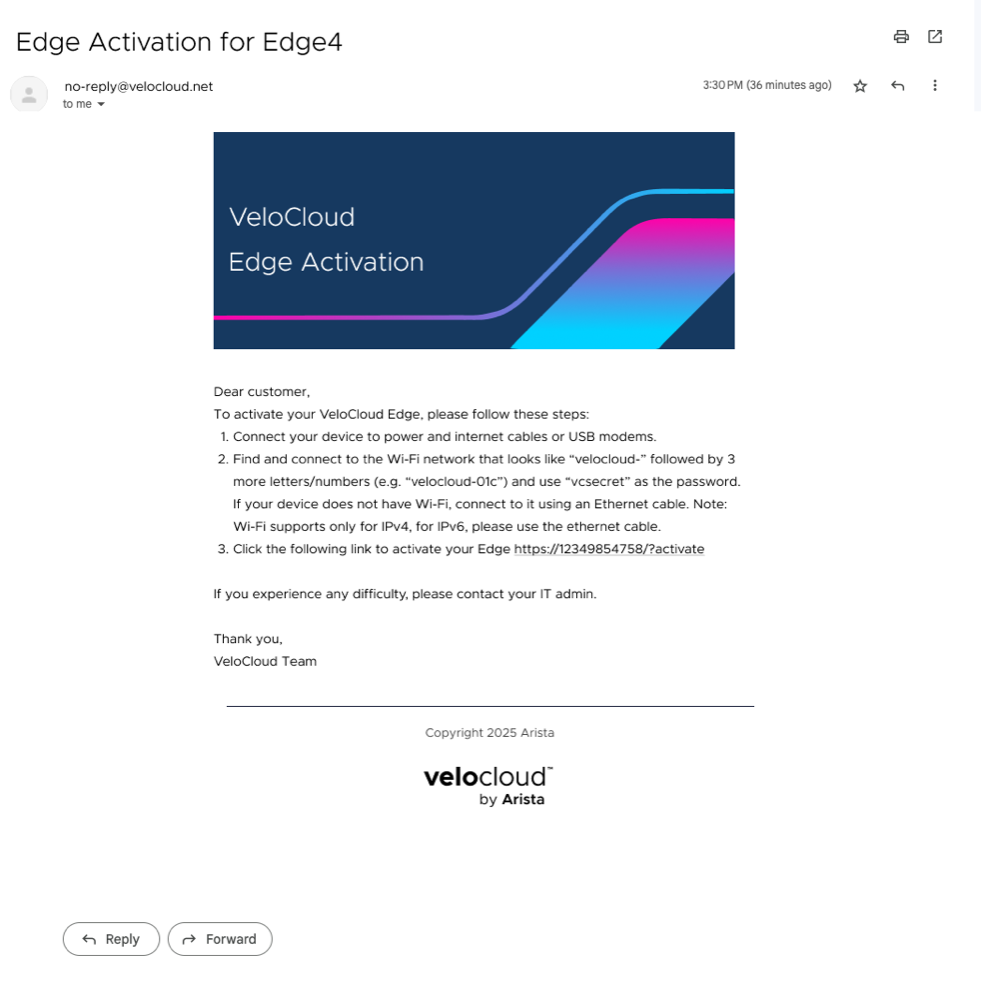
- Edge Auto-activation (Automatic):