
Enterprise Settings
The Enterprise Settings option allows you to configure the user information, privacy settings, and primary contact details for the Enterprise users.
Follow the below steps to configure Enterprise Settings:
- From the left menu, select Enterprise Settings. The following screen appears:
Figure 1. Enterprise Settings 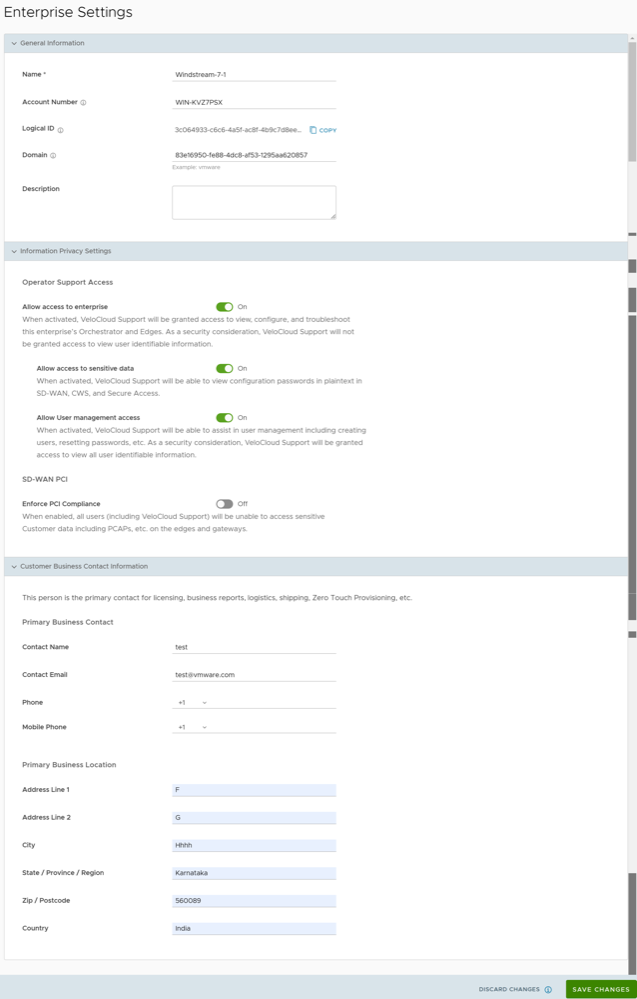
After you have configured the Enterprise Settings, you must set up the SSO Authentication. Before setting up the SSO authentication, you must set up Users and Roles. For additional information, see User Management - Enterprise.
You can now log in to the VeloCloud Orchestrator using Single Sign On. For additional information, see Using SSO Login for Enterprise User.