
Bind an ENI to an Edge instance
To bind secondary Elastic Network Interfaces (ENIs) to an Edge instance, perform the steps on this procedure.
- Ensure that you have created an ENI. For steps. see Create an Elastic Network Interface.
- On the Network Interfaces page, select an ENI and select Bind to Instance under the Actions column. The Bind to Instancepop-up window appears.
Figure 1. Binding an ENI to an Instance 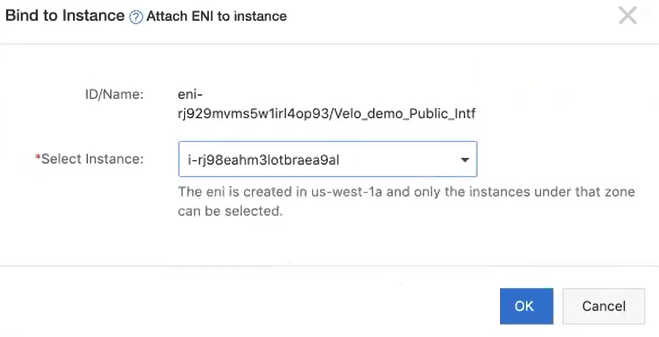
- Restart your Edge instance for the newly associated interfaces to take effect, by performing the following steps:
- Select OK.
Figure 2. Instances 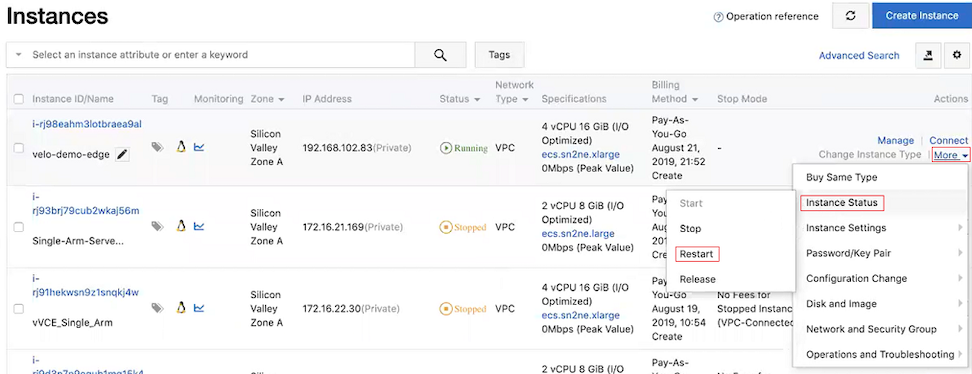
- Select OK.