
Configuring DHCP
Dynamic Host Configuration Protocol (DHCP) for IPv4 and IPv6 dynamically assign network configurations to end hosts without statically configure an IP address for each device on the network. However, the underlying architecture and feature sets require different configurations on the switch.
DHCP IPv4
- Discover (Broadcast) - The client sends out messages to 255.255.255.255 looking for DHCP servers on the network.
- Offer (Unicast/Broadcast) - A listening DHCP server returns an IPv4 address to the client.
- Request (Broadcast) - The client broadcasts an acceptance message to the DHCP server and rejects unselected DHCP servers.
- Acknowledge (Unicast/Broadcast) - The DHCP server finalizes the lease and sends the client a subnet mask, gateway, and DNS servers.
- Option 82 (Relay Agent Information) - Allows intermediates switches to inject their physical port data (Circuit ID) into the client broadcast messages before forwarding the message to a central DHCP server.
- Granular Options - Relies on highly specific integer options including Option 43 for Vendor-specific data such as Wireless Controller IPs, Option 150 for TFTP servers, and Option 67 for bootfiles.
- Default Gateway Assignment - The DHCP server provides the client with a default gateway (Option 3).
DHCP IPv6
- Solicit (Multicast) - The client sends messages on the network looking for a server.
- Advertise (Unicast) - The server indicates availability and preference.
- Request (Unicast) - The client requests specific parameters from the selected server.
- Reply (Unicast) - The server confirms the lease and configuration.
- Router Advertisements (RA) Dependency - A DHCPv6 client does not send a Solicit message unless a local router first sends an ICMPv6 RA with the M-Flag, Managed Configuration, or O-Flag, Other Configuration, set to 1. The router dictates how the client receives an IP address.
- Stateless vs. Stateful
- Stateful (M-Flag) - The DHCPv6 server tracks leases and hands out the actual IPv6 addresses.
- Stateless (O-Flag)- The client uses Stateless Address Autoconfiguration (SLAAC) to generate an IPv6 address and only uses the DHCPv6 server to obtain extra details such as DNS servers or domain names.
- Prefix Delegation (DHCPv6-PD) - A downstream router requests an entire routed subnet prefix from an upstream ISP server to assign to local VLANs.
- Unified URIs (Option 59) - DHCPv6 does not use legacy options such as separating TFTP IPs and filenames in favor of consolidated URL strings.
Key Architectural Differences
| Feature | DHCPv4 | DHCPv6 |
|---|---|---|
| Transport Protocol | UDP Ports 67 (Server) and 68 (Client) | UDP Ports 547 (Server) and 546 (Client) |
| Initial Discovery | Layer 2 Broadcast (255.255.255.255) |
Layer 3 Multicast (ff02::1:2) |
| Default Gateway | Provided by the DHCP Server | Provided by ICMPv6 Router Advertisements |
| Lease Tracking | Always Stateful | Can be Stateful and Stateless |
| Hardware ID | Relies on the physical MAC Address | Relies on a generated DUID (DHCP Unique Identifier) |
DHCP Server
The router with DHCP Server enabled acts as a server that allocates and delivers network addresses with desired configuration parameters to its hosts.
The DHCP server is based on ISC Kea.
The router with an DHCP Server enabled acts as a server that allocates and delivers network addresses with desired configuration parameters to its hosts.
DHCP Server support includes:
- Configurable on different interfaces: Routed, VLAN, LAG, Sub-interface, and LAG Sub-interface.
- Configurable lease time for allocated network addresses.
- Configurable DNS domain.
- Configurable DNS servers.
- Configurable subnets with parameters:
- Default gateway
- DNS servers
- Ranges
- Lease time
- Configurable TFTP server
- Configurable TFTP bootfile
- Configurable Vendor options with sub options
- Configurable sub option types include: IPv4 address, array of IPv4 addresses, and string
- TFTP bootfile now supports an URI
Additional features for DHCPv4 include a configurable static IP address for exclusive use by a given client, based on the client’s MAC address.
Example deployment:
DHCP Server on an aggregation switch, via VXLAN tunnels.
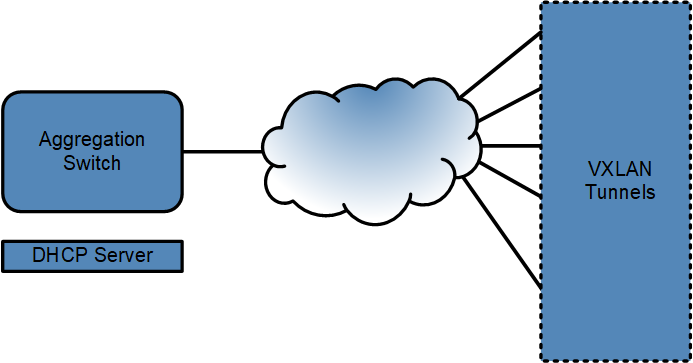
Configuring DHCP Servers
Global DHCP server options are configured per address family and apply to all subnets. Access the commands in the DHCP Server Configuration Mode.
To enter the DHCP server global configuration mode, use the following commands:
switch# configure
switch(config)# dhcp server
switch(config-dhcp-server)#
To disable the DHCP server:
switch(config-dhcp-server)# disabledUse the following commands to configure the DNS servers. Only two servers can be configured globally per address family.
switch(config-dhcp-server)# dns server ipv4 192.0.2.4 192.0.2.5
switch(config-dhcp-server)# dns server ipv6 2001:db8:0:10::53 2001:db8:0:10::5353
The following commands configure the domain names for allocated IP addresses. For example, add a domain with the name podV4.example.com for DHCPv4 and a domain with the name podV6.example.com for DHCPv6.
switch(config-dhcp-server)# dns domain name ipv4 podV4.example.com
switch(config-dhcp-server)# dns domain name ipv6 podV6.example.com
The following commands configure lease time for the allocated IP addresses. For example, configure the lease time as one (1) day.
switch(config-dhcp-server)# lease time ipv4 1 days 0 hours 0 minutes
switch(config-dhcp-server)# lease time ipv6 1 days 0 hours 0 minutes
The following command configures the TFTP Server-Name. The server can be in the form
of either an IPv4 or IPv6 address or a fully qualified domain name. For example,
configure the TFTP server with the IPv4 address, 192.0.2.6 and an TFTP
server with the IPv6 address,
2601:600:cb02:d070:14b7:6ad0:bedb:ef3:
switch(config-dhcp-server)# tftp server option 66 ipv4 192.0.2.6The following command configures the TFTP Servers.
switch(config-dhcp-server)# tftp server option 150 ipv4 192.0.2.6 192.0.2.7The following command configures the TFTP Server Bootfile-Name for IPv4 and IPv6:
switch(config-dhcp-server)# tftp server file ipv4 bootfile.conf
switch(config-dhcp-server)# tftp server file ipv6 bootfile.conf
The following command configures Vendor specific option. To enter the Vendor Option Configuration Mode from the DHCP Server Configuration mode, specify a vendor class identifier, only available in DHCPv4. For example, Vendor option for clients with vendor class identifier vendorClassIDA.
switch(config-dhcp-server)# vendor-option ipv4 vendorClassIDAThe following command configures default. If you do not configure the default, the DHCP Server sends the configured Vendor option to clients requesting a Vendor option with a vendor class identifier that does not match any configured Vendor option.
switch(config-dhcp-server)# vendor-option ipv4 defaultThe following command configures suboptions for the Vendor. The configuration sends the resulting Vendor option in a hexadecimal format to the desired client. The output displays aVendor option with a suboption with IPv4 address 192.0.2.8, for clients with the vendor class identifier vendorClassIDA, resulting in Vendor option 1:4:c0:0:2:8.
Sub option number is 1
Length of the Data is 4
Data is c0:0:2:8
dhcp server
vendor-option ipv4 vendorClassIDA
sub-option 1 type ipv4-address data 192.0.2.8
The following command configures the Vendor option with IPv4 addresses 192.0.2.8 and 192.0.2.9, for clients with the vendor class identifier vendorClassIDA, resulting in the Vendor option fe:8:c0:0:2:8:c0:0:2:9.
switch(config-dhcp-server)# vendor-option ipv4 vendorClassIDA sub-option 254 type array ipv4-address data 192.0.2.8 192.0.2.9 The following command configures Vendor option with a string “vendor”, for all clients whose vendor class identifier does not match any configured Vendor option, resulting in Vendor option 1e:3:46:4f:4f..
switch(config-dhcp-server)# vendor-option ipv4 default sub-option 30 type string data "vendor"The following command sets up Vendor option holding two suboptions, suboption 1 holds the IPv4 address 192.0.2.8, and suboption 2 holds a string “vendor”, for all clients whose vendor class identifier does not match any configured Vendor option, resulting in Vendor option 1:4:c0:0:2:8:2:3:46:4f:4f.
switch(config-dhcp-server)# vendor-option ipv4 default sub-option 1 type ipv4-address data 192.0.2.8 sub-option 2 type string data “vendor"Configuring DHCP Server Subnets
DHCP Server settings can also be configured per subnet and overrides the DHCP Server global mode configurations. There can be multiple subnets configured, but they must not overlap. EOS disables overlapping subnets.
The following command enters DHCP Server subnet mode under the IPv4 address family.
switch# config
switch(config)# dhcp server
switch(config-dhcp-server)# subnet 192.0.2.0/32
The following command configures the name of the subnet. For example, name subnetv4 for DHCPv4.
switch(config-dhcp-subnet-ipv4)# name subnetv4The following command configures range of IP addresses of the subnet. The range must be within the subnet mask, otherwise the subnet becomes disabled.
switch(config-dhcp-subnet-ipv4)# range 192.0.2.100 192.0.2.199The following command configures the DNS servers for a subnet. Configure up to 2 servers per subnet.
switch(config-dhcp-subnet-ipv4-range)# dns server 192.0.2.1 192.0.2.10switch(config-dhcp-subnet-ipv4)# lease time ipv4 3 days 0 hours 0 minutesswitch(config-dhcp-server)# subnet 192.0.2.0/32
switch(config-dhcp-subnet-ipv4)# default-gateway 192.0.2.3switch(config-dhcp-subnet-ipv4)# tftp server option 66 subnet-tftp.example.comswitch(config-dhcp-subnet-ipv4)# tftp server option 150 192.0.2.6 192.0.2.7switch(config-dhcp-subnet-ipv4)# tftp server file subnet-bootfile.confswitch# config
switch(config)# dhcp server
switch(config-dhcp-server)# subnet 192.0.2.0/32
switch(config-dhcp-subnet-ipv4)# name subnetv4
switch(config-dhcp-subnet-ipv4)# range 192.0.2.100 192.0.2.199
switch(config-dhcp-subnet-ipv4-range)# dns server 192.0.2.1 192.0.2.10
switch(config-dhcp-subnet-ipv4)# lease time ipv4 3 days 0 hours 0 minutes
switch(config-dhcp-server)# subnet 192.0.2.0/32
switch(config-dhcp-subnet-ipv4)# default-gateway 192.0.2.3
switch(config-dhcp-subnet-ipv4)# tftp server option 66 subnet-tftp.example.com
switch(config-dhcp-subnet-ipv4)# tftp server option 150 192.0.2.6 192.0.2.7
switch(config-dhcp-subnet-ipv4)# tftp server file subnet-bootfile.confswitch(config-dhcp-subnet-ipv4)# reservations
switch(config-dhcp-sub-v4-reserve)# mac-address 1a1b.1c1d.1e1f
switch(config-dhcp-sub-v4-rsrv-mac-address)# ipv4-address 192.0.2.0Displaying DHCP Information
Show DHCP Server Information
The following command displays the DHCP Server information.
switch# show dhcp server ipv4
IPv4 DHCP Server is active
Debug log is enabled
DNS server(s): 192.0.2.4 192.0.2.5
DNS domain name: podV4.example.com
Lease duration: 1 days 0 hours 0 minutes
TFTP server: 192.0.2.6 (Option 66)
192.0.2.6 192.0.2.7 (Option 150)
TFTP file: https://This email address is being protected from spambots. You need JavaScript enabled to view it.:123/example/one
Active Leases: 1
IPv4 DHCP interface status:
Interface Status
-------------------------------------------------
Ethernet1 Inactive (Could not determine VRF)
Ethernet2 Inactive (Not in default VRF)
Ethernet3 Inactive (Kernel interface not created yet)
Ethernet4 Inactive (Not up)
Ethernet5 Inactive (No IP address)
Ethernet6 Inactive (No Link Local address)
Ethernet7 Inactive (DHCP relay is configured for this interface)
Ethernet8 Inactive (DHCP relay is always on)
Ethernet9 Active
Vendor information:
Vendor ID: default
Sub-options Data
---------------- ----------------
1 192.0.2.0
2 “vendor”
Vendor ID: vendorClassIDA
Sub-options Data
---------------- --------------------
254 192.0.2.8, 192.0.2.9
Subnet: 192.0.2.0/24
Subnet name: subnetFooV4
Range: 192.0.2.100 to 192.0.2.199
DNS server(s): 192.0.2.1 192.0.2.10
Lease duration: 3 days 0 hours 0 minutes
Default gateway address: 192.0.2.3
TFTP server:
subnet-tftp.example.com (Option 66)
192.0.2.6 192.0.2.7 (Option 150)
TFTP boot file: subnet-bootfile.conf
Active leases: 1
Reservations:
MAC address: 1a1b.1c1d.1e1f
IPv4 address: 192.0.2.201
MAC address: 2a2b.2c2d.2e2f
IPv4 address: 192.0.2.150Displaying Disabled Subnets
When a subnet becomes disabled, the show dhcp server [ipv4|ipv6] output displays the disabled message under Disabled reason(s). None of the disabled subnets have active leases. Currently, the output displays only 2 disabled reasons.
switch# show dhcp server
IPv4 DHCP Server is active
DNS server(s): 10.2.2.2
Lease duration: 1 days 0 hours 0 minutes
Active Leases: 0
IPv4 DHCP interface status:
Interface   Status
-------------------------------------------------
Ethernet1   Active

Subnet: 10.0.0.0/24 (Subnet is disabled)
Range: 10.0.0.1 to 10.0.0.10
DNS server(s): 10.3.3.3 10.4.4.4
Default gateway address: 10.0.0.4
Active leases: 0
Disabled reason(s):
Overlapping subnets: 10.0.0.0/8

Subnet: 10.0.0.0/8 (Subnet is disabled)
Range: 10.0.0.1 to 10.0.0.10
DNS server(s): 10.5.5.5
Default gateway address: 10.0.0.3
Active leases: 0
Disabled reason(s):
Overlapping subnets: 10.0.0.0/24

For Overlapping ranges:
switch# show dhcp server
IPv4 DHCP Server is active
DNS server(s): 10.2.2.2
Lease duration: 1 days 0 hours 0 minutes
Active Leases: 0
IPv4 DHCP interface status:
Interface   Status
-------------------------------------------------
Ethernet1   Active

Subnet: 10.0.0.0/8 (Subnet is disabled)
Range: 10.0.0.1 to 10.0.0.10
Range: 10.0.0.9 to 10.0.0.12
DNS server(s): 10.3.3.3 10.4.4.4
Default gateway address: 10.0.0.4
Active leases: 0
Disabled reason(s):
Overlapping range: 10.0.0.9 to 10.0.0.12

E.g. Duplicate static IP address reservation:
Subnet: 10.0.0.0/8 (Subnet is disabled)
Subnet name:
Range: 10.0.0.1 to 10.0.0.10
DNS server(s): 10.5.5.5
Default gateway address: 10.0.0.3
Active leases: 0
Reservations:
MAC address: 1a1b.1c1d.1e1f
IPv4 address: 10.0.0.11

MAC address: 2a2b.2c2d.2e2f
IPv4 address: 10.0.0.11

Disabled reason(s):
Duplicate IPv4 address reservation: 10.0.0.11
For DHCPv6, Direct and Relay indicates that the DHCP Server accepts broadcast and relayed messages.
switch# show dhcp server ipv6
IPv6 DHCP server is active
Debug log is enabled
DNS server(s): fe80::6
DNS domain name: aristanetworks.example.com
Lease duration: 1 days 3 hours 30 minutes
Active leases: 0
IPv6 DHCP interface status:
Interface    Status
--------------- ------
Ethernet1    Active
Ethernet3    Active

Subnet: fe80::/10
Subnet name: foo
Range: fe80::1 to fe80::3
DNS server(s): fe80::4 fe80::5
Direct: Inactive (Multiple interfaces match this subnet: Ethernet1 Ethernet3)
Relay: Active
Active leases: 0
For DHCPv6, a subnet may match only one interface and vice versa. Otherwise the subnet is disabled and no lease assigned for that subnet.
interface Ethernet1
no switchport
ipv6 address 2001:db8:0:10::1/64
dhcp server ipv6
interface Ethernet3
no switchport
ipv6 address 2001:db8:0:11::1/64
dhcp server ipv6
dhcp server
subnet 2001:db8::/56
The following enables DHCPv6 on Ethernet1 (with address fc00::1/7 and fe80::1/10), and then configures subnets fc00::/7 and fe80::/64 for DHCPv6.
interface Ethernet1
no switchport
ipv6 address fc00::1/7
ipv6 address fe80::1/64 link-local
dhcp server ipv6
dhcp server
subnet fc00::/7
subnet fe80::/64

#show dhcp server ipv6
IPv6 DHCP server is active
DNS server(s):  fc00::2
DNS domain name: aristanetworks.example.com
Lease duration: 1 days 3 hours 30 minutes
Active leases: 0
IPv6 DHCP interface status:
Interface    Status
--------------- ------
Ethernet1    Active

Subnet: fc00::/7
Subnet name: foo
Range: fc00::1 to fc00::5
DNS server(s): fc00::6 fc00::8
Direct: Inactive (This and other subnets match interface Ethernet1)
Relay: Active

Active leases: 0

Subnet: fe80::/64
Subnet name: subnetBarV6
Direct: Inactive (This and other subnets match interface Ethernet1)
Relay: Active

Active leases: 0
Leases
The following output displays the IP addresses allocated by the DHCP Server with the show dhcp server [ipv4|ipv6] leases command. It also displays the expected end time for the address, the time when the address is assigned, and the equivalent MAC address.
switch# show dhcp server leases
10.0.0.10
End: 2019/06/20 17:44:34 UTC
Last transaction: 2019/06/19 17:44:34 UTC
MAC address: 5692.4c67.460a

2000:0:0:40::b
End: 2019/06/20 18:06:33 UTC
Last transaction: 2019/06/20 14:36:33 UTC
MAC address: 165a.a86d.ffac
DHCP Server Show Commands
- DHCPv4 display
example:
switch# show dhcp server ipv4 IPv4 DHCP Server is active Debug log is enabled DNS server(s): 10.2.2.2 DNS domain name: domainFoo Lease duration: 1 days 0 hours 0 minutes TFTP server: serverFoo (Option 66) 10.0.0.3 (Option 150) TFTP file: fileFoo Active Leases: 1 IPv4 DHCP interface status: Interface Status ------------------------------------------------- Ethernet1 Inactive (Could not determine VRF) Ethernet2 Inactive (Not in default VRF) Ethernet3 Inactive (Kernel interface not created yet) Ethernet4 Inactive (Not up) Ethernet5 Inactive (No IP address) Ethernet6 Active Vendor information: Vendor ID: default Sub-options Data ---------------- ---------------- 1 192.0.2.0, 192.0.2.1 Vendor ID: vendorFoo Sub-options Data ---------------- ----------- 2 192.0.2.2 3 “Foo” Subnet: 10.0.0.0/8 Subnet name: subnetFoo Range: 10.0.0.1 to 10.0.0.10 DNS server(s): 10.1.1.1 10.2.2.2 Lease duration: 3 days 3 hours 3 minutes Default gateway address: 10.0.0.3 TFTP server: subnetServerFoo (Option 66) 10.0.0.4 (Option 150) TFTP boot file: subnetFileFoo Active leases: 1 Reservations: MAC address: 1a1b.1c1d.1e1f IPv4 address: 10.0.0.1 MAC address: 2a2b.2c2d.2e2f IPv4 address: 10.0.0.2 - For DHCPv6, there are two additional fields in subnet information output,
Direct field and the
Relay field. These two fields specify if
the DHCP Server is accepting broadcast or relayed messages.
The Direct field displays Active when the subnet matches the interface with DHCPv6 configured. This indicates the server is accepting broadcast messages.
The Direct field displays Inactive when there is another existing subnet already matching the interface, or when the subnet matches more than one DHCP configured interface.
Examples of outputs for the DHCPv6 show dhcp server command:
In this example, DHCPv6 is configured with subnet fe80::/10 while being enabled on Ethernet1 with address fe80::1/64 and on Ethernet3 with address fe80::2/64.switch# show dhcp server ipv6 IPv6 DHCP server is active Debug log is enabled DNS server(s): fe80::6 DNS domain name: testaristanetworks.com Lease duration: 1 days 3 hours 30 minutes Active leases: 0 IPv6 DHCP interface status: Interface Status --------------- ------ Ethernet1 Active Ethernet3 Active Subnet: fe80::/10 Subnet name: foo Range: fe80::1 to fe80::3 DNS server(s): fe80::4 fe80::5 Direct: Inactive (Multiple interfaces match this subnet: Ethernet1 Ethernet3) Relay: Active Active leases: 0 - This example illustrates when multiple subnets match an interface. In this
example, DHCPv6 is configured with subnets fc00::/7 and
fe80::/10 while being enabled on Ethernet1 with
address fe80::1/10 and
fc00::1/7.
switch# show dhcp server ipv6 IPv6 DHCP server is active DNS server(s): fc00::2 DNS domain name: testaristanetworks.com Lease duration: 1 days 3 hours 30 minutes Active leases: 0 IPv6 DHCP interface status: Interface Status --------------- ------ Ethernet1 Active Subnet: fc00::/7 Subnet name: foo Range: fc00::1 to fc00::5 DNS server(s): fc00::6 fc00::8 Direct: Inactive (This and other subnets match interface Ethernet1) Relay: Active Active leases: 0 Subnet: fe80::/10 Subnet name: bar Direct: Inactive (This and other subnets match interface Ethernet1) Relay: Active Active leases: 0 - When disabled, the show dhcp server command displays
the disable message with a reason. The number of active leases of the disabled
subnets will be 0. In this example, there are overlapping
subnets.
switch# show dhcp server IPv4 DHCP Server is active DNS server(s): 10.2.2.2 Lease duration: 1 days 0 hours 0 minutes Active Leases: 0 IPv4 DHCP interface status: Interface Status ------------------------------------------------- Ethernet1 Active Subnet: 10.0.0.0/24 (Subnet is disabled - overlapping subnet 10.0.0.0/8) Range: 10.0.0.1 to 10.0.0.10 DNS server(s): 10.3.3.3 10.4.4.4 Default gateway address: 10.0.0.4 Active leases: 0 Subnet: 10.0.0.0/8 (Subnet is disabled - overlapping subnet 10.0.0.0/24) DNS server(s): Default gateway address: 10.0.0.3 Active leases: 0 - In this example, the display output shows overlapping
ranges.
switch# show dhcp server IPv4 DHCP Server is active DNS server(s): 10.2.2.2 Lease duration: 1 days 0 hours 0 minutes Active Leases: 0 IPv4 DHCP interface status: Interface Status ------------------------------------------------- Ethernet1 Active Subnet: 10.0.0.0/8 (Subnet is disabled - range 10.0.0.9-10.0.0.12 overlaps with an existing pool) Range: 10.0.0.1 to 10.0.0.10 Range: 10.0.0.9 to 10.0.0.12 DNS server(s): 10.3.3.3 10.4.4.4 Default gateway address: 10.0.0.4 Active leases: 0 - This example shows duplicate static IP address
reservation.
Subnet: 10.0.0.0/8 (Subnet is disabled - ipv4-address 10.0.0.11 is reserved more than once) Subnet name: DNS server(s): Default gateway address: 10.0.0.3 Active leases: 0 Reservations: MAC address: 1a1b.1c1d.1e1f IPv4 address: 10.0.0.11 MAC address: 2a2b.2c2d.2e2f IPv4 address: 10.0.0.11 - Use the show dhcp server leases command to display
detailed information about the IP addresses allocated by the DHCP Server (including
the IP address, the expected end time for that address, the time when the address is
handed out, and the equivalent MAC
address).
switch# show dhcp server leases 10.0.0.10 End: 2019/06/20 17:44:34 UTC Last transaction: 2019/06/19 17:44:34 UTC MAC address: 5692.4c67.460a 2000:0:0:40::b End: 2019/06/20 18:06:33 UTC Last transaction: 2019/06/20 14:36:33 UTC MAC address: 165a.a86d.ffac
DHCP Relay Global Configuration Mode
Configure DHCP Relay using the dhcp relay command in the global configuration mode. The command places the switch in DHCP Relay mode and allows the configuration of DHCP Relay on several interfaces with a single command. The configuration entered in the DHCP Relay global configuration mode can be overridden by equivalent interface specific commands.
Examples
switch(config)# dhcp relay
switch(config-dhcp-relay)#Specify the IP address of the default DHCP or DHCPv6 Server. Multiple IP addresses can be specified and DHCP requests forward to all specified helper addresses. Configure an ip helper-address IP_Address under each desired routing interface.
switch(config)# interface ethernet1
switch(config-if-Et1)# no switchport
switch(config-if-Et1)# ip address 192.168.1.1/16
switch(config)# interface vlan2
switch(config-if-Et1)# ip address 172.16.1.1/16
switch(config)# dhcp relay
switch(config-dhcp-relay)# server 10.0.0.1
switch(config-dhcp-relay)# server 10.0.0.2
switch(config-dhcp-relay)# server DefaultDHCPHostnameswitch(config)# interface ethernet1
switch(config-if-Et1)# no switchport
switch(config-if-Et1)# ipv6 address fc00::1/10
switch(config)# dhcp relay
switch(config-dhcp-relay)# server fc00::3- The default VRF contains the routed interface.
- The interface has an IP address configured.
- The configuration does not occur on a Management or a Loopback interface.
switch(config)# dhcp relay
switch(config-dhcp-relay)# no server 10.0.0.1
switch(config-dhcp-relay)# no server 10.0.0.2
switch(config-dhcp-relay)# no server DefaultDHCPHostname
switch(config-dhcp-relay)# no server fc00::3To override the default DHCP Server on an interface, the parameter,ip helper-addressIP_Address, must be used.
switch(config)# interface ethernet 1
switch(config-if-Et1)# no switchport
switch(config-if-Et1)# ip address 192.168.1.1/16
switch(config)# interface vlan2
switch(config-if-Et1)# ip address 172.16.1.1/16
switch(config-if-Et1)# ip helper-address 10.0.0.3
switch(config)# dhcp relay
switch(config-dhcp-relay)# server 10.0.0.1
switch(config-dhcp-relay)# server 10.0.0.2
switch(config-dhcp-relay)# server DefaultDHCPHostnameTo override the default DHCPv6 Server on an interface, the parameter, ipv6 helper-address IPv6_Address> must be used.
switch(config)# interface ethernet 1
switch(config-if-Et1)# no switchport
switch(config-if-Et1)# ipv6 address fc00::1/10
switch(config)# interface vlan2
switch(config-if-Et1)# ipv6 address fc00::2/10
switch(config-if-Et1)# ipv6 helper-address fc00::4
switch(config)# dhcp relay
switch(config-dhcp-relay)# server fc00::3Configure DHCP Relay for IPv4 unnumbered interfaces by adding a DHCP IPv4 helper address and configuring the vendor option.
switch(config)# dhcp relay
switch(config-dhcp-relay)# information option
switch(config-information-option)# vendor-optionConfigure Option-37 in DHCPv6 Relay to include the host name of the switch along with MAC
address and interface name in the remote id of the option. It requires the
remote-id format to be specified in the configuration mode.
switch(config)# ipv6 dhcp relay option remote-id format %m:%h:%p You can disable DHCP or DHCPv6 Relay functionality from a specific interface. This disables both DHCP Relay global and interface mode configurations.
switch(config)# interface vlan3
switch(config-if-Et1)# dhcp relay ipv4 disabledswitch(config)# interface vlan3
switch(config-if-Et1)# dhcp relay ipv6 disabledDisplaying DHCP Relay
The show ip dhcp relay command displays all the interfaces enabled with DHCP Relay and the server configured on these interfaces.
switch# show ip dhcp relay
DHCP Relay is active
DHCP Relay Option 82 is disabled
DHCPv6 Relay Link-layer Address Option (79) is disabled
DHCPv6 Relay Remote ID (Option 37) encoding format: MAC address:interface ID
DHCP Smart Relay is disabled
Default L3 interface DHCP servers:
DHCPv4 servers: 10.0.0.1
10.0.0.2
DefaultDHCPHostname
DHCPv6 servers: fc00::3
Interface: Ethernet1
DHCP Smart Relay is disabled
DHCPv6 all subnet relaying is disabled
Using default DHCPv4 servers
Using default DHCPv6 servers
Interface: Ethernet2
DHCP Smart Relay is disabled
DHCPv6 all subnet relaying is disabled
Using default DHCPv4 servers
DHCPv6 servers: fc00::4
Interface: Vlan2
DHCP Smart Relay is disabled
DHCPv6 all subnet relaying is disabled
DHCPv4 servers: 11.0.0.3
DHCPv6 servers: fc00::4
Interface: Vlan3
DHCP Smart Relay is disabled
DHCPv6 all subnet relaying is disabled
DHCPv4 Relay is disabled
DHCPv6 Relay is disabled switch# show ip dhcp relay
DHCP Relay Option (82) is enabled
DHCP Relay vendor-specific suboption (9) under information option (82)DHCP Relay Across VRF
The EOS DHCP relay agent supports forwarding of DHCP requests to DHCP servers located in a different VRF to the DHCP client interface VRF. In order to enable VRF support for the DHCP relay agent, Option 82 (DHCP Relay Agent Information Option) must first be enabled. The DHCP relay agent uses Option 82 to pass client specific information to the DHCP server.
-
VPN identifier - The VRF name for the ingress interface of the DHCP request, inserted as sub-option 151.
Table 1. VPN Identifier SubOpt Len ASCII VRF Identifier 151 7 V R F N A M E - Link selection - The subnet address of the interface that receives the
DHCP request, inserted as sub-option 5. After enabling the DHCP smart relay, the
link selection fills with the subnet of the active address. The relay agent sets
the Gateway IP address (gIPaddr) to its IP address so that DHCP messages can be
routed over the network to the DHCP server.
Table 2. Link Selection SubOpt Len Subnet IP Address 5 4 A1 A2 A3 A4 - Server identifier override - The primary IP address of the interface that
receives the DHCP request, inserted as sub-option 11. After enabling the DHCP
smart relay, the server identifier fills with the active address, one of the
primary or secondary addresses chosen by smart relay mechanism.
Table 3. Link Selection SubOpt Len Overriding Server Identifier Address 11 4 B1 B2 B3 B4 - VSS control suboption as suboption 152 - The DHCP server strips out this suboption when sending the response to the relay, indicating that the DHCP server used VPN information to allocate IP address.
- Circuit ID - Identifies the circuit, interface or VLAN, on the switch that received the request.
- Remote ID - Identifies the remote host.
Direct communication between DHCP client and server may not be possible if they reside in separate VRFs. The Server identifier override and Link Selection sub-options set the relay agent to act as the DHCP server, and enable all DHCP communication to flow through the relay agent.
The relay agent adds all the appropriate sub-options, and forwards all request packets, including renew and release,to the DHCP server. When the relay receives the DHCP server response messages, EOS removes Option 82 information and forwards the response to the DHCP client in the client VRF.
Configuring DHCP Relay
EOS inserts the DHCP relay agent information option into DHCP messages relayed to the DHCP server. The ip helper-address command enables DHCP relay on an interface and relays DHCP messages to the specified IPv4 address.
Example
switch(config)# interface ethernet 1/2
switch(config-if-Et1/2)# ip helper-address 1.1.1.1
switch(config-if-Et1/2)#The commands provided in the following examples enable the attachment of VRF-related tags in the relay agent information option. If both the DHCP client interface and server interface exist on the same VRF, default or non-default, then EOS does not insert the VRF-related DHCP relay agent information option.
- This command configures the DHCP relay to add option 82
information.
switch(config)# ip dhcp relay information option - These commands configures two new VRF instances and assign them Route
Distinguishers
(RDs).
switch(config)# vrf instance mtxxg-vrf switch(config-vrf-mtxxg-vrf)# router bgp 50 switch(config-router-bgp)# vrf mtxxg-vrf switch(config-router-bgp-vrf-mtxxg-vrf)# rd 5546:5546 switch(config)# vrf instance qchyh-vrf switch(config-vrf-qchyh-vrf)# router bgp 50 switch(config-router-bgp)# vrf qchyh-vrf switch(config-router-bgp-vrf-qchyh-vrf)# rd 218:218 - This command configures an interface connected to DHCP client in vrf
mtxxg-vrf and assigns an IP
address.
switch(config)# interface ethernet 9 switch(config-if-Et9)# no switchport - This command configures the DHCP client interface in VRF
mtxxg-vrf.
switch(config-if-Et9)# vrf mtxxg-vrf switch(config-if-Et9)# ip address 10.10.0.1/16 - This command configures the server interface in VRF
qchyh-vrf.
switch(config-if-Et11)# vrf qchyh-vrf switch(config-if-Et11)# ip address 10.40.0.1/16 - This command configures a helper address for a DHCP server in VRF
qchyh-vrf.
switch(config-if-Et11)# ip helper-address 10.40.2.3 vrf qchyh-vrf
Configuring Option 82
Use the following commands to enter Information Option (Option 82) insertion and configure the format of information options:
switch(config)# dhcp relay
switch(config-dhcp-relay)# information option
switch(config-information-option)#To specify the format for the circuit-id encoding, use the following command:
switch(config-information-option)# circuit-id encoding (%x | %p)The default format uses string denoted by %p. Setting the encoding to %x enables hex encoding for the circuit ID. The configured value must be a valid hex number. If not configured, DHCP Relay uses the default format.
To specify the format for the remote-id encoding, use the following command:
switch(config-information-option)# remote-id encoding (%x | %p)The default format uses string denoted by %p. Setting the encoding to %x enables hex encoding for the remote ID. The configured value must be a valid hex number. If not configured, DHCP Relay uses the default format.
DHCP Relay Global Configuration Mode Show Command
Example
switch# show ip dhcp relay
DHCP Relay is active
DHCP Relay Option 82 is enabled
DHCP Smart Relay is disabled
Interface: Ethernet9
Option 82 Circuit ID: Ethernet9
DHCP Smart Relay is disabled
DHCP servers: 10.40.2.3
10.40.2.3:vrf=qchyh-vrfDHCP Relay in VXLAN EVPN
The ip dhcp relay information option (Global) command enables the configuration of the DHCP server to uniquely identify the origin of the request using a source-interface and the helper address. Configure the source interface with a routable address used by the DHCP server to uniquely identify the DHCP relay agent that forwarded the client request.
Configuring DHCP Relay in VXLAN EVPN (IPv4)
Use the following command to enable the DHCP relay information option (Option 82) required to specify a source interface.
switch(config)# ip dhcp relay information optionThe following configures a Loopback interface as the source interface.
switch(config)# interface Loopback1
switch(config-if-Lo1)# ip address 1.1.1.1/24Use the following commands to configure the Loopback interface as the specified source interface for the helper address.
switch(config)# interface vlan100
switch(config-if-Vl100)# ip helper-address 10.1.1.4 source-interface Loopback1Use the following commands to configure the Loopback interface when the DHCP server resides in a different VRF (red). The source interface must be configured in the DHCP server VRF for the command to take effect.
switch(config)# interface Loopback3
switch(config-if-Lo3)# vrf red
switch(config-if-Lo3)# ip address 1.1.1.1/24
switch(config)# interface vlan100
switch(config-if-Vl100)# ip helper-address 10.1.1.4 vrf red source-interface Loopback3The following command disables the use of source interface along with the helper address.
switch(config)# interface vlan100
switch(config-if-Vl100)# no ip helper-address 10.1.1.4 source-interface Loopback1Configuring DHCP Relay in VXLAN EVPN (IPv6)
Use the following commands to configure a local interface.
switch(config)# interface Loopback2
switch(config-if-Vl100)# ipv6 address 2001::10:20:30:1/128Use the following commands to configure the Loopback interface as the local interface for the helper address.
switch(config)# interface vlan200
switch(config-if-Vl200)# ipv6 dhcp relay destination 2002::10:20:30:2 local-interface Loopback2Use the following commands to configure the Loopback interface when the DHCP server is in a different VRF (red). The local interface must be configured in the DHCP server's VRF for the command to take effect.
switch(config)# interface Loopback4
switch(config-if-Lo4)# vrf red
switch(config-if-Lo4)# ipv6 address 2001::10:20:30:1/128
switch(config)# interface vlan200
switch(config-if-Vl200)# ipv6 dhcp relay destination 2002::10:20:30:2 vrf red local-interface Loopback4Use the following command to disable the use of local interface along with the helper address.
switch(config-if-Vl200)# no ipv6 dhcp relay destination 2002::10:20:30:2 local-interface Loopback4The following command displays the status of DHCP relay option (Option 82) and lists the configured DHCP servers.
switch# show ip dhcp relay
DHCP Relay is active
DHCP Relay Option 82 is enabled
DHCP Smart Relay is disabled
Interface: Vlan100
Option 82 Circuit ID: Vlan100
DHCP Smart Relay is disabled
DHCP servers: 10.1.1.4
Interface: Vlan200
Option 82 Circuit ID: Vlan100
DHCP Smart Relay is disabled
DHCP servers: 2002::10:20:30:2DHCP Relay Agent for IPv6
Configuring IPv6 DHCP Relay
- Configuring the IPv6 DHCP Relay Agent (Global)
- Configuring DHCP for IPv6 Relay Agent
- Configuring the Client Link Layer Address for the IPv6 DHCP Relay Agent
- Configuring DHCPv6 Relay for Option 37
- Clearing IPv6 DHCP Relay Counters
Configuring the IPv6 DHCP Relay Agent (Global)
The ipv6 dhcp relay always-on command enables the switch DHCP IPv6 Relay Agent globally regardless of the DHCP IPv6 Relay Agent status on any interface. EOS enables DHCP IPv6 Relay Agent by default if at least one routable interface has an ipv6 dhcp relay destination statement.
Example
switch(config)# ipv6 dhcp relay always-on
switch(config)#Configuring DHCP for IPv6 Relay Agent
The ipv6 dhcp relay destination command enables the DHCP IPv6 Relay Agent function and specifies the client message destination address on an interface.
Example
switch(config)# interface ethernet 4
switch(config-if-Et4)# ipv6 dhcp relay destination 2001:0db8:0:1::1
switch(config-if-Et4)Configuring the Client Link Layer Address for the IPv6 DHCP Relay Agent
The ipv6 dhcp relay option link-layer address command enables the DHCPv6 relay agent to configure the Client Link Layer Address option to solicit and request messages. In other words, the command enables the Client Link Layer Address option (79) in the Global Configuration Mode. The no ipv6 dhcp relay option link-layer address command disables the link layer address option (79) in the Global Configuration Mode.
Example
switch(config)# ipv6 dhcp relay option link-layer addressConfiguring DHCPv6 Relay for Option 37
The DHCPv6 Relay Option 37 allows a DHCPv6 relay agent to insert a Remote-ID option (Option 37) into DHCPv6 messages. This option provides the DHCPv6 server with information about the client's location, such as the MAC address of the relay agent, the ingress interface, and the VLAN ID. This is useful for network administrators to track the origin of DHCP requests and to enforce policies based on the client's location.
switch(config)# ipv6 dhcp relay option remote-id format %m:%h:%p Displaying the Remote-ID Configuration Information
Use the show ip dhcp relay command to display the Option 37 configuration:
switch# show ip dhcp relay
DHCP relay is active
DHCPv6 relay remote ID option (37) encoding format: MAC address:hostname:interface nameClearing IPv6 DHCP Relay Counters
- Global configuratio: - Clears the counters for the switch and for all interfaces.
- Interface configuration - Clears the counter for the configuration mode interface.
- These commands clear all DHCP relay counters on the
switch.
switch(config-if-Et4)# exit switch(config)# clear ipv6 dhcp relay counters switch(config)# - These commands clear the DHCP relay counters for interface ethernet
4.
switch(config)# interface ethernet 4 switch(config-if-Et4)# clear ipv6 dhcp relay counters switch(config)#
Displaying IPv6 DHCP Relay Information
- IPv6 DHCP Relay Status
- IPv6 DHCP Relay Counters
IPv6 DHCP Relay Status
The show ip dhcp relay command displays the status of DHCP relay agent parameters on the switch and each interface where at least one feature parameter is listed. The command displays the status for both global and interface configurations.
Example
switch(config)# interface ethernet 1/2
switch(config-if-Et1/2)# show ip dhcp relay
DHCP Relay is active
DHCP Relay Option 82 is disabled
DHCPv6 Relay Link-layer Address Option (79) is disabled
DHCP Smart Relay is disabled
Interface: Ethernet1/2
DHCP Smart Relay is disabled
DHCP servers: 1::1
2001:db8:0:1::1
switch(config-if-Et1/2)#IPv6 DHCP Relay Counters
The show ipv6 dhcp relay counters command displays the number of DHCP packets received, forwarded, or dropped on the switch and on all interfaces enabled as DHCP relay agents.
Example
switch> show ipv6 dhcp relay counters
| Dhcp Packets |
Interface | Rcvd Fwdd Drop | Last Cleared
----------|----- ---- -----|---------------------
All Req | 376 376 0 | 4 days, 19:55:12 ago
All Resp | 277 277 0 |
| |
Ethernet4 | 207 148 0 | 4 days, 19:54:24 ago
switch>DHCP Snooping with Bridging
Configuring DHCP Snooping with Bridging
- Enable DHCP snooping feature using the ip dhcp snooping
command.
switch# ip dhcp snooping - Enable the insertion of option-82 in DHCP request packets using the ip dhcp
snooping information option command. By default,
option-82 is disabled and must be enabled for DHCP Snooping to be
functional.
switch# ip dhcp snooping information option - Enable DHCP snooping on the corresponding VLANs using the ip dhcp snooping
vlan command. By default,EOS disables DHCP snooping on any
VLAN.
switch# ip dhcp snooping vlan - Set the circuit-id information sent in option-82. By default, EOS sends the
Interface name and VLAN ID. Remote circuit-id contains the MAC address
of the relay
agent.
switch# ip dhcp snooping information option circuit-id type 2 format %h:%p Hostname and interface name %p:%v Interface name and VLAN ID - Enable bridging capabilities of DHCP snooping using the ip dhcp snooping
bridging command. This command enables DHCP snooping
with or without DHCP relay
configuration.
switch# ip dhcp snooping bridging
Configuring IPv6 DHCP Snooping
Enabling IPv6 DHCP Snooping
The ipv6 dhcp snooping command enables DHCP snooping globally on the switch. DHCP snooping provides a Layer 2 feature that can be configured on LAN switches. Arista switches support Option-37 insertion that allows relay agents to provide remote-ID information in DHCP request packets.
- The following configuration enables the IPv6 DHCP snooping feature at the global
level.
switch(config)# ipv6 dhcp snooping switch(config)# ipv6 dhcp snooping remote-id option switch(config)# ipv6 dhcp snooping vlan <vlan|vlan-range> - The following commands display the IPv6 DHCP snooping
state.
switch(config)# ipv6 dhcp snooping switch(config)# show ipv6 dhcp snooping DHCPv6 Snooping is enabled DHCPv6 Snooping is operational DHCPv6 Snooping is configured on following VLANs: 2789-2790 DHCPv6 Snooping is operational on following VLANs: 2789 Insertion of Option-37 is enabled
DHCP Snooping with Bridging Show Commands
switch# show ip dhcp snooping
DHCP Snooping is enabled
DHCP Snooping is operational
DHCP Snooping is configured on following VLANs:
650
DHCP Snooping bridging is operational on following VLANs:
650
Insertion of Option-82 is enabled
Circuit-id sub-option Type: 0
Circuit-id format: Interface name:Vlan ID
Remote-id: 00:1c:73:8d:eb:67 (Switch MAC)Troubleshooting
- Configure all the needed commands to enable DHCP snooping and operational on all the VLANs.
- show ip dhcp snooping displays the DHCP snooping status.
- show ip dhcp snooping counters displays dropped snooped packets.
- show ip dhcp snooping counters debug displays the reason for
dropped packets.
switch# show ip dhcp snooping counters debug Counter Requests Responses ----------------------------- ----------------- ----------------- Received 3 2 Forwarded 3 2 Dropped - Invalid VlanId 0 0 Dropped - Parse error 0 0 Dropped - Invalid Dhcp Optype 0 0 Dropped - Invalid Info Option 0 0 Dropped - Snooping disabled 0 0 - Check if the packets are hitting the TCAM rule.
switch# show platform trident tcam detail | grep -i dhcp DHCP Snooping uses 3 entries. … 655402 45 hits - DHCP client to relay trap-to-cpu
DHCP Commands
DHCP Server Commands
- default-gateway (IPv4)
- default-gateway (IPv6)
- dhcp server
- dhcp server client
- dhcp server debug
- dhcp server dns
- dhcp server lease
- dhcp server next-server
- dhcp server option
- dhcp server private-option
- dhcp server subnet client
- dhcp server vendor-option ipv4 sub-option
- dhcp server subnet
- dhcp server tftp
- dhcp server vendor-option
- dhcp server vendor-option ipv4 sub-option
- show dhcp server
- show dhcp server leases
IPv4 DHCP Snooping Commands
IPv4 DHCP Relay Commands
IPv6 DHCP Relay Commands
IPv6 DHCP Snooping Commands
clear ip dhcp relay counters
The clear ip dhcp relay counters command resets the DHCP relay counters. The configuration mode determines which counters are reset:.
The Interface configuration command clears the counter for the configuration mode interface.
Command Mode
Privileged EXEC
Command Syntax
clear ip dhcp relay counters [interface_name]
Parameters
- no parameter - Clears counters for the switch and for all interfaces.
- interface ethernet e_num - Clears counters for the specified Ethernet interface.
- interface loopback l_num - Clears counters for the specified loopback interface.
- interface port-channel p_num - Clears counters for the specified port-channel Interface.
- interface vlan v_num -Clears counters for the specified VLAN interface.
- These commands clear the DHCP relay counters for vlan
1045 and shows the counters before and after the
clear
command.
switch# show ip dhcp relay counters | Dhcp Packets | Interface | Rcvd Fwdd Drop | Last Cleared ----------|----- ---- -----|--------------------- All Req | 376 376 0 | 4 days, 19:55:12 ago All Resp | 277 277 0 | | | Vlan1001 | 207 148 0 | 4 days, 19:54:24 ago Vlan1045 | 376 277 0 | 4 days, 19:54:24 ago switch# clear ip dhcp relay counters interface vlan 1045 | Dhcp Packets | Interface | Rcvd Fwdd Drop | Last Cleared ----------|----- ---- -----|--------------------- All Req | 380 380 0 | 4 days, 21:19:17 ago All Resp | 281 281 0 | | | Vlan1000 | 207 148 0 | 4 days, 21:18:30 ago Vlan1045 | 0 0 0 | 0:00:07 ago - These commands clear all DHCP relay counters on the
switch.
switch(config-if-Vl1045)# exit switch(config)# clear ip dhcp relay counters switch(config)# show ip dhcp relay counters | Dhcp Packets | Interface | Rcvd Fwdd Drop | Last Cleared ----------|----- ---- -----|------------- All Req | 0 0 0 | 0:00:03 ago All Resp | 0 0 0 | | | Vlan1000 | 0 0 0 | 0:00:03 ago Vlan1045 | 0 0 0 | 0:00:03 ago
clear ip dhcp snooping counters
The clear ip dhcp snooping counters command resets the DHCP snooping packet counters.
Command Mode
Privileged EXEC
Command Syntax
clear ip dhcp snooping counters [counter_type]
Parameters
- no parameter - Counters for each VLAN.
- debug - Aggregate counters and drop cause counters.
- This command clears the DHCP snooping counters for each
VLAN.
switch# clear ip dhcp snooping counters switch# show ip dhcp snooping counters | Dhcp Request Pkts | Dhcp Reply Pkts | Vlan | Rcvd Fwdd Drop | Rcvd Fwdd Drop | Last Cleared -----|------ ----- ------|----- ---- ------|------------- 100 | 0 0 0 | 0 0 0 | 0:00:10 ago switch# - This command clears the aggregate DHCP snooping
counters.
switch# clear ip dhcp snooping counters debug switch# show ip dhcp snooping counters debug Counter Snooping to Relay Relay to Snooping ----------------------------- ----------------- ----------------- Received 0 0 Forwarded 0 0 Dropped - Invalid VlanId 0 0 Dropped - Parse error 0 0 Dropped - Invalid Dhcp Optype 0 0 Dropped - Invalid Info Option 0 0 Dropped - Snooping disabled 0 0 Last Cleared: 0:00:08 ago switch#
clear ipv6 neighbors
The clear ipv6 neighbors command removes the specified dynamic IPv6 neighbor discovery cache entries. Commands that do not specify an IPv6 address remove all dynamic entries for the listed interface. Commands that do not specify an interface remove all dynamic entries.
Command Mode
Privileged EXEC
Command Syntax
clear ipv6 neighbors [port][dynamic_ipv6]
- port Interface through which neighbor is accessed. Options
include the following:
- no parameter - Removes all dynamic entries.
- interface ethernet e_num - Specify the Ethernet interface by e_num.
- interface loopback l_num - Specify the Loopback interface by l_num.
- interface port-channel p_num - Specify the Port-channel interface by p_num p_num.
- interface vlan v_num - Specify the VLAN interface by v_num.
- dynamic_ipv6 - Specifies the address of entry to remove.
Options include the following:
- no parameter - Removes all dynamic entries for specified interface.
- ipv6_addr - Removes the IPv6 address of the entry.
Example
switch# clear ipv6 neighbors vlan 200
switch#clear ipv6 dhcp relay counters
The clear ipv6 dhcp relay counters command resets the DHCP relay counters. If you do not specify a port, the command clears the counters for the switch and for all interfaces. Otherwise, the command clears the counter for the specified interface.
Command Mode
Privileged EXEC
Command Syntax
clear ipv6 dhcp relay counters [port]
Parameters
- no parameter - Removes all dynamic entries.
- interface ethernet e_num - Specify the Ethernet interface by e_num.
- interface loopback l_num - Specify the Loopback interface by l_num.
- interface port-channel p_num - Specify the Port-channel interface by p_num p_num.
- interface vlan v_num - Specify the VLAN interface by v_num.
Example
switch(config)# show ipv6 dhcp relay counters
| Dhcp Packets |
Interface | Rcvd Fwdd Drop | Last Cleared
----------|----- ---- -----|---------------------
All Req | 376 376 0 | 4 days, 19:55:12 ago
All Resp | 277 277 0 |
| |
Ethernet4 | 207 148 0 | 4 days, 19:54:24 ago
switch(config)# interface ethernet 4
switch(config-if-Et4)# clear ipv6 dhcp relay counters
| Dhcp Packets |
Interface | Rcvd Fwdd Drop | Last Cleared
----------|----- ---- -----|---------------------
All Req | 380 380 0 | 4 days, 21:19:17 ago
All Resp | 281 281 0 |
| |
Ethernet4 | 0 0 0 |4 days, 21:18:30 ago
These commands clear all DHCP relay counters on the switch.
switch(config-if-Et4)# exit
switch(config)# clear ipv6 dhcp relay counters
switch(config)# show ipv6 dhcp relay counters
| Dhcp Packets |
Interface | Rcvd Fwdd Drop | Last Cleared
----------|----- ---- -----|-------------
All Req | 0 0 0 | 0:00:03 ago
All Resp | 0 0 0 |
| |
Ethernet4 | 0 0 0 | 0:00:03 ago
switch(config)#clear ipv6 dhcp snooping counters
The clear ipv6 dhcp snooping counters command resets the DHCP snooping packet counters.
Command Mode
Privileged EXEC
Command Syntax
clear ipv6 dhcp snooping counters [counter_type]
- counter_type - Specifies the type of counter to reset.
- no parameter - Clears the counters for each VLAN.
-
debug - Clears aggregate counters and drop cause counters.
- This command clears the number of DHCP packets sent and received on each
VLAN.
switch# clear ipv6 dhcp snooping counters switch# show ipv6 dhcp snooping counters | Dhcpv6 Request Pkts | Dhcpv6 Reply Pkts | Vlan | Rcvd Fwdd Drop | Rcvd Fwdd Drop | Last Cleared -----|------ ------ -------|------ ----- ------|------------- 2789 | 1 1 0 | 1 1 0 | 0:03:09 ago - This command clears the number of DHCP packets sent on the
switch.
switch# clear ipv6 dhcp snooping counters debug switch# show ipv6 dhcp snooping counters debug Counter Snooping to Relay Relay to Snooping ----------------------------- ----------------- ----------------- Received 1 1 Forwarded 1 1 Dropped - Invalid VlanId 0 0 Dropped - Parse error 0 0 Dropped - Invalid Dhcp Optype 0 0 Dropped - Invalid Remote-ID Option 0 0 Dropped - Snooping disabled 0 0 Last Cleared: 0:04:29 ago
default-gateway
The default-gateway command in DHCP Server Subnet Configuration Mode populates DHCP Option 3 (Router Option) in the DHCP payload sent from the switch to the client and allows communication to another VLAN or network.
The [no | default] versions of the command disable the feature and remove the configuration from the running-config.
Command Mode
DHCP Server IPv4 Subnet Configuration
Command Syntax
default-gateway
no default-gateway
default default-gateway
Parameters
- default-gateway ipv4_address - Add a default gateway to the subnet.
Example
Use the following commands to add the default-gateway, 10.10.10.1, to subnet 172.16.23.11/32:
switch(config)# dhcp server
switch(config-dhcp-server)# subnet 172.16.23.11/32
switchconfig-dhcp-subnet-ipv4)# default-gateway 10.10.10.1
switchconfig-dhcp-subnet-ipv4)#default-gateway
The default-gateway command in DHCP Server Subnet Configuration Mode populates DHCP Option 3 (Router Option) in the DHCP payload sent from the switch to the client and allows communication to another VLAN or network.
The [no | default] versions of the command disable the feature and remove the configuration from the running-config.
Command Mode
DHCP Server IPv6 Subnet Configuration
Command Syntax
default-gateway
no default-gateway
default default-gateway
Parameters
- default-gateway ipv6_address
Example
Use the following commands to add the default-gateway, 2001:db8:cafe:a100::99, to subnet 2001:db8:acad:1::fe21/32:
switch(config)# dhcp server
switch(config-dhcp-server)# subnet 2001:db8:acad:1::fe21/32
switchconfig-dhcp-subnet-ipv6)# default-gateway 2001:db8:cafe:a100::99
switchconfig-dhcp-subnet-ipv6)#dhcp relay
The dhcp relay command places the switch in the DHCP relay mode. Execute this command in the Global Configuration Mode.
The no dhcp relay command removes DHCP relay configuration from the running-config.
Command Mode
Global Configuration Mode
Command Syntax
dhcp relay
no dhcp relay
Example
switch(config)# dhcp relay
switch(config-dhcp-relay)#dhcp relay ipv6
The dhcp relay ipv6 command in the DHCP Relay Configuration Mode configures DHCP Relay IPv6 routes and disable DHCP route persistence or synchronize neighbors.
Command Mode
DHCP Relay Configuration
Command Syntax
dhcp relay ipv6 routes [persistence disable] | [sync neighbor [ ipv4 | ipv6]
no dhcp relay ipv6
default dhcp relay ipv6
Parameters
- persistence disable - Configure DHCP client requests settings.
- sync neighbor [ ipv4 | ipv6] - Configure these settings to retain the DHCP server ID in a request.
Examples
Use the following commands to disable the DHCP IPv6 route persistence:
switch(config)# dhcp relay
switch(config-dhcp-relay)# ipv6 routes persistence disabled
switch(config-dhcp-relay)#Use the following commands to synchronize with neighbor,
172.16.23.15:
switch(config)# dhcp relay
switch(config-dhcp-relay)# sync neighbor 172.16.23.15
switch(config-dhcp-relay)#client requests
The client requests command in the DHCP Relay Configuration Mode configures DHCP Relay to evaluate incoming.
Command Mode
DHCP Relay Configuration
Command Syntax
client requests [[cross-vrf server-id preserve] | [flooding suppress]]
no client requests
default client requests
Parameters
- client requests - Configure DHCP client requests settings.
- cross-vrf server-id preserve - Configure these settings to retain the DHCP server ID in a request.
- flooding suppress - Configure these settings to prevent flooding DHCP request packets on the network.
Examples
Use the following commands to preserve the DHCP server ID:
switch(config)# dhcp relay
switch(config-dhcp-relay)# client requests cross-vrf server-id preserve
switch(config-dhcp-relay)#Use the following commands to suppress DHCP request flooding on the network:
switch(config)# dhcp relay
switch(config-dhcp-relay)# client requests flooding suppress
switch(config-dhcp-relay)#dhcp server
The dhcp server command places the switch in the DHCP relay mode. Execute this command in the DHCP Server Configuration Mode.
The no dhcp server command removes DHCP relay configuration from the running-config.
Command Mode
Global Configuration Mode
Command Syntax
dhcp server
no dhcp server
Example
switch(config)# dhcp server
switch(config-dhcp-server)#dhcp server client
The dhcp server client command in the IPv4 or IPv6 Subnet Configuration Mode configures client options for the DHCP server. Execute this command under the dhcp server configuration mode.
Command Mode
DHCP Server Configuration
DHCP Server Subnet Configuration
DHCP Server IPv4 or IPv6 Subnet Range Configuration
Command Syntax
dhcp server client class [ipv4|ipv6] definition client_class assignments [default-gateway|dns|lease|option|private-option|tftp]
Parameters
- [ipv4|ipv6] - Select the IP address family.
- definition client_class - Add a class for the client definition.
- default-gateway - Configure the client class default gateway sent to DHCP clients.
- dns - Configure the client class DNS.
- lease - Configure the client class lease.
- option - Configure the client class DHCP options.
- private-option - Configure the client class's private options.
- tftp - Configure the client class's TFTP options.
Example
switch(config-dhcp-server)# client class ipv4 definition test1 default-gateway 10.0.0.1dhcp server debug
The dhcp server debug log command configures DHCP server debugging configuration. Execute this command in the DHCP Server Configuration Mode.
Command Mode
DHCP Server Configuration Mode
Command Syntax
dhcp server debug log file
Parameters
log file - Specify the file location to store debugging logs.
Example
switch(config-dhcp-server)#debug logdhcp server dns
The dhcp server dns command configures DHCP server DNS options. Execute this command in the DHCP Server Configuration Mode and DHCP Server IPv4 Subnet Configuration Mode.
Command Mode
DHCP Server Configuration
DHCP Server IPv4 or IPv6 Subnet Configuration
Command Syntax
dhcp server dns [domain name domain_name ] [server [ipv4|ipv6] ip_address
Parameters
- domain name domain_name - Specify the domain name of the DNS server.
- server [ipv4|ipv6] ip_address - Specify the DNS server as IPv4 or IPv6 and the IP address of the server.
Example
switch(config-dhcp-server)# dns server ipv4 192.168.10.5dhcp server lease
The dhcp server lease command configures DHCP server lease options. Execute this command in the DHCP Server Configuration Mode and DHCP Server IPv4 Subnet Configuration Mode.
Command Mode
DHCP Server Configuration
DHCP Server IPv4 or IPv6 Subnet Configuration
Command Syntax
dhcp server lease time [ipv4|ipv6] days days hourshours minutesminutes
Parameters
- [ipv4|ipv6] - Configure the lease for IPv4 or IPv6.
- days days - Specify the number of days for the lease to be in effect from 0 to 2000 days.
- hourshours - Specify the number of hours for the lease to be in effect from 0 to 23 hours.
- minutesminutes - Specify the number of minutes for the lease to be in effect from 0 to 59 minutes.
Example
switch(config-dhcp-server)# dns lease time ipv4 10 daysdhcp server next-server
The dhcp server next-server command in the DHCP Server Configuration Mode
populates a specific legacy field in the DHCP packet header called the siaddr, Server
IP address. During initialization, a switch requires information about the location of a DHCP server. After
receiving an IP address for the bootstrap process, the switch contacts the TFTP or HTTP server and downloads
the configuration file specified in the bootfile command.
Command Mode
DHCP Server Configuration
Command Syntax
next-server ipv4_address
no next-server
Parameters
- next-server ipv4_address - Specify the IPv4 address for the DHCP server.
Example
Use the following commands to add the IPv4 address, 172.16.23.3, as the DHCP server:
switch(config)# dhcp server
switch(config-dhcp-server)# next-server 172.16.23.3
switch(config-dhcp-server)#dhcp server option
The dhcp server option command configures DHCP server options. Execute this command in the DHCP Server Configuration Mode.
Command Mode
DHCP Server Configuration
DHCP Server IPv4 or IPv6 Subnet Configuration
Command Syntax
dhcp server option ipv4 code [always-send data type [hex |string] data]] quoted_string hex [client-id disable] hours hours minutes minutes
dhcp server option ipv6 code [always-send data type [hex |string] data]] quoted_string hex [client-id disable] hours hours minutes minutes
Parameters
- [ipv4|ipv6] - Configure the option for IPv4 or IPv6.
- code- Specify the option number from the DHCP options.
- [always-send data type [hex |string] data]] quoted_string hex - Specify to send the option whether or not the client requested it.
- type hex data hex_number - Specify the option type
- client-id disable - Prevent the DHCPv4 server from sending back the client ID.
Example
switch(config-dhcp-server)# option ipv4 option 67dhcp server private-option
The dhcp server private-option command configures DHCP server private options. Execute this command in the DHCP Server Configuration Mode.
Command Mode
DHCP Server Configuration Mode
Command Syntax
dhcp server private-option [ipv4|ipv6] code [always-send data type [hex |string] data]] quoted_string hex
Parameters
- [ipv4|ipv6] - Configure the option for IPv4 or IPv6.
- code- Specify the option number from 224 to 254.
- [always-send data type [hex |string] data]] quoted_string >hex - Specify to send the option whether or not the client requested it.
Example
switch(config-dhcp-server)# option ipv4 private-option 225 always-send private-option ipv4 225 always-send type string data "Code Sent"dhcp server subnet
The dhcp server subnet command configures DHCP server subnet options. Execute this command in the DHCP Server Configuration Mode.
Command Mode
DHCP Server Configuration Mode
Command Syntax
dhcp server subnet ipv4_address ipv6_address
Parameters
- ipv4_address> - Configure the IPv4 subnet.
- ipv6_address - Configure the IPv6 subnet.
Example
switch(config-dhcp-server)# subnet 198.168.0.0/24dhcp server subnet client
The dhcp server subnet [ipv4 | ipv6] client command configures client options for the DHCP server. Execute this command in the DHCP Server Configuration Mode.
Command Mode
DHCP Server Configuration Mode
Command Syntax
dhcp server subnet [ipv4|ipv6] client class definition client_class [default-gateway|dns|lease|name|range|reservations|tftp]
Parameters
- [ipv4|ipv6] - Select the IP address family.
- definition client_class - Add a class for the client definition.
- default-gateway ip_address - Configure the client class default gateway sent to DHCP clients.
- dns server - Configure the client class DNS.
- lease days hourshours minutesminutes - Configure the client class lease in days, hours, and minutes.
- name name - Configure the subnet name.
- range ip_address_start ip_address_end - Configure the range of IP addresses for the subnet.
- reservations mac-address mac_address [hostname | ipv4-address]- Configure the MAC address to use for reservations.
- tftp - Configure the client class's TFTP options.
Example
switch(config-dhcp-server)#subnet ipv4 client class ipv4 definition test1 default-gateway 10.0.0.1dhcp server tftp
The dhcp server tftp command configures DHCP server TFTP options. Execute this command in the DHCP Server Configuration Mode.
Command Mode
DHCP Server Configuration Mode
Command Syntax
dhcp server tftp server [file [ipv4|ipv6] file_name] [option [150|66]] ipv4
Parameters
- file [ipv4|ipv6] file_name - Configure the IPv4 or IPv6 boot file name.
- option [150|66]] ipv4 ip_address - Configure the TFTP DHCP option as 150 or 66 with an IPv4 address.
Example
switch(config-dhcp-server)# tftp option 150 ipv4 198.168.0.11dhcp server vendor-option
The dhcp server vendor-option command configures the DHCP server vendor identifier options. Execute this command under the DHCP Server Configuration Mode.
Command Mode
DHCP Server Configuration Mode
Command Syntax
dhcp server vendor-option ipv4 vendor_id default vendor_id sub-option sub-option_code
Parameters
- vendor_id - Configure the vendor identifier.
- default vendor_id - Set as the default vendor specific option.
- sub-option sub-option_code - Set the sub-option code from 1-254.
Example
switch(config-dhcp-server)# vendor-option 1:4:c0:0:2:8dhcp server vendor-option ipv4 sub-option
The dhcp server vendor-option command configures the DHCP server vendor identifier options. Execute this command in the DHCP Server Configuration Mode.
Command Mode
DHCP Server Configuration Mode
Command Syntax
dhcp server vendor-option ipv4 vendor_id default vendor_id sub-option sub-option_code type [array | ipv4-address | string] array [ipv4-address data ip_address [string data quoted_string
Parameters
- vendor_id - Configure the vendor identifier.
- default vendor_id - Set as the default vendor specific option.
- sub-option sub-option_code - Set the sub-option code from 1-254.
Example
switch(config-dhcp-server)# vendor-option 1:4:c0:0:2:8ip dhcp relay all-subnets
The ip dhcp relay all-subnets command configures the DHCP smart relay status in the Interface Configuration Mode. DHCP smart relay supports forwarding DHCP requests with a client secondary IP addresses in the gateway address field. Enabling DHCP smart relay on an interface requires that you enable DHCP relay on that interface.
By default, an interface assumes the global DHCP smart relay setting as configured by the ip dhcp relay all-subnets default command. The ip dhcp relay all-subnets command, when configured, takes precedence over the global smart relay setting.
The no ip dhcp relay all-subnets command disables DHCP smart relay on the configuration mode interface. The default ip dhcp relay all-subnets command restores the interface to the default DHCP smart relay setting, as configured by the ip dhcp relay all-subnets default command, by removing the corresponding ip dhcp relay all-subnets or no ip dhcp relay all-subnets statement from running-config.
Command Mode
Interface-Ethernet Configuration
Interface-Port-channel Configuration
Interface-VLAN Configuration
Command Syntax
ip dhcp relay all-subnets
no ip dhcp relay all-subnets
default ip dhcp relay all-subnets
- This command enables DHCP smart relay on VLAN interface
100.
switch(config)# interface vlan 100 switch(config-if-Vl100)# ip helper-address 10.4.4.4 switch(config-if-Vl100)# ip dhcp relay all-subnets switch(config-if-Vl100)# show ip dhcp relay DHCP Relay is active DHCP Relay Option 82 is disabled DHCP Smart Relay is enabled Interface: Vlan100 DHCP Smart Relay is enabled DHCP servers: 10.4.4.4 switch(config-if-Vl100)# - This command disables DHCP smart relay on VLAN interface
100.
switch(config-if-Vl100)# no ip dhcp relay all-subnets switch(config-if-Vl100)# show active interface Vlan100 no ip dhcp relay all-subnets ip helper-address 10.4.4.4 switch(config-if-Vl100)# show ip dhcp relay DHCP Relay is active DHCP Relay Option 82 is disabled DHCP Smart Relay is enabled Interface: Vlan100 DHCP Smart Relay is disabled DHCP servers: 10.4.4.4 switch(config-if-Vl100)# - This command enables DHCP smart relay globally, configures VLAN interface
100 to use the global setting, then
displays the DHCP relay
status.
switch(config)# ip dhcp relay all-subnets default switch(config)# interface vlan 100 switch(config-if-Vl100)# ip helper-address 10.4.4.4 switch(config-if-Vl100)# default ip dhcp relay switch(config-if-Vl100)# show ip dhcp relay DHCP Relay is active DHCP Relay Option 82 is disabled DHCP Smart Relay is enabled Interface: Vlan100 Option 82 Circuit ID: 333 DHCP Smart Relay is enabled DHCP servers: 10.4.4.4 switch(config-if-Vl100)#
ip dhcp relay all-subnets default
The ip dhcp relay all-subnets default command configures the global DHCP smart relay setting. DHCP smart relay supports forwarding DHCP requests with a client secondary IP addresses in the gateway address field. The default global DHCP smart relay setting is disabled.
The global DHCP smart relay setting applies to all interfaces for which an ip dhcp relay all-subnets statement does not exist. Enabling DHCP smart relay on an interface requires that you also enable DHCP relay on that interface.
The no ip dhcp relay all-subnets default and default ip dhcp relay all-subnets default commands restore the global DHCP smart relay default setting of disabled by removing the ip dhcp relay all-subnets default command from running-config.
Command Mode
Global Configuration
Command Syntax
ip dhcp relay all-subnets default
no ip dhcp relay all-subnets default
default ip dhcp relay all-subnets default
Example
switch(config)# ip dhcp relay all-subnets default
switch(config)#ip dhcp relay always-on
The ip dhcp relay always-on command enables the DHCP relay agent on the switch regardless of the DHCP relay agent status on any interface. By default, EOS enables the DHCP relay agent only if you have one routable interface configured with an ip helper-address statement.
The no ip dhcp relay always-on and default ip dhcp relay always-on commands remove the ip dhcp relay always-on command from running-config.
Command Mode
Global Configuration
Command Syntax
ip dhcp relay always-on
no ip dhcp relay always-on
default ip dhcp relay always-on
Example
switch(config)# ip dhcp relay always-on
switch(config)#ip dhcp relay information option (Global)
The ip dhcp relay information option command configures the switch to attach tags to DHCP requests before forwarding them to the DHCP servers designated by the ip helper-address commands. The command specifies the tag contents for packets forwarded by the configured interface. The default value for each interface configured with an ip helper-address is the name and number of the interface.
The no ip dhcp relay information option and default ip dhcp relay information option commands restore the switch default setting of not attaching tags to DHCP requests by removing the ip dhcp relay information option command from running-config.
Command Mode
Global Configuration
Command Syntax
ip dhcp relay information option
no ip dhcp relay information option
default ip dhcp relay information option
Example
switch(config)# ip dhcp relay information option
switch(config)#ip dhcp relay information option circuit-id
The ip dhcp relay information option circuit-id command specifies the content of tags that the switch attaches to DHCP requests before forwarding them from the configuration mode interface to DHCP server addresses specified by ip helper-address commands. Tags attach to outbound DHCP requests only if you enable the information option on the switch (ip dhcp relay information option circuit-id).
The no ip dhcp relay information option circuit-id and default ip dhcp relay information option circuit-id commands restore the default content setting for the configuration mode interface by removing the corresponding command from running-config.
Command Mode
Interface-Ethernet Configuration
Interface-Loopback Configuration
Interface-Management Configuration
Interface-Port-channel Configuration
Interface-VLAN Configuration
Command Syntax
ip dhcp relay information option circuit-id id_label
no ip dhcp relay information option circuit-id
default ip dhcp relay information option circuit-id
Parameters
id_label- Specifies the tag content. Use a format in alphanumeric characters (maximum 15 characters).
Example
switch(config)# interface vlan 200
switch(config-if-Vl200)# ip dhcp relay information option circuit-id x-1234
switch(config-if-Vl200)#ip dhcp snooping
The ip dhcp snooping command enables DHCP snooping globally on the switch. Configure DHCP snooping as a set of Layer 2 processes and use it with DHCP servers to control network access to clients with specific IP/MAC addresses. The switch supports Option-82 insertion,a DHCP snooping process that allows relay agents to provide remote-ID and circuit-ID information to DHCP reply and request packets. DHCP servers use this information to determine the originating port of DHCP requests and associate a corresponding IP address to that port. DHCP servers use port information to track host location and IP address usage by authorized physical ports.
DHCP snooping uses the information option (Option-82) to include the switch MAC address as the router-ID along with the physical interface name and VLAN number as the circuit-ID in DHCP packets. After adding the information to the packet, the DHCP relay agent forwards the packet to the DHCP server as specified by the DHCP protocol.
- Enable DHCP snooping globally.
- Enabled insertion of option-82 information in DHCP packets.
- Enable DHCP snooping on the specified VLAN.
- Enable DHCP relay on the corresponding VLAN interface.
The no ip dhcp snooping and default ip dhcp snooping commands disables global DHCP snooping by removing the ip dhcp snooping command from running-config.
Command Mode
Global Configuration
Command Syntax
ip dhcp snooping
no ip dhcp snooping
default ip dhcp snooping
- ip dhcp snooping information option enables insertion of option-82 snooping data.
- ip helper-address enables the DHCP relay agent on a configuration mode interface.
Example
switch(config)# show ip dhcp snooping
DHCP Snooping is disabled
switch(config)# ip dhcp snooping
switch(config)# show ip dhcp snooping
DHCP Snooping is enabled
DHCP Snooping is not operational
DHCP Snooping is configured on following VLANs:
None
DHCP Snooping is operational on following VLANs:
None
Insertion of Option-82 is disabled
switch(config)#ip dhcp snooping bridging
The ip dhcp snooping bridging command enables the DHCP snooping bridging configuration.
The no ip dhcp snooping bridging command removes the DHCP snooping bridging configuration from the running-config.
Command Mode
Global Configuration Mode
Command Syntax
ip dhcp snooping bridging
no ip dhcp snooping bridging
Example
switch# configure
switch(config)# ip dhcp snooping bridgingip dhcp snooping information option
The ip dhcp snooping information option command enables the insertion of option-82 DHCP snooping information in DHCP packets on VLANs where you have DHCP snooping enabled. DHCP snooping provides a Layer 2 switch process that allows relay agents to provide remote-ID and circuit-ID information to DHCP reply and request packets. DHCP servers use this information to determine the originating port of DHCP requests and associate a corresponding IP address to that port.
DHCP snooping uses information option (Option-82) to include the switch MAC address (router-ID) along with the physical interface name and VLAN number (circuit-ID) in DHCP packets. After adding the information to the packet, the DHCP relay agent forwards the packet to the DHCP server through DHCP protocol processes.
- Enable DHCP snooping globally.
- Enabled insertion of option-82 information in DHCP packets.
- Enable DHCP snooping on the specified VLAN.
- Enable DHCP relay on the corresponding VLAN interface.
Ifnot enabling DHCP snooping globally, the ip dhcp snooping information option command persists in running-config without any operational effect.
The no ip dhcp snooping information option and default ip dhcp snooping information option commands disable the insertion of option-82 DHCP snooping information in DHCP packets by removing the ip dhcp snooping information option statement from running-config.
Command Mode
Global Configuration
Command Syntax
ip dhcp snooping information option
no ip dhcp snooping information option
default ip dhcp snooping information option
Example
switch(config)# ip dhcp snooping information option
switch(config)# show ip dhcp snooping
DHCP Snooping is enabled
DHCP Snooping is operational
DHCP Snooping is configured on following VLANs:
100
DHCP Snooping is operational on following VLANs:
100
Insertion of Option-82 is enabled
Circuit-id format: Interface name:Vlan ID
Remote-id: 00:1c:73:1f:b4:38 (Switch MAC)
switch(config)#ip dhcp snooping vlan
The ip dhcp snooping vlan command enables DHCP snooping on specified VLANs. DHCP snooping provides a Layer 2 process that allows relay agents to provide remote-ID and circuit-ID information in DHCP packets. DHCP servers use this data to determine the originating port of DHCP requests and associate a corresponding IP address to that port. Configure DHCP snooping on a global and VLAN basis.
- Enable DHCP snooping globally.
- Enable insertion of option-82 information in DHCP packets.
- Enable DHCP snooping on the specified VLAN.
- Enable DHCP relay on the corresponding VLAN interface.
If not enabling global DHCP snooping, the ip dhcp snooping vlan command persists in running-config without any operational affect.
The no ip dhcp snooping information option and default ip dhcp snooping information option commands disable DHCP snooping operability by removing the ip dhcp snooping information option statement from running-config.
Command Mode
Global Configuration
Command Syntax
ip dhcp snooping vlan v_range
no ip dhcp snooping vlan v_range
default ip dhcp snooping vlan v_range
- v_range - Specifies the range of VLANs to enable DHCP snooping. Formats include a number, a number range, or a comma-delimited list of numbers and ranges. Numbers range from 1 to 4094.
Example
switch(config)# ip dhcp snooping
switch(config)# ip dhcp snooping information option
switch(config)# ip dhcp snooping vlan 100
switch(config)# interface vlan 100
switch(config-if-Vl100)# ip helper-address 10.4.4.4
switch(config-if-Vl100)# show ip dhcp snooping
DHCP Snooping is enabled
DHCP Snooping is operational
DHCP Snooping is configured on following VLANs:
100
DHCP Snooping is operational on following VLANs:
100
Insertion of Option-82 is enabled
Circuit-id format: Interface name:Vlan ID
Remote-id: 00:1c:73:1f:b4:38 (Switch MAC)
switch(config)#ipv6 dhcp relay always-on
The iv6p dhcp relay always-on command enables the switch DHCP relay agent on the switch regardless of the DHCP relay agent status on any interface. By default, the DHCP relay agent is enabled only if at least one routable interface is configured with an ipv6 dhcp relay destination statement.
The no ipv6 dhcp relay always-on and default ipv6 dhcp relay always-on commands remove the ipv6 dhcp relay always-on command from running-config.
Command Mode
Global Configuration
Command Syntax
ipv6 dhcp relay always-on
no ipv6 dhcp relay always-on
default ipv6 dhcp relay always-on
Exampleswitch(config)# ipv6 dhcp relay always-on
switch(config)#ipv6 dhcp relay destination
The ipv6 dhcp relay destination command enables the DHCPv6 relay agent and sets the destination address on the configuration mode interface.
The no ipv6 dhcp relay destination and default ipv6 dhcp relay destination commands remove the corresponding ipv6 dhcp relay destination command from running-config. When the commands do not list an IPv6 address, all ipv6 dhcp relay destination commands are removed from running-config.
Command Mode
Interface-Ethernet Configuration
Interface-Port-channel Configuration
Interface-VLAN Configuration
Command Syntax
ipv6 dhcp relay destination [ipv6_addr][source-address ipv6_addr]
no ipv6 dhcp relay destination [ipv6_addr]
default ipv6 dhcp relay destination [ipv6_addr]
- ipv6_addr DCHP Server’s IPv6 address.
- source-address ipv6_addr specify the source IPv6 address to communicate with DHCP server.
Guidelines
If the source-address parameter is specified, then the DHCP client receives an IPv6 address from the subnet of source IP address. The source-address must be one of the configured addresses on the interface.
Example
This command enables the DHCPv6 relay agent and sets the destination address to 2001:0db8:0:1::1 on interface ethernet 4.
switch(config)# interface ethernet 4
switch(config-if-Et4)# ipv6 dhcp relay destination 2001:0db8:0:1::1
switch(config-if-Et4)# show ip dhcp relay
DHCP Relay is active
DHCP Relay Option 82 is disabled
DHCPv6 Relay Link-layer Address Option (79) is disabled
DHCP Smart Relay is disabled
Interface: Ethernet4
DHCP Smart Relay is disabled
DHCP servers: 1::1
2001:db8:0:1::1
switch(config-if-Et4)#ipv6 dhcp relay option link-layer address
The ipv6 dhcp relay option link-layer address command enables the DHCPv6 relay agent to configure the client link layer address option to solicit and request messages. In other words, the command enables the link layer address option (79) in the global configuration mode.
The no ipv6 dhcp relay option link-layer address command disables the link layer address option (79) in the global configuration mode.
Command Mode
Global Configuration
Command Syntax
ipv6 dhcp relay option link-layer address
no ipv6 dhcp relay option link-layer address
default ipv6 dhcp relay option link-layer address
Example
switch(config)# ipv6 dhcp relay option link-layer addressipv6 dhcp relay option remote-id
The ipv6 dhcp relay option command configures DHCPv6 Relay Option 37, Remote-ID, to add the MAC address, interface ID or name, and hostname as the remote-id format. The no version of the command removes the configuration from the running-config.
Command Mode
Global Configuration
Command Syntax
ipv6 dhcp relay option remote-id format {%m:%h:%p | %m:%i | %m:%p}
no ipv6 dhcp relay option remote-id format {%m:%h:%p | %m:%i | %m:%p}
Parameters
- remote-id - Add Option 37 to the DHCP Relay configuration.
- format - Select one of the following as the format for the remote-id:
- %m:%h:%p - Specify the MAC address, hostname, and interface name as the remote-id.
- %m:%i - Specify the MAC address and interface ID as the remote-id.
- %m:%p - Specify the MAC address and interface name as the remote-id.
Example
Use the following command to specify using the MAC address, hostname, and interface name for the Remote-ID:
switch(config)# ipv6 dhcp relay option remote-id format %m:%h:%p ipv6 dhcp snooping
The ipv6 dhcp snooping command enables DHCP snooping globally on the switch.
The no ipv6 dhcp snooping and default ipv6 dhcp snooping commands disable global DHCP snooping by removing the ipv6 dhcp snooping command from running-config.
Command Mode
Global Configuration
Command Syntax
ipv6 dhcp snooping [remote-id option | vlan [$ | vlan-range]]
no ipv6 dhcp snooping [remote-id option | vlan [$ | vlan-range]]
default ipv6 dhcp snooping [remote-id option | vlan [$ | vlan-range]]
- remote-id option configures the remote ID option.
- vlan enables IPv6 DHCP snooping for a specific VLAN. Numbers range from 1 to 4094.
- $ end of range.
- vlan-range VLANs based on the snooping enabled. Formats include a number, a number range, or a comma-delimited list of numbers and ranges. Numbers range from 1 to 4094.
Examples
-
The following configuration enables IPv6 DHCP snooping feature at the global level.
switch(config)# ipv6 dhcp snooping switch(config)# ipv6 dhcp snooping remote-id option switch(config)# ipv6 dhcp snooping vlan <vlan|vlan-range> - The following command display IPv6 DHCP snooping
state.
switch(config)# ipv6 dhcp snooping switch(config)# show ipv6 dhcp snooping DHCPv6 Snooping is enabled DHCPv6 Snooping is operational DHCPv6 Snooping is configured on following VLANs: 2789-2790 DHCPv6 Snooping is operational on following VLANs: 2789 Insertion of Option-37 is enabled
name
The name command in DHCP Server Subnet Configuration Mode creates a name for the subnet and improves readability of the subnet list.
The [no | default] versions of the command disable the feature and remove the configuration from the running-config.
Command Mode
DHCP Server IPv4 or IPv6 Subnet Configuration
Command Syntax
name
no name
default name
Parameters
- name name - Specify a name for the subnet.
Example
Use the following commands to configure a name, remote_switch, to subnet
172.16.23.11/32:
switch(config)# dhcp server
switch(config-dhcp-server)# subnet 172.16.23.11/32
switchconfig-dhcp-subnet-ipv4)# name remote_switch
switchconfig-dhcp-subnet-ipv4)#prefix-delegation
The prefix-delegation command in DHCP Server IPv6 Subnet Configuration Mode configures a block of IPv6 addresses for a downstream router on the network. The router then splits the block into subnets and assigns the IPv6 addresses to devices on its network.
The [no | default] versions of the command disable the feature and remove the configuration from the running-config.
Command Mode
DHCP Server IPv6 Subnet Configuration
Command Syntax
prefix-delegation
no prefix-delegation
default prefix-delegation
Parameters
- prefix-delegation ipv6_address_range - Specify a block of IPv6 addresses for the IPv6 subnet.
Example
Use the following commands to delegate a block of IPv6 addresses, 2001:db8:100:aa00::/56, to subnet
2001:db8:100::/48:
switch(config)# dhcp server
switch(config-dhcp-server)# subnet 2001:db8:100::/48
switchconfig-dhcp-subnet-ipv6)# prefix-delegation 2001:db8:100:aa00::/56
switchconfig-dhcp-subnet-ipv6)#range
The range command in DHCP Server Subnet Configuration Mode explicitly defines the contiguous block of IP addresses that the DHCP server is allowed to dynamically lease to clients.
The [no | default] versions of the command disable the feature and remove the configuration from the running-config.
Command Mode
DHCP Server IPv6 Subnet Configuration
Command Syntax
subnet [ipv4 | ipv6] range start_ipaddress end_ipaddress
no range
default range
Parameters
- subnet [ipv4 \ ipv6] - Specify an IPv4 or IPv6 address for the subnet.
- range start_ipaddress end_ipaddress - Specify a range for the subnet.
Example
Use the following commands to configure a name, remote_switch, to subnet
172.16.23.11/32:
switch(config)# dhcp server
switch(config-dhcp-server)# subnet 172.16.23.11/32
switchconfig-dhcp-subnet-ipv4)# range 172.16.23.100 172.16.23.200
switchconfig-dhcp-subnet-ipv4)#reservations mac-address
The reservations mac-address command in DHCP Server IPv4 Subnet Reservations Configuration Mode builds static DHCP bindings from the client MAC address on the reservations list. Once in the DHCP Server IPv4 Subnet Reservations MAC Address Configuration Mode, add reservations for a hostname and an IPv4 address to map to the MAC address.
The [no | default] versions of the command disable the feature and remove the configuration from the running-config.
Command Mode
DHCP Server IPv4 Subnet Reservations Configuration
Command Syntax
reservations mac-address
Parameters
- reservations mac-address mac_address - Specify a MAC address reservation for the subnet.
- hostname hostname - Specify a host name to map to the MAC address.
- ipv4-address ip_address - Specify an IPv4 address to map to the MAC address.
Example
Use the following commands to configure a reservation for MAC address,
80:A9:97:27:1A:AC, and IPv4 address, 172.26.23.25
to the subnet reservation. 172.16.23.11/32:
switch(config)# dhcp server
switch(config-dhcp-server)# subnet 172.16.23.11/32
switchconfig-dhcp-subnet-ipv4)# reservations
switchconfig-dhcp-subnet-ipv4-reserve)# mac-address 80:A9:97:27:1A:AC
switchconfig-dhcp-subnet-ipv4-rsrv-mac-address)# ipv4-address 172.26.23.25
switchconfig-dhcp-subnet-ipv4-rsrv-mac-address)#show dhcp server
Use the show dhcp server command to display DHCP server information.
Command Mode
EXEC
Command Syntax
show dhcp server [ipv4 | ipv6 | leases | vrf]
- ipv4 Displays details related to IPv4.
- ipv6 Displays details related to IPv6.
- leases Displays active leases.
- A.B.C.D/E IPv4 subnet.
- NAME Subnet name.
-
The following output displays DHCPv4.
switch# show dhcp server ipv4 IPv4 DHCP Server is active Debug log is enabled DNS server(s): 10.2.2.2 DNS domain name: mydomain Lease duration: 1 days 0 hours 0 minutes TFTP server: myserver (Option 66) 10.0.0.3 (Option 150) TFTP file: fileFoo Active Leases: 1 IPv4 DHCP interface status: Interface Status ------------------------------------------------- Ethernet1 Inactive (Could not determine VRF) Ethernet2 Inactive (Not in default VRF) Ethernet3 Inactive (Kernel interface not created yet) Ethernet4 Inactive (Not up) Ethernet5 Inactive (No IP address) Ethernet6 Active Vendor information: Vendor ID: default Sub-options Data ---------------- ---------------- 1 192.0.2.0, 192.0.2.1 Vendor ID: vendorFoo Sub-options Data ---------------- ----------- 2 192.0.2.2 3 “data” Subnet: 10.0.0.0/8 Subnet name: subnetFoo Range: 10.0.0.1 to 10.0.0.10 DNS server(s): 10.1.1.1 10.2.2.2 Lease duration: 3 days 3 hours 3 minutes Default gateway address: 10.0.0.3 TFTP server: subnetServerFoo (Option 66) 10.0.0.4 (Option 150) TFTP boot file: subnetFiletftp Active leases: 1 Reservations: MAC address: 1a1b.1c1d.1e1f IPv4 address: 10.0.0.1 MAC address: 2a2b.2c2d.2e2f IPv4 address: 10.0.0.2 -
In this example, DHCPv6 is configured with subnet fe80::/10 while being enabled on Ethernet1 with address fe80::1/64 and on Ethernet3 with address fe80::2/64.
switch# show dhcp server ipv6 IPv6 DHCP server is active Debug log is enabled DNS server(s): fe80::6 DNS domain name: testaristanetworks.com Lease duration: 1 days 3 hours 30 minutes Active leases: 0 IPv6 DHCP interface status: Interface Status --------------- ------ Ethernet1 Active Ethernet3 Active Subnet: fe80::/10 Subnet name: foo Range: fe80::1 to fe80::3 DNS server(s): fe80::4 fe80::5 Direct: Inactive (Multiple interfaces match this subnet: Ethernet1 Ethernet3) Relay: Active Active leases: 0 - This example illustrates when multiple subnets match an interface. In this example,
DHCPv6 is configured with subnets fc00::/7 and
fe80::/10 while being enabled on Ethernet1 with
address fe80::1/10 and
fc00::1/7.
switch# show dhcp server ipv6 IPv6 DHCP server is active DNS server(s): fc00::2 DNS domain name: testaristanetworks.com Lease duration: 1 days 3 hours 30 minutes Active leases: 0 IPv6 DHCP interface status: Interface Status --------------- ------ Ethernet1 Active Subnet: fc00::/7 Subnet name: data Range: fc00::1 to fc00::5 DNS server(s): fc00::6 fc00::8 Direct: Inactive (This and other subnets match interface Ethernet1) Relay: Active Active leases: 0 Subnet: fe80::/10 Subnet name: bar Direct: Inactive (This and other subnets match interface Ethernet1) Relay: Active Active leases: 0 - After disabling a subnet, the show dhcp server command
displays the disable message with a reason. The number of active leases of the
disabled subnets displays as 0. In this example, there are
overlapping subnets.
switch# show dhcp server IPv4 DHCP Server is active DNS server(s): 10.2.2.2 Lease duration: 1 days 0 hours 0 minutes Active Leases: 0 IPv4 DHCP interface status: Interface Status ------------------------------------------------- Ethernet1 Active Subnet: 10.0.0.0/24 (Subnet is disabled - overlapping subnet 10.0.0.0/8) Range: 10.0.0.1 to 10.0.0.10 DNS server(s): 10.3.3.3 10.4.4.4 Default gateway address: 10.0.0.4 Active leases: 0 Subnet: 10.0.0.0/8 (Subnet is disabled - overlapping subnet 10.0.0.0/24) DNS server(s): Default gateway address: 10.0.0.3 Active leases: 0 - In this example, the display output shows overlapping
ranges.
switch# show dhcp server IPv4 DHCP Server is active DNS server(s): 10.2.2.2 Lease duration: 1 days 0 hours 0 minutes Active Leases: 0 IPv4 DHCP interface status: Interface Status ------------------------------------------------- Ethernet1 Active Subnet: 10.0.0.0/8 (Subnet is disabled - range 10.0.0.9-10.0.0.12 overlaps with an existing pool) Range: 10.0.0.1 to 10.0.0.10 Range: 10.0.0.9 to 10.0.0.12 DNS server(s): 10.3.3.3 10.4.4.4 Default gateway address: 10.0.0.4 Active leases: 0 - This example displays duplicate static IP address
reservation.
Subnet: 10.0.0.0/8 (Subnet is disabled - ipv4-address 10.0.0.11 is reserved more than once) Subnet name: DNS server(s): Default gateway address: 10.0.0.3 Active leases: 0 Reservations: MAC address: 1a1b.1c1d.1e1f IPv4 address: 10.0.0.11 MAC address: 2a2b.2c2d.2e2f IPv4 address: 10.0.0.11 - Use the show dhcp server leases command to display
detailed information about the IP addresses allocated by the DHCP Server (including
the IP address, the expected end time for that address, the time when the address is
handed out, and the equivalent MAC
address).
switch# show dhcp server leases
10.0.0.10
End: 2019/06/20 17:44:34 UTC
Last transaction: 2019/06/19 17:44:34 UTC
MAC address: 5692.4c67.460a

2000:0:0:40::b
End: 2019/06/20 18:06:33 UTC
Last transaction: 2019/06/20 14:36:33 UTC
MAC address: 165a.a86d.ffac
show dhcp server leases
Use the show dhcp server leases command to display DHCP server lease information.
Command Mode
EXEC
Command Syntax
show dhcp server leases [ipv4 | ipv6]
- ipv4 - Displays details related to IPv4.
- ipv6 - Displays details related to IPv6.
Example
switch# show dhcp server leases
10.0.0.10
End: 2019/06/20 17:44:34 UTC
Last transaction: 2019/06/19 17:44:34 UTC
MAC address: 5692.4c67.460a
2000:0:0:40::b
End: 2019/06/20 18:06:33 UTC
Last transaction: 2019/06/20 14:36:33 UTC
MAC address: 165a.a86d.ffacshow ip dhcp relay
The show ip dhcp relay command displays the DHCP relay agent configuration status on the switch.
Command Mode
EXEC
Command Syntax
show ip dhcp relay
Example
switch> show ip dhcp relay
DHCP Relay is active
DHCP Relay Option (82)is enabled
DHCP Relay vendor-specific suboption (9) under information option (82)
DHCP Smart Relay is enabled
Interface: Vlan100
DHCP Smart Relay is disabled
DHCP servers: 10.4.4.4
switch>show ip dhcp relay counters
The show ip dhcp relay counters command displays the number of DHCP packets received, forwarded, or dropped on the switch and on all interfaces enabled as DHCP relay agents.
Command Mode
EXEC
Command Syntax
show ip dhcp relay counters
Example
switch> show ip dhcp relay counters
| Dhcp Packets |
Interface | Rcvd Fwdd Drop | Last Cleared
----------|----- ---- -----|---------------------
All Req | 376 376 0 | 4 days, 19:55:12 ago
All Resp | 277 277 0 |
| |
Vlan1000 | 0 0 0 | 4 days, 19:54:24 ago
Vlan1036 | 376 277 0 | 4 days, 19:54:24 ago
switch>show ip dhcp snooping
The show ip dhcp snooping command displays the DHCP snooping configuration.
Command Mode
EXEC
Command Syntax
show ip dhcp snooping
Example
switch> show ip dhcp snooping
DHCP Snooping is enabled
DHCP Snooping is operational
DHCP Snooping is configured on following VLANs:
100
DHCP Snooping is operational on following VLANs:
100
Insertion of Option-82 is enabled
Circuit-id format: Interface name:Vlan ID
Remote-id: 00:1c:73:1f:b4:38 (Switch MAC)
switch>show ip dhcp snooping counters
The show ip dhcp snooping counters command displays counters that track the quantity of DHCP request and reply packets received by the switch. The output displays data for each VLAN or aggregated for all VLANs with counters for packets dropped.
Command Mode
EXEC
Command Syntax
show ip dhcp snooping counters [counter_typedebug]
Parameters
- no parameter - Command displays counters for each VLAN.
- debug - Command displays aggregate counters and drop cause counters.
- This command displays the number of DHCP packets sent and received on each
VLAN.
switch> show ip dhcp snooping counters | Dhcp Request Pkts | Dhcp Reply Pkts | Vlan | Rcvd Fwdd Drop | Rcvd Fwdd Drop | Last Cleared -----|------ ----- ------|----- ---- ------|------------- 100 | 0 0 0 | 0 0 0 | 0:35:39 ago switch> - This command displays the number of DHCP packets sent on the
switch.
switch> show ip dhcp snooping counters debug Counter Snooping to Relay Relay to Snooping ----------------------------- ----------------- ----------------- Received 0 0 Forwarded 0 0 Dropped - Invalid VlanId 0 0 Dropped - Parse error 0 0 Dropped - Invalid Dhcp Optype 0 0 Dropped - Invalid Info Option 0 0 Dropped - Snooping disabled 0 0 Last Cleared: 3:37:18 ago switch>
show ip dhcp snooping hardware
The show ip dhcp snooping hardware command displays internal hardware DHCP snooping status on the switch.
Command Mode
EXEC
Command Syntax
show ip dhcp snooping hardware
Example
switch> show ip dhcp snooping hardware
DHCP Snooping is enabled
DHCP Snooping is enabled on following VLANs:
None
Vlans enabled per Slice
Slice: FixedSystem
None
switch>show ipv6 dhcp relay counters
The show ipv6 dhcp relay counters command displays the number of DHCP packets received, forwarded, or dropped on the switch and on all interfaces enabled as DHCP relay agents.
Command Mode
EXEC
Command Syntax
show ipv6 dhcp relay counters
Example
switch> show ipv6 dhcp relay counters

          |  Dhcp Packets  |
Interface | Rcvd Fwdd Drop |         Last Cleared
----------|----- ---- -----|---------------------
  All Req |  376  376    0 | 4 days, 19:55:12 ago
 All Resp |  277  277    0 |
          |                |
Ethernet4 |  207  148    0 | 4 days, 19:54:24 ago

switch> show ipv6 dhcp snooping
The show ipv6 dhcp snooping command displays information about the DHCP snooping configuration.
Command Mode
EXEC
Command Syntax
show ipv6 dhcp snooping
Example
This command displays the switch’s DHCP snooping configuration.
switch# show ipv6 dhcp snooping
DHCPv6 Snooping is enabled
DHCPv6 Snooping is operational
DHCPv6 Snooping is configured on following VLANs:
  2789-2790
DHCPv6 Snooping is operational on following VLANs:
  2789
Insertion of Option-37 is enabled
show ipv6 dhcp snooping counters
The show ipv6 dhcp snooping counters command displays counters that track the quantity of DHCP request and reply packets that the switch receives. Data is either presented for each VLAN or aggregated for all VLANs with counters for packets dropped.
Command Mode
EXEC
Command Syntax
show ipv6 dhcp snooping counters [COUNTER_TYPE]
- COUNTER_TYPE The type of counter that the command displays.
- no parameter command displays counters for each VLAN.
- debug command displays aggregate counters and drop cause counters.
- This command displays the number of DHCP packets sent and received on each
VLAN.
switch# show ipv6 dhcp snooping counters | Dhcpv6 Request Pkts | Dhcpv6 Reply Pkts | Vlan | Rcvd Fwdd Drop | Rcvd Fwdd Drop | Last Cleared -----|------ ------ -------|------ ----- ------|------------- 2789 | 1 1 0 | 1 1 0 | 0:03:09 ago - This command displays the number of DHCP packets sent on the
switch.
switch# show ipv6 dhcp snooping counters debug

Counter                       Snooping to Relay Relay to Snooping
----------------------------- ----------------- -----------------
Received                                      1                 1
Forwarded                                     1                 1
Dropped - Invalid VlanId                      0                 0
Dropped - Parse error                         0                 0
Dropped - Invalid Dhcp Optype                 0                 0
Dropped - Invalid Remote-ID Option            0                 0
Dropped - Snooping disabled                   0                 0

Last Cleared:  0:04:29 ago
show ipv6 dhcp snooping hardware
The show ipv6 dhcp snooping hardware command displays internal hardware DHCP snooping status on the switch.
Command Mode
EXEC
Command Syntax
show ipv6 dhcp snooping hardware
Example
This command displays DHCP snooping hardware status.
switch# show ipv6 dhcp snooping hardware
DHCPv6 Snooping is enabled
DHCPv6 Snooping is enabled on following VLANs:
    2789
    Vlans enabled per Slice
        Slice:  Linecard0-0
        2789
        Slice:  Linecard0-1
        2789
        Slice:  Linecard0-2
        2789
        Slice:  Linecard0-3
        2789