Accessing the CloudVision Appliance
The following topics are discussed in this chapter:
IPMI
iDRAC is a GUI based IPMI running on a separate out of band CPU used for monitoring the hardware appliance.
Web Access into IPMI (iDRAC)
IPMI (iDRAC) is supported on the following browsers:
- Mozilla Firefox
- Google Chrome
On the management station, open the Web browser and connect to the iDRAC7 using: https://<hostname or IP of iDRAC>.
For Example: https://192.168.0.120.
The Login page appears.
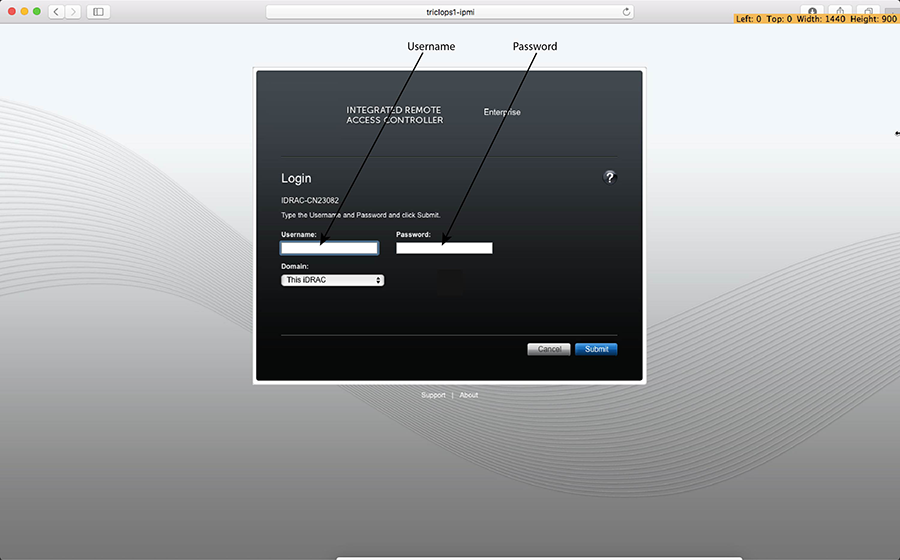
Login using the default username and password, which are:
- Username: root
- Password: arista
Note: Both the username and password are case sensitive.
Web Access into CVX and CVP Consoles via WOK
Web Access into Host via WOK
On the management station, open your Web browser and connect to URL: https://<host>:8001. Login through the WOK Login Page.
IPMI is supported on the following browsers:
- Mozilla Firefox
- Google Chrome
Default username and password:
- Username: root
- Password: arista
Note: Both the username and password are case sensitive.
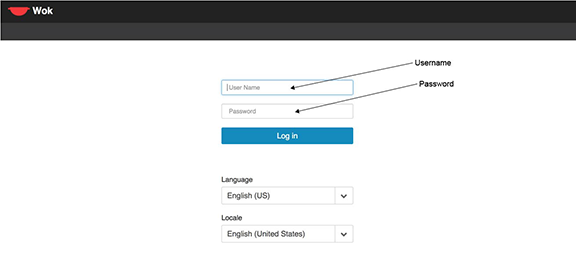
Web Access into CVX and CVP consoles via WOK.
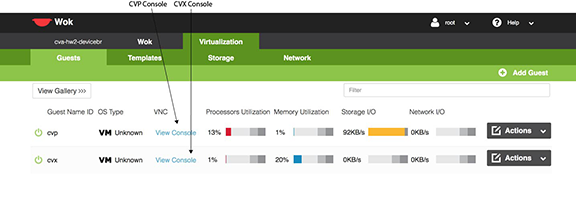
Using the CLI to Access the Appliance
Updating the Host Password
You can directly update or change a password using the following method.
Changing the IPMI Password
Two options are available to change the IPMI password:
Changing the Password through the IPMI Web Interface
- Under iDRAC Settings, go to User Authentication. The User Authentication page appears.
Figure 4. User Authentication page 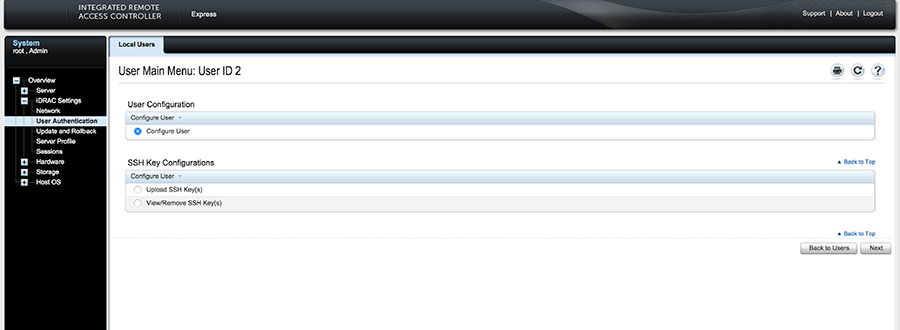
- Click Next. The page appears, showing options for changing passwords.
Figure 5. Changing the Password 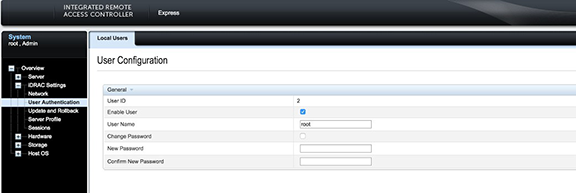
- Click Apply to apply the password change.
Figure 6. Apply the Password Change 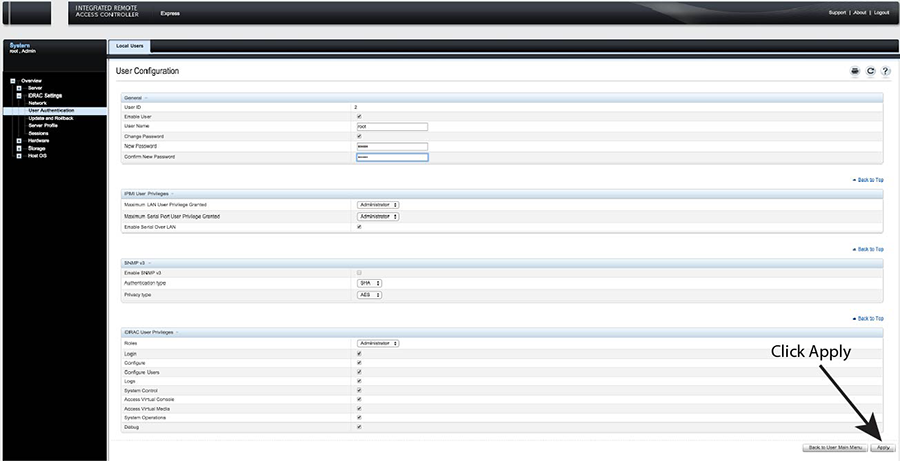
Changing the Password through the CLI
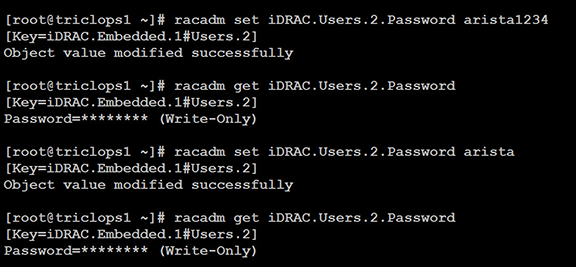
Resetting the iDRAC password can be done using the command line tool, racadm.
- Execute the following commands to change the iDRAC password.
Figure 7. Changing the Password through the CLI