
Verify the Status of IPsec Tunnels

After configuring the IPsec tunnels in both VeloCloud SD-WAN and Forcepoint Cloud Security Gateway, it takes a few minutes for the IPsec tunnels to establish. You can check the status of the established IPsec tunnels in both products.

To check the status of the IPsec tunnels in Forcepoint Cloud Security Gateway:

  1. In the Forcepoint Cloud Security Gateway, navigate to Device Management > Edge Devices and Services .
  2. Select the Edge Device configured for the integration.
    Figure 1. Displaying the Edge Device
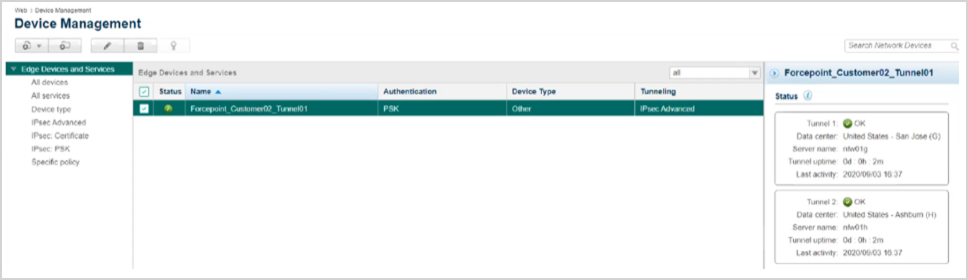
  3. If you set up the IPsec tunnels correctly, both the Tunnels display a green icon and display details of the connections. Note that each tunnel displays green if at least one of the redundant connections from VeloCloud SD-WAN becomes active.
    To view the status of the IPsec tunnels in the Orchestrator, refer to the following: