
Application Maps
From the Operator portal, select the Services tab, and then from the left navigation, select Application Maps. The following screen appears:
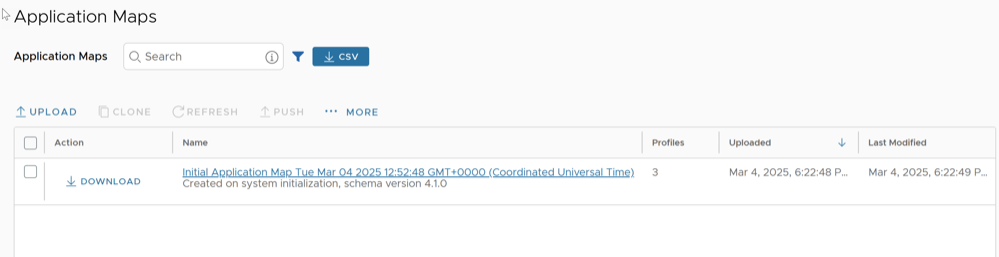
Note: Starting from the 5.4.0 release, Edge Image Management is renamed to Services.
You can perform the following actions on this page:
- Upload Application Map
- Clone Application Map
- Refresh Application Map
- Push Application Map
- Edit Application Map
- Delete Application Map
Upload Application Map
The following example illustrates a customized JSON file for the application bittorrent.
{ "id": 15, "name": "APP_BITTORRENT", "displayName": "bittorrent", "class": 14, "description": "BitTorrent is a peer-to-peer protocol. [Note: bittorrent is also known as kadmelia.]", "knownIpPortMapping": {}, "protocolPortMapping": {}, "doNotSlowLearn": 1, "mustNotUseGateway": 1 }Clone Application Map
- Select an existing Application Map, and then select Clone.
- In the Clone Application Map window, enter a new name and description for the Application.
- Select Clone.
Refresh Application Map
Push Application Map
Edit Application Map
- Select Save Changes to save the entered details.
Figure 2. Edit Application Map 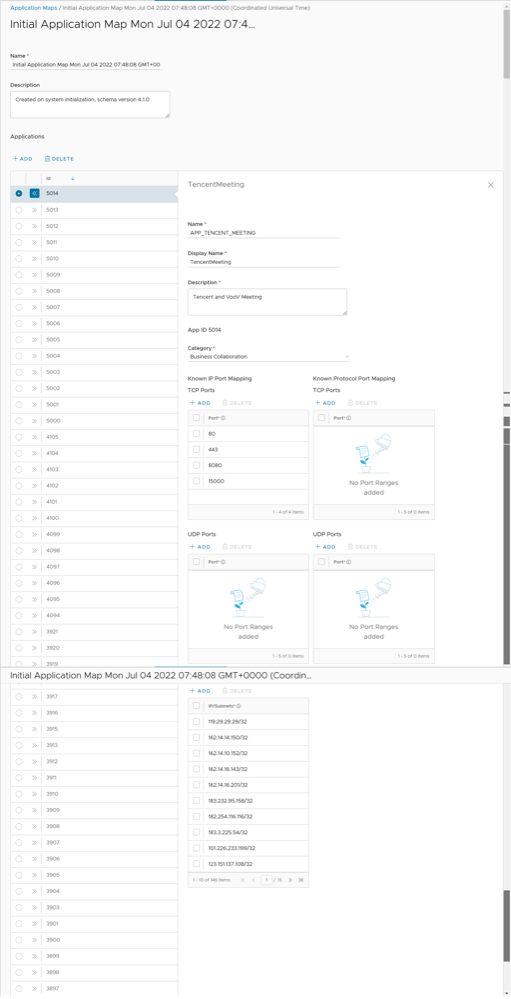
Delete Application Map
- Select an Application Map and then select .
- Enter the Number of Application maps selected and select Delete.