Manage Partners
The Manage Partners option allows you to create new Partners, who can independently manage a group of Customers.
- Log into the VeloCloud Orchestrator as an Operator user. In the SD-WAN service of the Operator portal, select Manage Partners.
Figure 1. Manage Partners 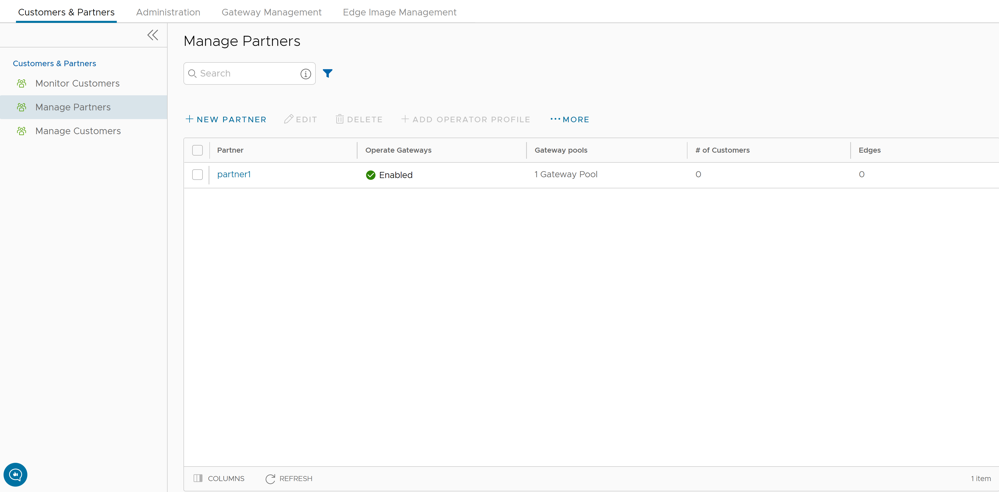
- You can perform the following actions:
Table 1. Manage Partners Option Descriptions Option Description Search Enter a search term to search for the matching text across the table. Use the advanced search option to narrow down the search results. New Partner Select this option to add a new Partner. For additional information, see Create New Partner. Edit This option takes you to the Partner Overview page in the Partner portal, where you can edit the Partner Capabilities, Available Software Images, and Gateway Pool of the selected Partner. For additional information, see Configure Partner. Delete Deletes the selected Partners. Enter the number of selected Partners in the pop-up window, and then select Delete. Note: Ensure that you have removed all the Customers associated to the selected Partner, before deleting the Partner.Add Operator Profile Assigns an Operator profile to the selected Partners, which specifies the network settings managed by SASE Orchestrator. In the Add Profiles to Selected Partners pop-up window, select a profile and select the arrow to add it. Select Save. For additional information, see Manage Operator Profiles. More Select this option, and then select Download to download the list of Partners' profiles in a CSV format. - Following are the other options available in the Manage Partners area:
Table 2. Manage Partners Option Descriptions Option Description Columns Select the check boxes to view the required columns. Refresh Select this option to refresh the page.
Create New Partner
In the Operator portal, you can create Partners and configure the settings, so that the Partners can manage a group of Customers on their own.
Only Operator Superusers, Standard Operators, and Business Specialist Operators can create a new Partner.
Note: As an Operator Super User, you can temporarily deactivate creating new partners by setting the system property
session.options.disableCreateEnterpriseProxy to True. You can use this option when SASE Orchestrator exceeds the usage capacity.- Log into the Arista SASE Orchestrator as an Operator user. In the Operator portal, go to , and then select New Partner.
Figure 2. Create New Partner 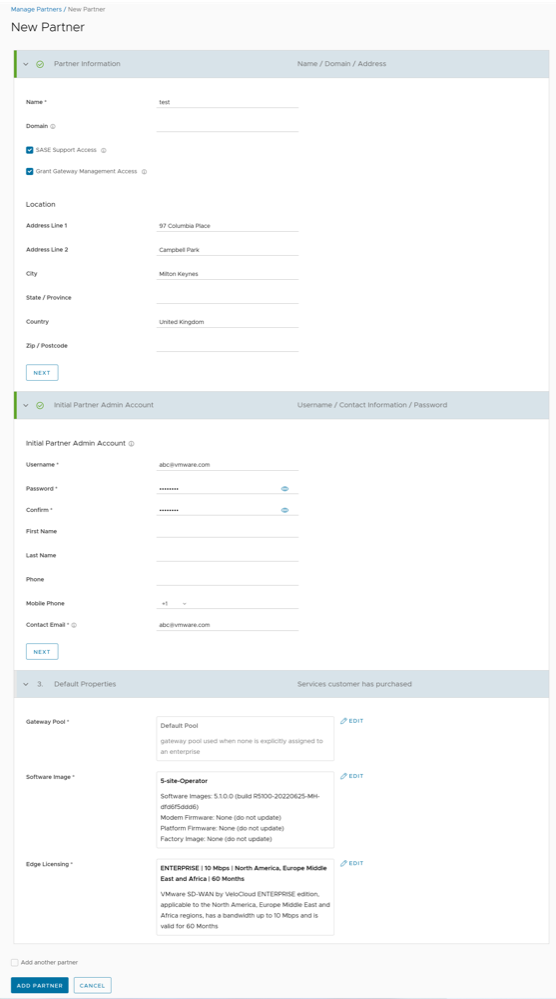
Configure Partner
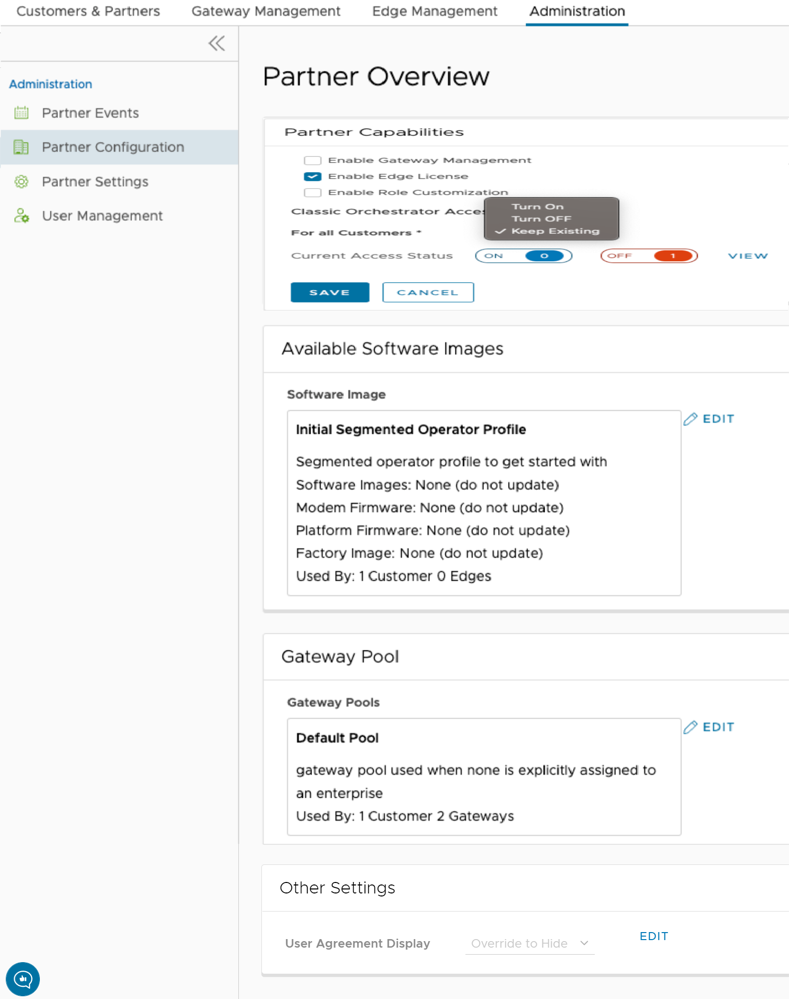
As an Operator Superuser and Operator Admin, when you create a new Partner, you are automatically redirected to the Partner Overview page, where you can configure Partner capabilities, Software images, Gateway pools, and other settings that the Partner can access.
Perform the below steps to configure Partner information for an existing Partner:
- In the Operator portal of the Arista SASE Orchestrator, select Manage Partners, and then select the Partner name to navigate to the Partner portal and add additional configurations to the Partner.
The Partner Overview page for the selected Partner appears.
Figure 3. Partner Configuration