Rack Mounting the Switch
This section provides instructions on how to rack mount the switch.
This section discusses the following topics:
Two-Post Rack Mount
This section provides instructions for mounting the switch in a two-post rack.
Attaching Mounting Brackets to the Chassis
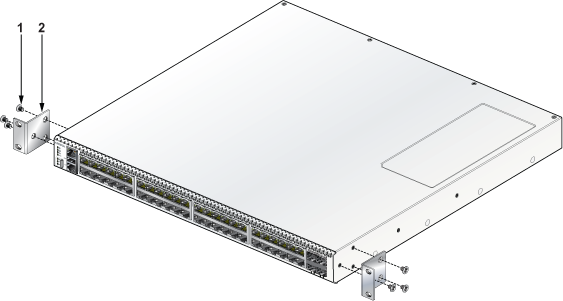
| 1 | Flat head screw M4x6mm | 2 | L-bracket (MTL-01066) |
.png)
|
1 |
Flat head screw M4x6mm |
2 | Extended L-bracket (MTL-05776) |
Inserting the Switch into the Rack
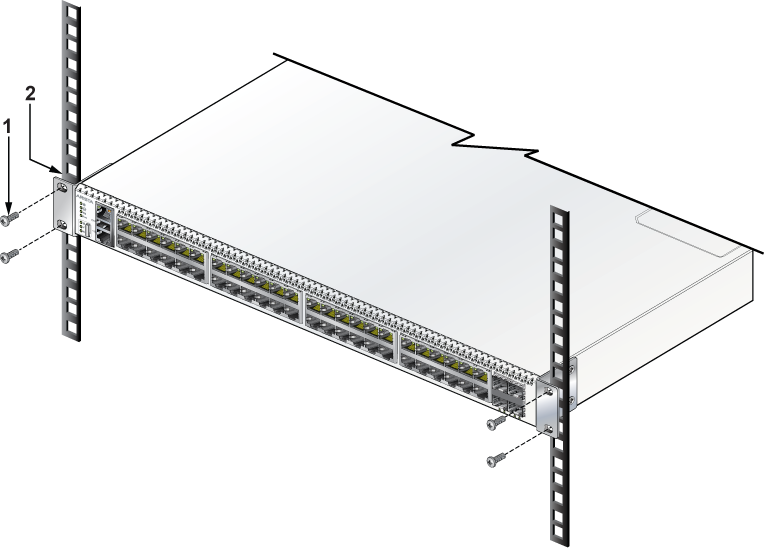
| 1 | Screw M4x25mm (not included in the kit) | 2 | Two-post rack |
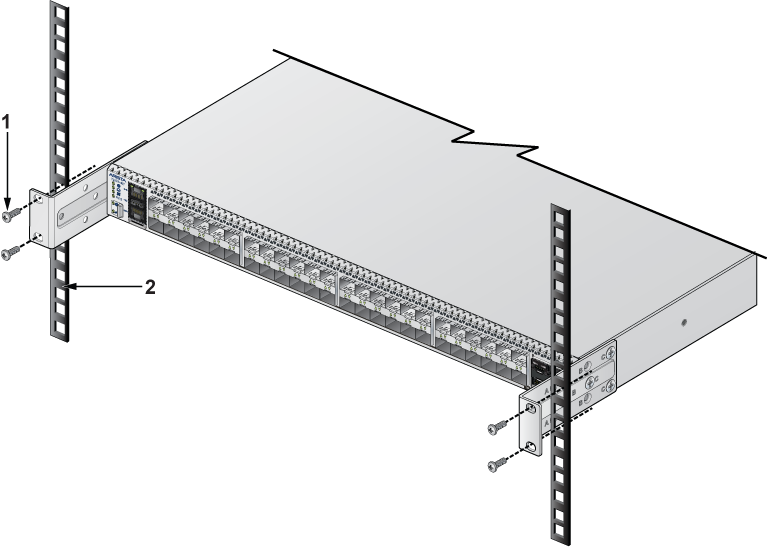
| 1 | Screw M4x25mm (not included in the kit) | 2 | Two-post rack |
- Lift the chassis, attached with L-brackets, into the rack.
- Place the switch into the rack by aligning it with the mounting bracket.
- Position the flanges against the rack posts, as shown in the earlier figure.
- Attach the bracket flanges to the rack posts.
DC-Powered Racks
There are ordering options for the switch that enable mounting in DC-powered racks such as MGX and its variants.
The following sections describe mounting the appropriate switch SKU in the relevant DC-powered rack. In all cases, installation requires mounting rails to be attached to the rack followed by inserting and securing the switch assembly to the rack.
MGX Rack
The following figure shows the CCS-720DT-48S-DC-2F designed to be mounted in MGX racks.

The sides of the switch assembly have features to facilitate installation on L-shaped IT-support brackets (not included).

| 1 | Hole (for latching) | 3 | Shelf (for switch assembly) | 5 | Hole (for latching) |
| 2 | L-shaped, IT-support bracket | 4 | L-shaped, IT-support bracket |
Racking the Switch Assembly (MGX Rack)
Perform the following tasks to mount the switch assembly into an MGX rack.
- Attach the L-shaped, IT-support bracket (not included with switch assembly) to the rack posts where the switch assembly will be mounted.
 Note: Install the IT-support brackets at the same level to ensure that the switch assembly will be horizontal when racked. The IT-support brackets should snap into place on the supports.
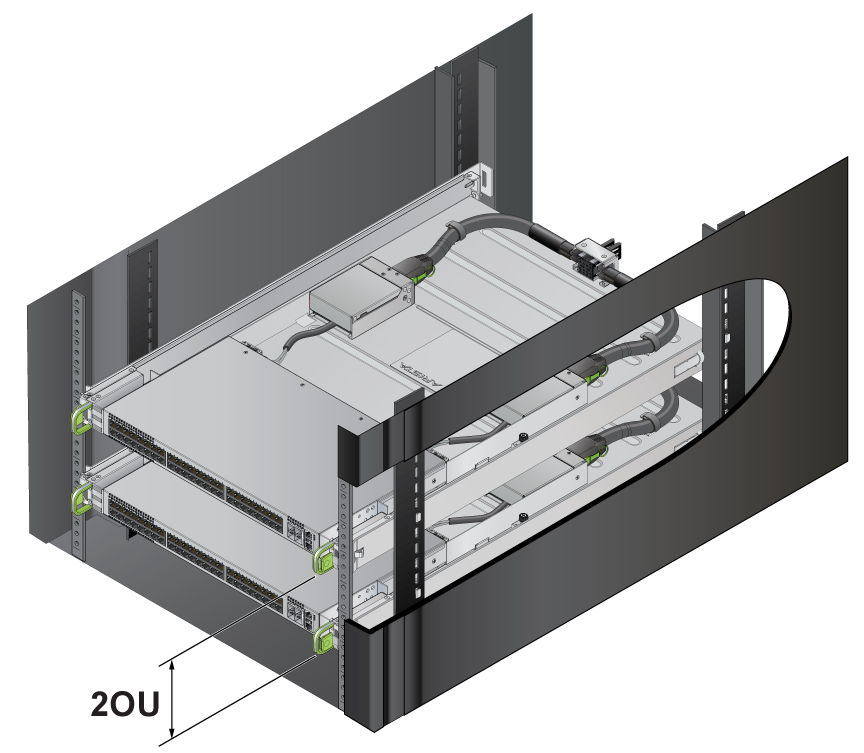
 - If you are installing multiple switches, maintain a minimum of 2OU separation between them to provide space for servicing the hot-swappable fan.

- Slide the switch assembly onto the shelf formed by the IT-support brackets.

1 Latch 2 Hole for latching - Ensure that both the front latches are secured.

The following illustration shows two switch assemblies installed with a minimum clearance required to service the lower switch for fan replacement.
Figure 5. Minimum Clearance for Hot-swapping Fan