
Status Indicators
The following topics are covered in this appendix:
Front Indicators
The front status indicators are located at right half of the front panel.
Figure 1. CCA-ETM-Q8W Front Status Indicators
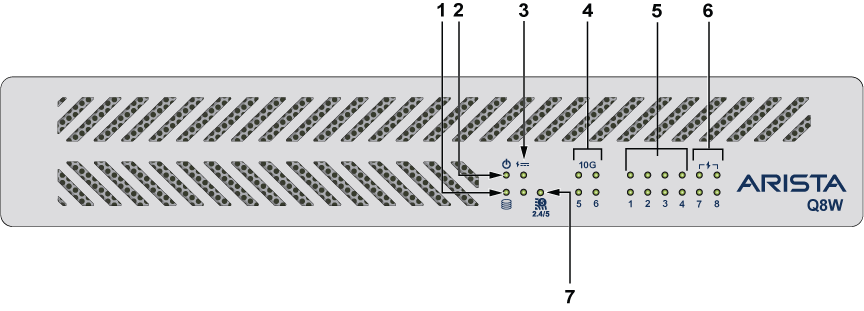
| 1 | Hard drive | 5 | 1 Gb port |
| 2 | Power | 6 | 1 Gb PoE port |
| 3 | PoE | 7 | WiFI |
| 4 | 10 Gb port |
Rear Indicators
This section shows the rear indicators for appliances listed in this guide.
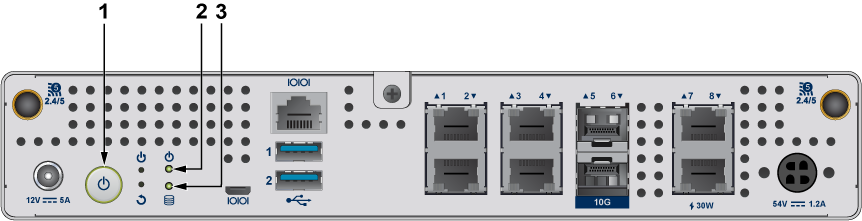
| 1 | Power button |
| 2 | Power |
| 3 | Hard drive |