
Front Panel
This section displays the front panel of all switches covered by this guide.
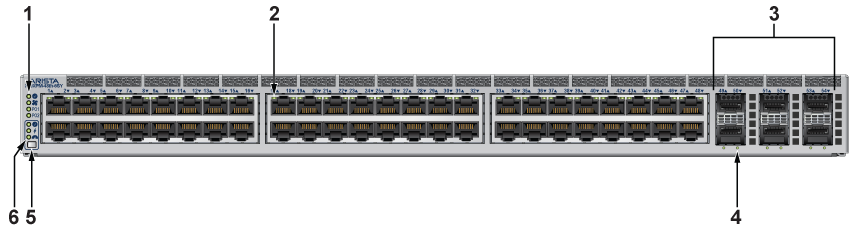
| 1 | System status LEDs | 2 | Port status LEDs | 3 | Uplink ports: Ports 49 to 52: 25G, Ports 53 to 54: 10G |
| 4 | Uplink port status LED | 5 | Mode button | 6 | Mode status LEDs |
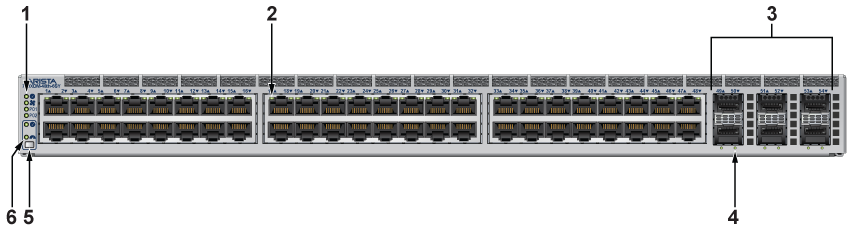
| 1 | System status LEDs | 2 | Port status LEDs | 3 | Uplink ports: Ports 49 to 52: 25G, Ports 53 to 54: 10G |
| 4 | Uplink port status LED | 5 | Mode button | 6 | Mode status LEDs |