A Virtual Private Cloud (VPC) is a virtual private network in which you can deploy your cloud resources. The Cloud resources cannot be directly deployed in a VPC. They must be deployed in a VSwitch (subnet) of the VPC.
Ensure you have an AliCloud account and login information.
Select the region to create a VPC. The VPC must be in the same region as the cloud resources that you want to deploy.
In the left navigation pane, select VPCs.
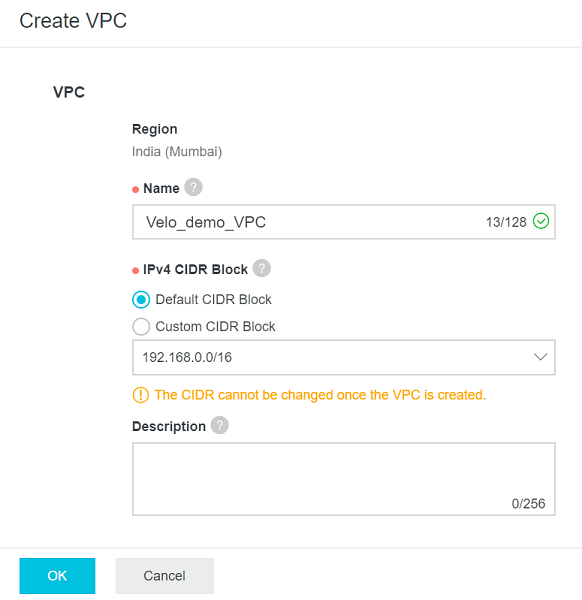
On the VPC page, select Create VPC.
Figure 1. Creating the VPC
On the Create VPC page, set the following parameters, and then select OK.
In the Name text box, enter the name for the VPC.
Under IPv4 CIDR Block, select one of the following options:
Default CIDR Block: Select 192.168.0.0/16, 172.16.0.0/12, or 10.0.0.0/8.
Custom CIDR Block: Select 192.168.0.0/16, 172.16.0.0/12, 10.0.0.0/8, or their subnets. The CIDR block mask must be 8 to 24 bits in length.
During VPC creation, you can create one or more VSwitches by selecting the + Add button. For more information about creating a VSwitch, see Create a VSwitch.
Note: After creating the VPC, you cannot change the IPv4 CIDR block.